GPT Image 2 MS Paint Drawing Prompt
Turn any uploaded image into a deliberately terrible MS Paint-style drawing with clumsy lines, awkward proportions, and a funny low-quality mouse-drawn look.
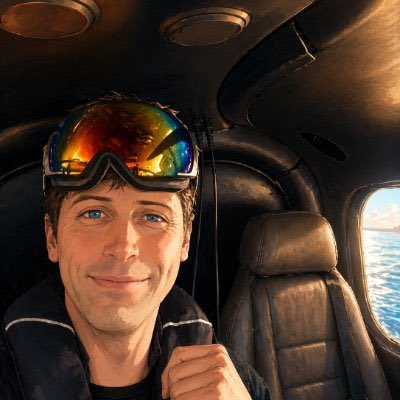
프롬프트
첨부한 이미지를 가능한 한 가장 {argument name="style" default="어설프고, 휘갈겨 그린 듯하고, 완전히 한심한"} 방식으로 다시 그려라. 흰색 배경을 쓰고, 마우스로 MS 페인트에서 그린 것처럼 보이게 하라. 어렴풋이 비슷하긴 한데 딱히 비슷하지도 않고, 얼추 들어맞는 것 같으면서도 헷갈리고 어색하게 어긋나 있어야 하며, 얼마나 어처구니없이 못 그렸는지가 확 드러나는 저화질 픽셀 하나하나의 질감이 살아 있어야 한다. 아니 그냥, 뭐 어때, 그리고 싶은 대로 그려라.
기계 번역 — 실제 결과물을 만든 것은 원문 프롬프트입니다.
원문 프롬프트
Redraw the attached image in the most {argument name="style" default="clumsy, scribbly, and utterly pathetic"} way possible. Use a white background, and make it look like it was drawn in MS Paint with a mouse. It should be vaguely similar but also not really, kind of matching but also off in a confusing, awkward way, with that low-quality pixel-by-pixel feel that really emphasizes how ridiculously bad it is. Actually, you know what, whatever, just draw it however you want.