2900 Followers Motion Graphic
views17,962
likes180
comments10
shares20
bookmarks157
quotes3
Translated
subject_definitions:
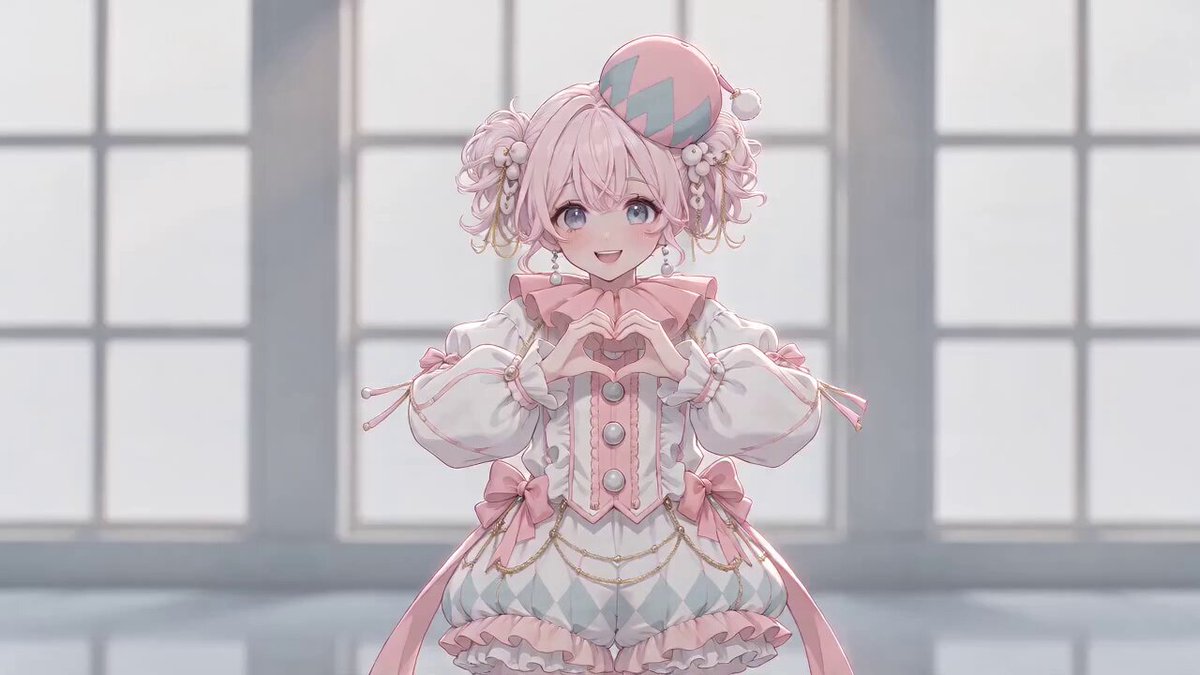
This video is a horizontal 16:9, 5-second high-speed motion graphics video where the character from the attached image co-stars with typography, conveying joy and gratitude for achieving '2900人フォロワー達成'.

The first text string is "2900人フォロワー達成".
The second text string is "ThankYou!".

The only text strings appearing on screen are the above two; no other characters, words, symbols, or numbers appear at all.

Maintain the exact spelling as written above, with correct case for letters, numbers, and symbols.

Do not split the first text string into separate strings such as "2900", "人フォロワー", "達成", etc., and display them separately.

The second text string must always be rendered as "ThankYou!".
Do not change the spelling to "THANK YOU", "Thank you", "THANKYOU", etc.

Text should never distort, increase, decrease, change to other characters, become garbled, or unintentionally duplicate.

The terms 'first text string', 'second text string', etc., are administrative designations used only within this instruction document.
Only the text strings assigned to each designation should be displayed on screen.
Do not display administrative terms such as 'First', 'Second', 'text string', 'Shot'.

reference_image_rules:
Use the attached image as the only visual reference for the character appearing in the video.

Extract only one central character or figure from the attached image.

If the attached image contains multiple poses or orthographic views of the same character, do not depict them as multiple people; treat all as reference material for the same person or character.

Maintain the following features of the reference object accurately throughout the video:

- Facial features
- Hairstyle
- Hair color
- Bangs
- Hats or headwear
- Glasses
- Clothing
- Accessories
- Character-specific parts
- Height-to-head ratio
- Body type
- Body proportions
- Facial expression characteristics
- Representation style of the original image

If the original image is live-action, maintain as a live-action person.
If the original image is 2D illustration, maintain as 2D illustration.
If the original image is a 3D character, maintain 3D texture.

Do not convert live-action to illustration, illustration to live-action, or 2D to 3D.

Do not change the face, costume, color, or body proportions of the character for each shot.
Do not cause changes in identity, facial distortion, costume changes, disappearance of hats or glasses, or increase/decrease of hands and feet.

Do not display the attached image itself as a square image, screenshot, thumbnail, card, frame, or smartphone screen.

Extract only the character from the attached image naturally and introduce them directly into the motion graphics space.

Do not copy the background of the original image.
Do not add white cut-out lines or unnatural borders around the character.

Even if the attached image contains readable text, logos, watermarks, UI, or numbers, do not reproduce them in the video.
The only readable text on screen should be limited to the first text string and the second text string.

Do not position the character as a mere static image; add subtle movements such as natural blinking, eye movement, slight body reactions, hand waving, gestures expressing joy, etc.

However, do not perform dance, intense rotation, or body deformation that significantly deviates from the original image.

color_extraction:
Analyze the attached image and automatically determine one 'key color' that best symbolizes the character.

Do not mechanically select the color with the largest area in the attached image; choose the color that visually represents the character's likeness.

Determine the key color based on the following priority:

1. Color of distinctive hat, costume, or accessories
2. Color that symbolizes the character or brand
3. High-saturation color that most strongly draws attention in the image
4. Color used on the character's body, not the background

Skin color, hair color, white, black, gray, and very light background colors are not selected as key colors unless there is a clear reason to symbolize the character.

Use the selected key color uniformly for motion graphics elements such as text, large circles, straight lines, grid lines, confetti, background inversion, etc.

Do not display the name or color code of the key color on screen.

The color of the character's body remains as per the attached image.
Do not convert the character to a single key color.

The colors available for the background, typography, and decorative shapes other than the character are limited to the following three:

- One key color extracted from the attached image
- Off-white
- Ink black

Do not add new accent colors other than the key color.
Do not use gradients, rainbows, or multiple neon colors.

visual_style:
Combine high-density, pop flat graphic motion with the character from the attached image.

The motion graphics part consists of flat shapes.
Maintain the representation style and texture of the character as per the style of the attached image.

Use only thick geometric sans-serif and thick Japanese Gothic typefaces.

Text is rendered flat, clear, and stable.
Do not overly three-dimensionalize, finely decompose, or skew the text.

The screen always has four layers:

Background layer at the back.
Decorative layer in the middle.
Character layer.
Text layer in the front.

Each layer moves at different speeds and directions.
All layers come to a complete stop simultaneously only at the final hold.

In the background layer, place the first text string as a huge outline without fill.
At about 3 times the screen width, continuously flow from right to left at low speed.

In the middle decorative layer, place large circles, concentric circles, thick straight lines, dot grids, grids, confetti-like rectangles, short radial lines.

Decorations consist only of abstract shapes that cannot be recognized as text or numbers.
Do not display stars, hearts, emojis, or additional symbols.

Stage interactions where the character, text, and decorative shapes react to each other.

The character peeks out from the side of the text.
The character bounces slightly from the impact of the text landing.
The character pushes the text with hands.
The character gestures joy towards the second text string.

However, do not excessively hide the character's face or body with text.

Within 5 seconds, complete one major visual change approximately every 0.8 to 1 second.
Focus on one strong movement per shot.

summary:
A 5-second follower achievement memorial motion where the character from the attached image and the huge typography of '2900人フォロワー達成' co-star.

First, the character and key-colored shapes appear.

Then, the first text string assembles on screen, and the character reacts to the impact.

In the middle, the character pushes the first text string to create momentum for achievement.

In the latter part, the second text string appears, and the character performs gestures of gratitude.

Finally, it lands with a collaborative final lock-up, placing the character on one side and the first and second text strings on the opposite side.

retention_analysis:
The character from the attached image appears in all shots.

The first text string appears in [Shot 2], [Shot 3], and [Shot 5].

The second text string appears in [Shot 4] and [Shot 5].

In the background layer, the first text string appears as a huge outline throughout.

Ensure that the character and text do not overlap too much, and there is always a moment where the text string is completely readable.

The final screen is held for 0.8 seconds or more, stably showing the character and the two text strings.

detailed_description:
[Shot 1]
At 00:00.000,

The ground is off-white.

The character extracted from the attached image appears at the center of the screen, maintaining the representation style of the original image.

Do not display the character as a square image; position them naturally independent of the background.

Behind the character, a huge circle of the extracted key color flies in from off-screen and lands in the center.

The character slightly bounces their body in sync with the landing impact.

Straight lines, circles, and rectangles in key color and ink black are sucked in from all four sides to the center.

In the front, no readable text is displayed yet.

[Shot 2]
At 00:00.900,

The character quickly moves to one side of the screen.

The shapes gathered in the center interlock simultaneously, and the first text string assembles across the screen.

The ground instantly inverts to ink black.

The first text string is rendered in the extracted key color.

At the moment the text string is complete, the character performs a small reaction of surprise and joy.

Do not overlap the character and text too much; keep the entire first text string completely readable in a continuous line.

[Shot 3]
At 00:01.900,

The first text string is strongly compressed towards the back of the screen.

The character places hands on the first text string and pushes it forward.

The pushed first text string rapidly expands as if rebounding and lands in the center of the screen.

With the landing impact, concentric circles in key color and off-white burst from the center outward.

Small rectangles representing confetti scatter in all directions.

The character slightly arches back their body in reaction to the impact.

Do not change the spelling of the text or the appearance of the character.

[Shot 4]
At 00:02.900,

Hard cut.

The ground inverts to off-white.

The character jumps into the center of the screen.

From behind the character, a horizontal rectangle in key color expands rapidly to the left and right.

From the rectangle, the second text string bursts out energetically in ink black.

The second text string lands next to the character and bounces once slightly.

The character performs gestures of gratitude, such as waving hands towards the second text string, spreading both hands, or bowing slightly, matching the character's personality from the original image.

Maintain the exact case, spelling, and exclamation mark of "ThankYou!".

[Shot 5]
At 00:04.000,

All shapes and text on screen are momentarily sucked into a central point.

The character is not made to disappear; they move to the left or right side of the screen while receiving recoil.

A huge circle in key color expands from the center to create the final background.

In the final screen, position the character on one side of the screen.

On the upper part of the opposite side, place the first text string largely in off-white or ink black.

Below that, place the second text string.

Place one short off-white or ink black grid line between the two text strings.

Select the text color with the highest contrast against the key color background.

The character maintains the color and design from the original image and gestures gratitude towards the text.

Do not hide the character's face or body with text.
Ensure sufficient margin between the character and text.

At 00:04.200,

Completely freeze all text, character, background, confetti, and decorative shapes.

Maintain the motionless state from 00:04.200 to 00:05.000.

During the final hold, never have the character's face or costume change, hands and feet increase, text shake, distort, flicker, glitch, or change to other text.
Machine-translated — the original is what produced this result.