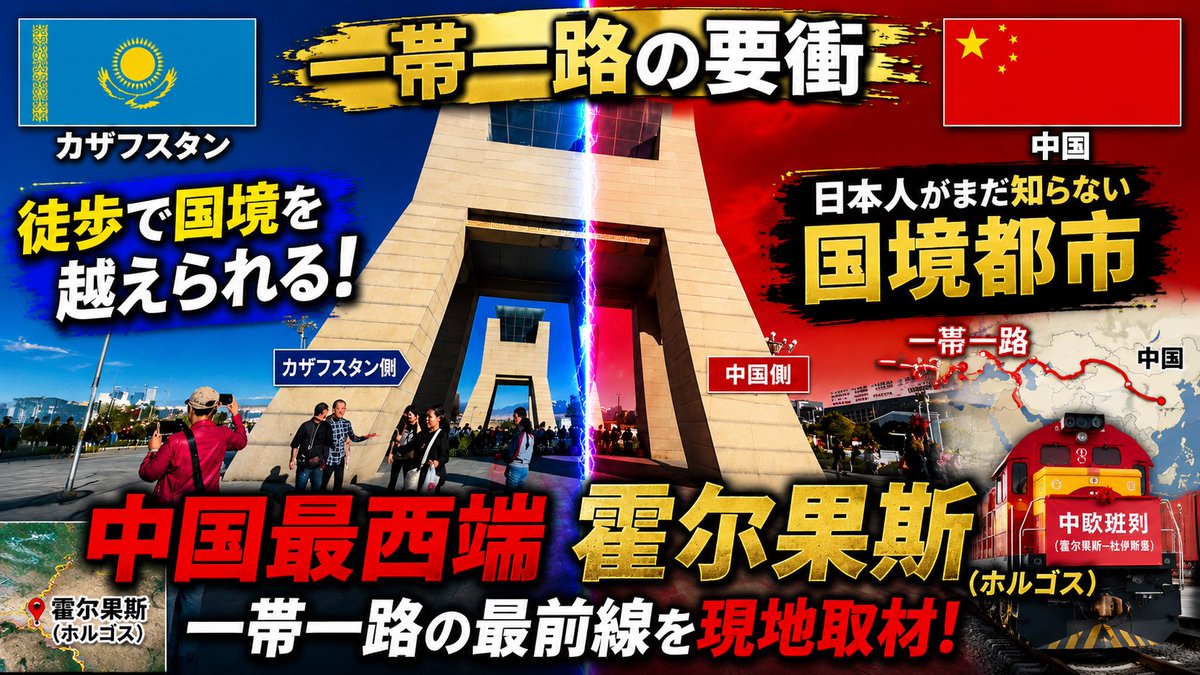
邊界城市 YouTube 縮圖
Creates a bold Japanese documentary-style YouTube thumbnail from a border-gate reference photo with flags, maps, lightning, train imagery, and punchy headlines.
觀看6
按讚0
留言0
分享0
書籤0
引用0
翻譯
使用提供的參考圖像作為基礎照片,將其重新設計為高衝擊力的日本YouTube旅行/新聞縮圖。保持邊境閘門地點可識別,但更緊密地圍繞中央紀念碑裁剪,增加對比度和飽和度,添加戲劇性的藍色對紅色 lighting split down the middle with a vertical lightning beam marking the border,並使佈局感覺像一個緊急的紀錄片縮圖。重新定位哈薩克國旗到左上角和中國國旗到右上角在 bordered boxes with drop shadows。添加一個 black-and-gold brush-stroke banner across the top with the main title {argument name="main title" default="一帯一路の要衝"}。添加大膽粗體輪廓的日本字型 with heavy shadows and color contrast;精確包含16個可見文字元素:1) "カザフスタン",2) "中国",3) {argument name="left hook" default="徒歩で国境を越えられる!"},4) "カザフスタン側",5) "中国側",6) "日本人がまだ知らない",7) {argument name="right headline" default="国境都市"},8) "一帯一路",9) "中国",10) {argument name="bottom red headline" default="中国最西端"},11) {argument name="city name" default="霍尔果斯"},12) "(ホルゴス)",13) "一帯一路の最前線を",14) "現地取材!",15) "霍尔果斯 (ホルゴス)",16) "中欧班列"。添加一個小型衛星地圖插圖在左下角 with a red location pin and label for Horgos。添加一個右側地圖圖形 showing a red Belt and Road route line and dots,partially behind the headline。添加一個紅色貨運火車插圖/照片組合在右下角 with the "中欧班列" label on its front。使用爆炸性縮圖風格: thick black outlines,yellow/red/white text hierarchy,lens flare,vignette,grunge brush backgrounds behind text,and strong drop shadows。輸出為16:9縮圖構圖。
機器翻譯 — 實際產出作品的是原文 prompt。


