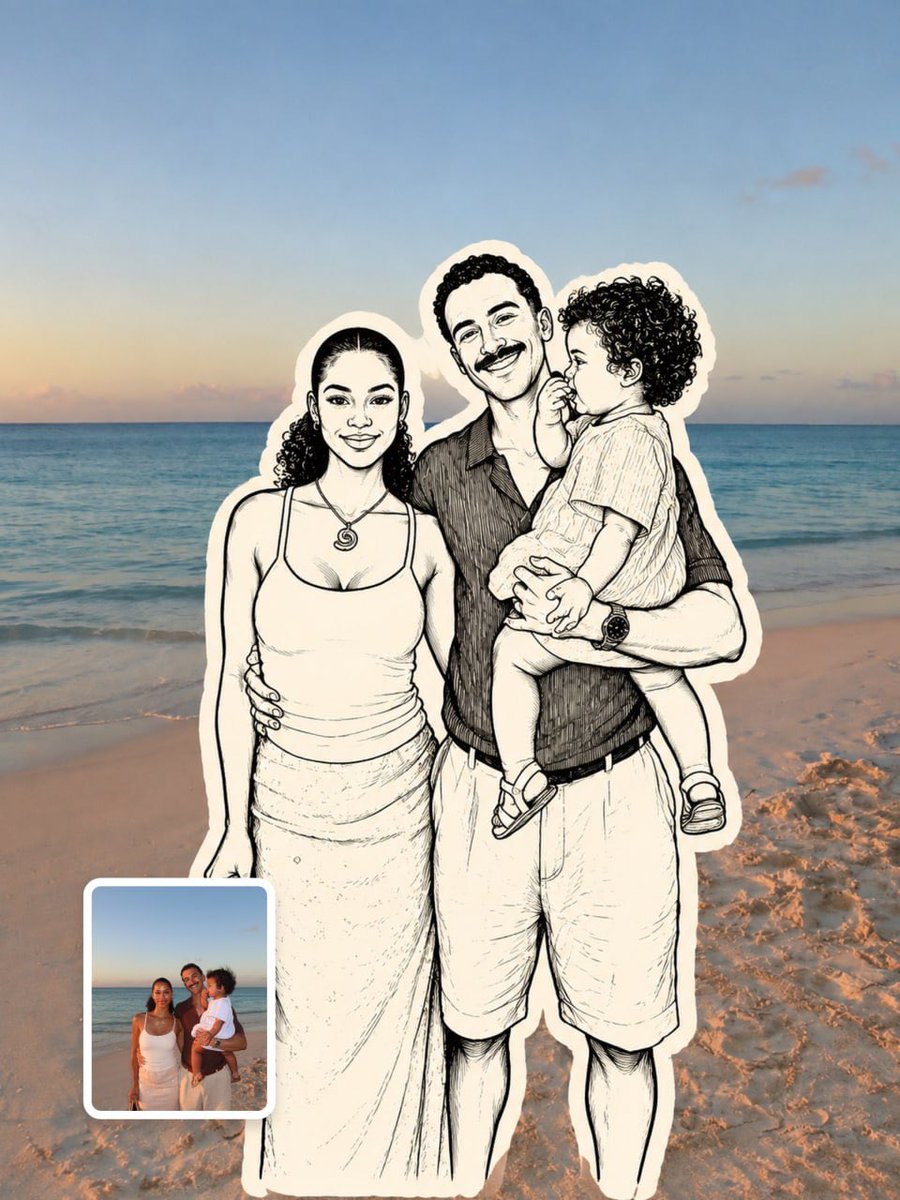
Doodle Sticker Photo
vues2,597
j’aime62
commentaires4
partages13
favoris38
citations0
Upload a reference image before generating.

MAIN PROMPT
Transform only the main subject in the uploaded photograph into a hand-drawn monochrome doodle sticker illustration, while keeping the entire real environment completely unchanged and photorealistic.

SUBJECT PRESERVATION
Preserve the subject’s exact pose, body proportions, facial expression, hairstyle, clothing, accessories, gesture, position, scale, and interaction with the scene. Recreate the existing appearance and outfit accurately without redesigning or simplifying important details.

DOODLE ILLUSTRATION STYLE
Use bold black ink outlines, simple off-white fills, minimal cross-hatching, subtle line variation, and slightly imperfect handmade strokes. Keep the illustration clean, editorial, playful, and authentically hand-drawn rather than digitally polished.

STICKER BORDER
Add a thick, irregular cream-white sticker border tightly following the illustrated subject’s silhouette. The border should feel naturally applied around the character while remaining clearly separated from the untouched photographic environment.

ENVIRONMENT LOCK
Keep all furniture, architecture, objects, background details, lighting, shadows, reflections, textures, camera angle, framing, depth, perspective, and spatial relationships exactly as in the original photograph. Do not stylize, redraw, blur, replace, or alter the real environment.

COMPOSITION LOCK
Keep the subject in the exact original position, scale, orientation, framing, and relationship to surrounding objects. Only the subject and its immediate sticker outline may become illustrated.

FINAL RESULT
The final image must look like a clean monochrome editorial doodle-sticker character seamlessly integrated into an otherwise completely untouched, realistic photograph.

NEGATIVE PROMPT
No pose change, no body reshaping, no clothing redesign, no hairstyle change, no expression change, no environment alteration, no background replacement, no new


