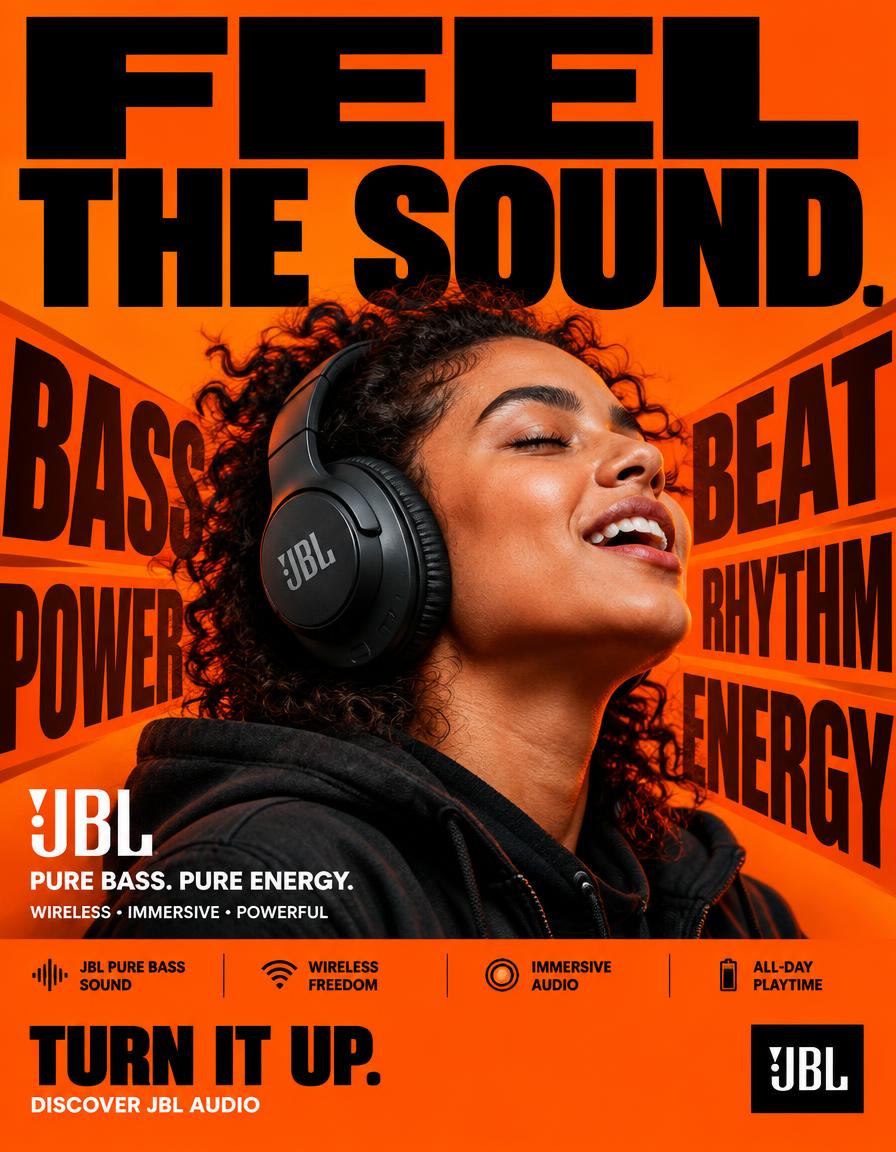
JBL Feel The Sound
回視聴3,508
いいね122
コメント42
シェア12
ブックマーク52
引用0
JBL — “FEEL THE SOUND.”
FORMAT:
4:5 vertical hyper-commercial JBL headphone campaign poster, ultra-high-resolution 8K, global OOH + Instagram + Meta advertising, BOLD TYPOGRAPHY–FIRST DESIGN, aggressive editorial graphic design, premium product photography, contemporary JBL advertising language
⸻
🧠 CORE IDEA
FEEL THE SOUND.
Make typography the dominant visual element, with JBL’s signature orange brand color controlling the entire visual environment.
The poster should communicate powerful JBL audio through a physical graphic metaphor:
SOUND → IMPACT → MOVEMENT
The typography appears to react to the sound, creating a visual sense of bass, rhythm and energy.
⸻
🎬 MASTER COMPOSITION
Create a highly graphic, typography-dominated composition.
TOP 40% — TYPOGRAPHY DOMINATION
Massive stacked headline:
FEEL
THE
SOUND.
Use extremely bold condensed sans-serif typography.
The words should occupy almost the entire width of the poster.
Aggressive scale.
Some letters cropped by the edges.
Typography should feel physically pushed by sound pressure.
⸻
🟠 BRAND-COLOR BACKGROUND
Use JBL’s signature orange as the dominant full-frame background.
Strong, saturated JBL orange.
Build subtle tonal variations within the orange rather than introducing unrelated background colors.
Use:
* Deep orange shadows
* Bright orange highlights
* Slight darker orange graphic blocks
* Black typography
* White microcopy
The entire poster should immediately feel like JBL even before the logo is seen.
⸻
🎧 PRODUCT + SUBJECT
Place a realistic person wearing a JBL headphone prominently in the center/lower-middle section.
The headphone must remain highly recognizable and physically accurate.
Subject positioned directly within the typography composition.
The person should feel energetic and immersed in the music.
Natural expression.
No exaggerated fashion pose.
The headphone is the product hero.
⸻
💥 TYPOGRAPHIC VISUAL METAPHOR
Create oversized graphic words around th


