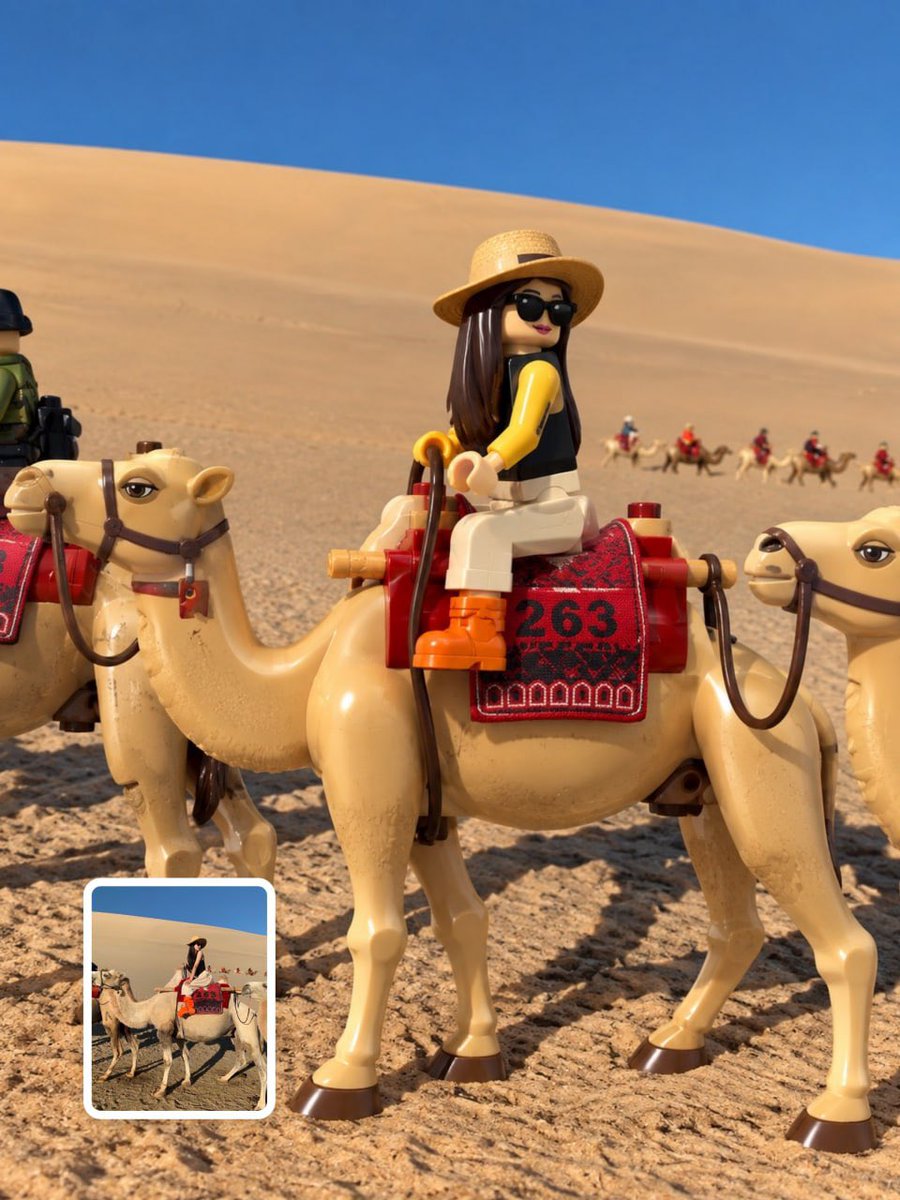
LEGO Minifigure Group Photo
回視聴1,236
いいね16
コメント0
シェア3
ブックマーク22
引用0
UPLOAD A REFERENCE IMAGE BEFORE GENERATING.

MAIN PROMPT

Transform every visible person in the uploaded image into a realistic LEGO-style minifigure while preserving the original environment, background, composition, lighting, and relationships. Create exactly one separate minifigure for every visible person. Preserve each person’s recognizable identity, expression, hairstyle, hair color, skin tone, proportions, pose, position, clothing, accessories, and held objects.

FORMAT LOCK

Vertical 3:4 composition. Show every minifigure fully from head to toe without cropping. Preserve the original group arrangement and perspective. Extend the environment naturally only when needed for the 3:4 frame.

STYLE TRANSFER

Convert only the people into authentic LEGO-style minifigures. Use realistic molded plastic, cylindrical heads, block-shaped torsos, standard arms and hands, short legs, printed facial features, detailed printed clothing, and molded plastic hairpieces matching each person’s hairstyle. Keep the figures seamlessly integrated into the original photograph.

DETAIL & COLOR

Accurately reproduce each person’s original clothing colors, patterns, layers, sleeves, collars, pants, skirts, shoes, jewelry, glasses, hats, bags and other visible accessories as LEGO prints or molded elements. Preserve original skin tones and facial expressions. Realistic plastic reflections, subtle seams, fine printed details and natural contact shadows.

COMPOSITION LOCK

Keep the original location, architecture, scenery, furniture, objects, colors, textures, perspective, depth, weather, atmosphere and time of day unchanged. Do not redesign or simplify the background. Preserve all existing objects in their original positions. Objects held or worn by people may be converted into LEGO-style accessories while maintaining their original appearance and color.

STYLE

Photorealistic LEGO-style minifigure transformation, premium 3D toy photography, realistic molded plastic,


