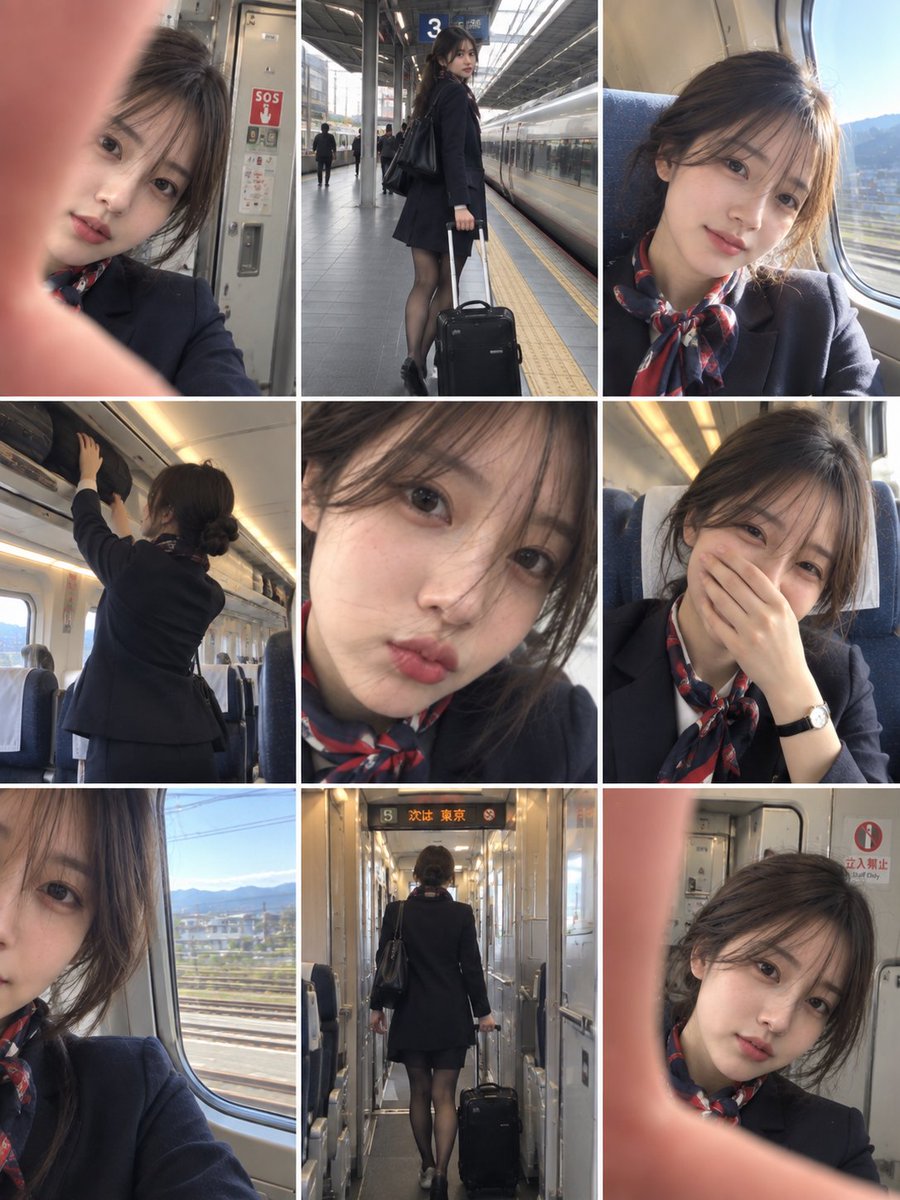
Train Attendant Photo Grid
조회34,439
좋아요187
댓글45
공유20
북마크106
인용6
ULTRA-REALISTIC CASUAL SMARTPHONE PHOTO COLLAGE, vertical 3:4, consisting of 9 separate candid snapshots arranged in a clean 3×3 grid, capturing the same young East Asian female train attendant during a normal workday aboard a modern passenger train.

Keep the same woman, same facial features, same hairstyle, same overall appearance, and same uniform consistently across every panel. She has dark brown hair neatly tied into a low bun, delicate natural features, subtle makeup, and a youthful appearance.

She wears a professional dark navy train-attendant uniform, a fitted blazer or elegant uniform dress, a red-and-navy patterned neck scarf, a small gold name badge, dark stockings, and simple professional shoes. Her appearance is polished but natural.

Panel 1: accidental close-up smartphone selfie inside the train vestibule, with one finger partially covering the lens, slightly blurry and imperfect, train doors and safety signage visible behind her.

Panel 2: full-body candid shot of her walking through the narrow train aisle while pulling a small black rolling suitcase, slight motion blur, passengers and rows of seats softly visible in the background.

Panel 3: close-up selfie from a train seat beside the window, bright natural sunlight entering through the glass and slightly overexposing part of her face, relaxed expression and casual framing.

Panel 4: candid rear/side view of her standing inside the train carriage while reaching toward an overhead luggage compartment, showing her neat low bun, uniform silhouette, and professional posture.

Panel 5: extremely close casual selfie, her face filling most of the frame with a few loose strands of hair crossing her face, soft focus, slightly imperfect smartphone exposure, playful natural expression.

Panel 6: candid seated selfie inside the train, one hand covering her mouth while laughing, wearing a simple wristwatch, warm carriage lighting, genuine spontaneous moment.

Panel 7: cl


