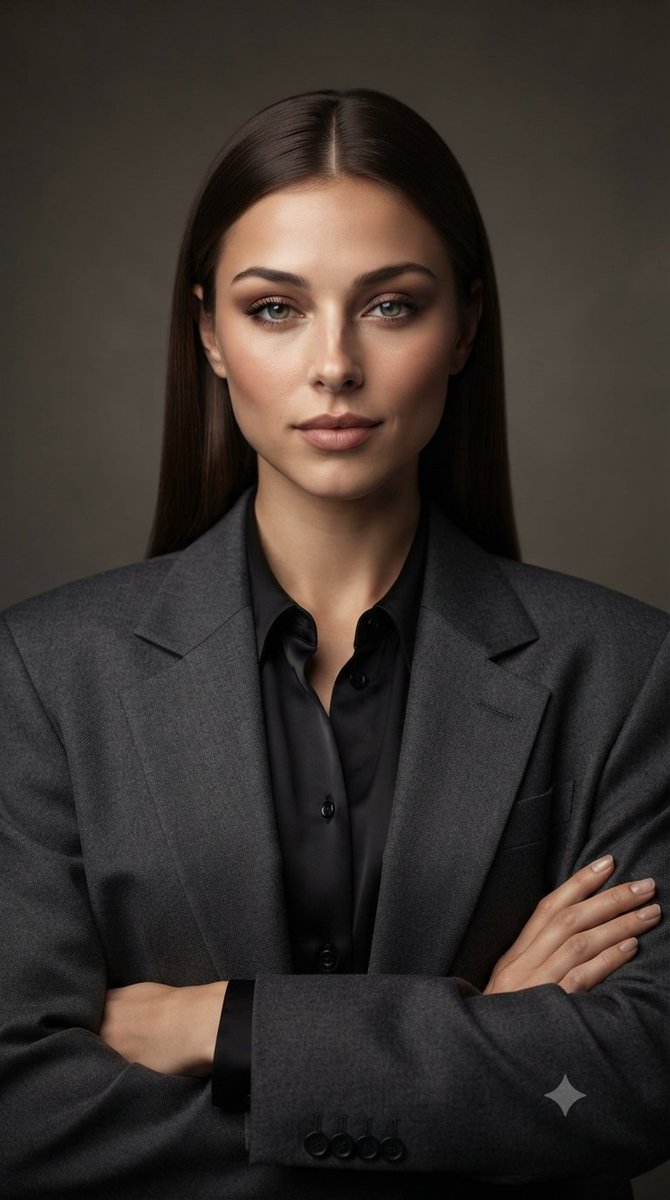
Corporate Blazer Studio Portrait
조회5,015
좋아요185
댓글39
공유9
북마크12
인용1
Create an ultra-photorealistic professional corporate fashion portrait of an elegant adult woman, using the uploaded image as the exact facial and visual reference. Preserve her facial identity, natural facial proportions, eyes, eyebrows, nose, lips, jawline, cheekbones, skin tone, and overall appearance with zero identity drift.

She has long, straight dark-brown hair with a clean center part, sleek and naturally polished, falling smoothly behind her shoulders. Her makeup is refined and sophisticated: softly defined brows, subtle smoky brown eyeshadow, natural eyeliner, long lashes, gentle contouring, soft warm blush, and muted rose-nude lips. Skin should look smooth, healthy, luminous, and glass-like while retaining realistic pores and natural texture—no plastic or overly airbrushed skin.

She wears a tailored charcoal-gray oversized blazer with structured shoulders and a black satin button-up blouse underneath. Her arms are crossed naturally across her torso, creating a confident executive pose. Her expression is calm, composed, elegant, and quietly confident, looking directly into the camera.

Set the portrait against a simple dark warm-gray studio background with subtle soft gradient lighting. Use professional beauty/editorial photography, soft diffused key light, gentle facial highlights, realistic shadows, natural skin texture, detailed fabric texture, and cinematic depth.

Composition: centered head-and-upper-body portrait, straight-on camera angle, symmetrical framing, vertical 9:16 composition, 85mm professional portrait lens, shallow depth of field, high-end corporate fashion campaign aesthetic, ultra-detailed 8K realism.

Negative prompt: cartoon, CGI, artificial face, face distortion, identity drift, different person, exaggerated beauty filter, plastic skin, excessive retouching, asymmetrical eyes, deformed hands, extra fingers, missing fingers, warped anatomy, messy hair, text, logo, watermark.


