Opus Code Swarm Setup
조회33,081
좋아요422
댓글54
공유40
북마크655
인용0
claude --model opus --effort ultracode

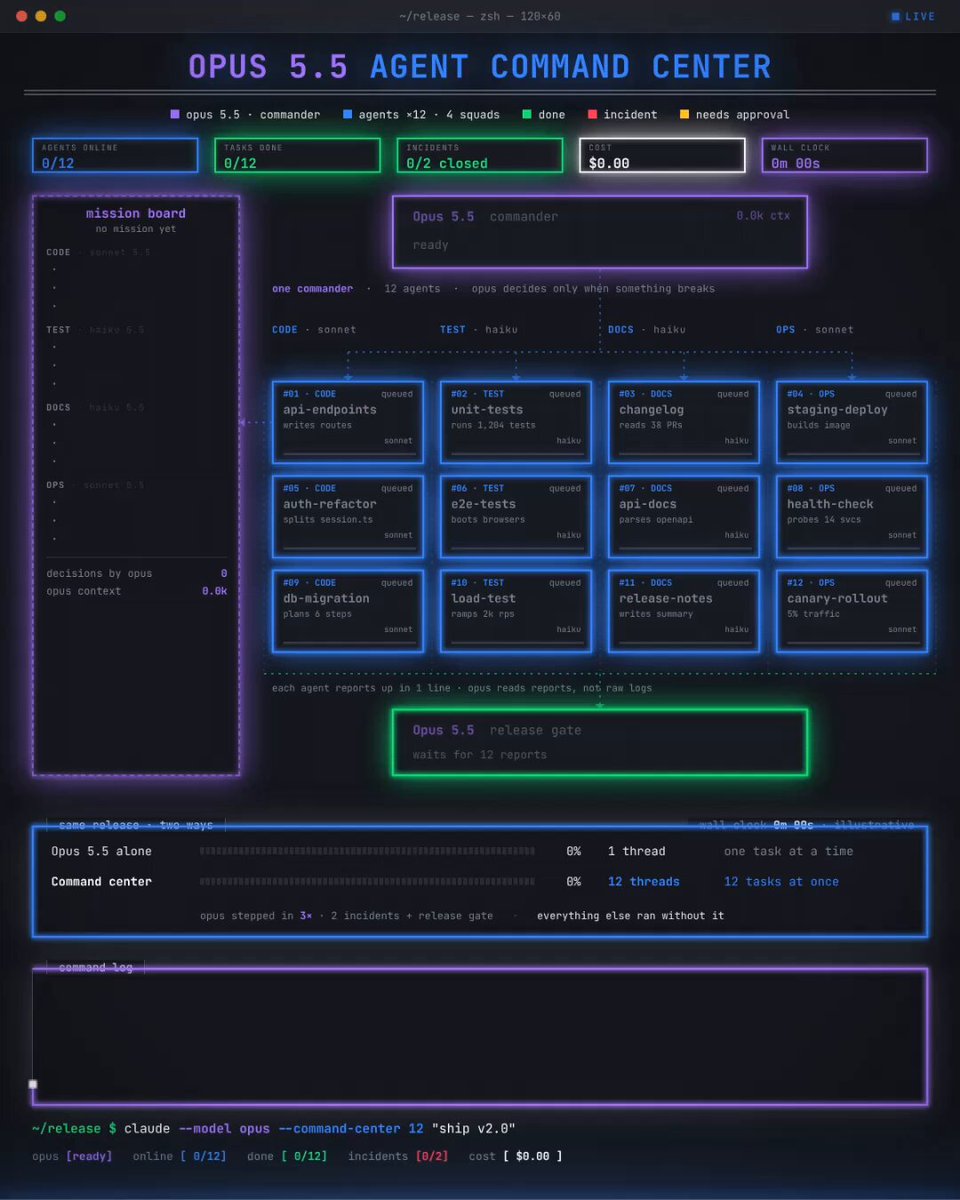
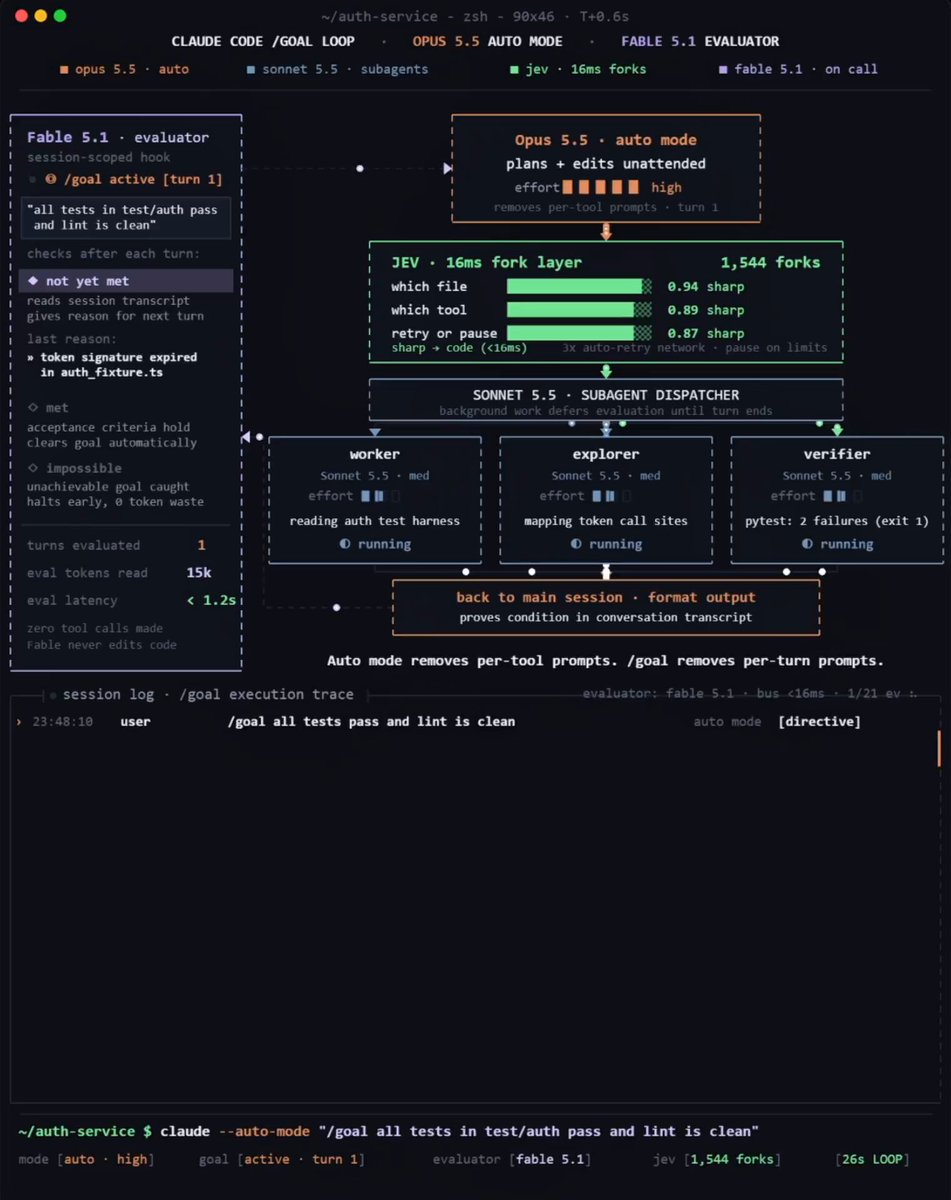
Opus 5.5 translates your target into a fully runnable workflow script
Haiku 5.5 scans all files concurrently at 340 tokens/sec to spot candidates
Sonnet 5.5 applies each patch and validates findings within an isolated workspace

Opus is involved at only three specific steps:
writing the initial workflow script before execution
analyzing verified results once the swarm wraps up
giving final approval prior to committing any code to git

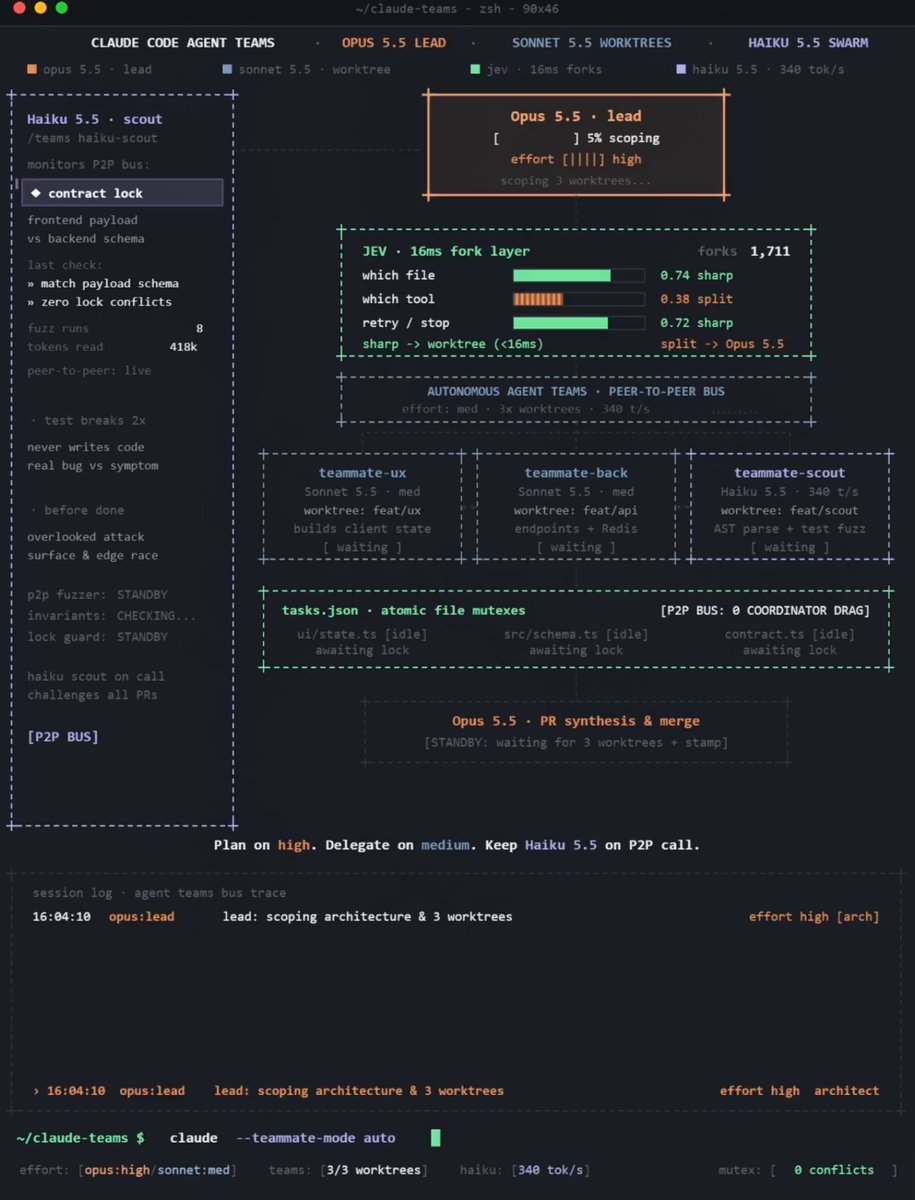
Opus 5.5 orchestrates the core session and generates workflow.js
pipeline() fans out instances of Haiku 5.5 to inspect every file
parallel() schema validators eliminate false alarms directly in V8
Sonnet 5.5 applies fixes within dedicated, isolated worktrees
verify double-checks all code diffs prior to summary generation
Opus 5.5 processes exclusively the results that survived validation
JEV routes lightweight micro-decisions in milliseconds

Reconfigure my Claude Code setup following this tree:
1. Execute the primary session using Opus 5.5 with ultracode enabled
2. Assign read-only scanning phases to Haiku 5.5 across all workflows, while routing code modification steps to Sonnet 5.5, running each edit inside its own isolated copy
3. Update CLAUDE.md with a new rule: assign a separate verifier agent to every issue before reporting, and terminate fix loops after two iterations without progress
4. Route fast, deterministic branching (tool selection, path routing, retry logic) via JEV
Present every modification as a diff upfront do not execute changes until approved