動畫海報與概念藝術
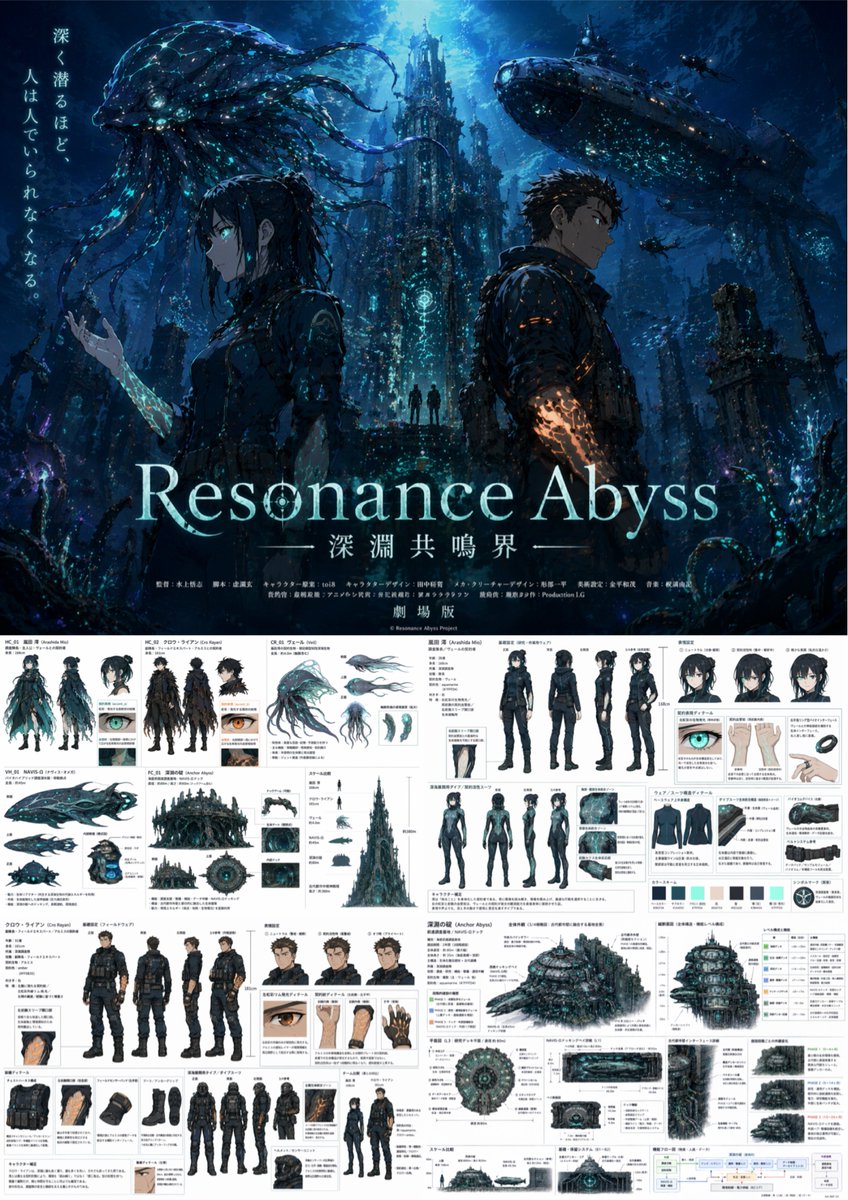
Generates a split-layout image featuring a cinematic anime poster on top and a highly detailed, multi-panel character and world-building reference sheet below.
觀看6,700
按讚191
留言2
分享16
書籤102
引用3
翻譯
{
  "type": "動畫電影海報與綜合製作設計參考表",
  "overall_theme": "{argument name="setting theme" default="黑暗水下科幻深淵"}",
  "layout": {
    "top_half": "電影感主視覺海報",
    "bottom_half": "密集多面板製作設計文件"
  },
  "poster_section": {
    "characters": [
      {
        "description": "年輕女性側面,深色頭髮",
        "special_feature": "手臂發光帶有{argument name="female glow color" default="青色"}標記"
      },
      {
        "description": "年輕男性側面,短深色頭髮",
        "special_feature": "手臂發光帶有{argument name="male glow color" default="橙色"}標記"
      }
    ],
    "background": "高聳的哥德式水下建築,巨大生物發光水母生物,大型潛艇",
    "typography": {
      "tagline": "{argument name="tagline" default="深く潜るほど、人は人でいられなくなる。"}",
      "main_title": "{argument name="main title" default="Resonance Abyss"}",
      "subtitle": "深淵共鳴界",
      "footer": "fake anime staff credits and 劇場版"
    }
  },
  "reference_sheet_section": {
    "grid_layout": "密集建築和角色設計網格,帶有日文註釋",
    "panels": [
      {
        "subject": "女性角色設計",
        "elements": [
          {"type": "標準服裝轉換圖", "count": 4, "poses": ["front", "back", "side", "3/4"]},
          {"type": "面部表情", "count": 3},
          {"type": "潛水服轉換圖", "count": 4, "poses": ["front", "back", "side", "3/4"]},
          {"type": "潛水服細節特寫", "count": 3},
          {"type": "色盤樣本", "count": 6}
        ]
      },
      {
        "subject": "男性角色設計",
        "elements": [
          {"type": "標準服裝轉換圖", "count": 4, "poses": ["front", "back", "side", "3/4"]},
          {"type": "面部表情", "count": 3},
          {"type": "潛水服轉換圖", "count": 4, "poses": ["front", "back", "side", "3/4"]},
          {"type": "裝備細節特寫", "count": 4}
        ]
      },
      {
        "subject": "生物和機甲設計",
        "elements": [
          {"type": "水母生物視圖", "count": 4},
          {"type": "潛艇視圖", "count": 3}
        ]
      },
      {
        "subject": "環境和世界觀",
        "elements": [
          {"type": "圓頂水下基地外部視圖", "count": 3},
          {"type": "比例比較圖表", "count": 1},
          {"type": "內部剖面面板", "count": 3},
          {"type": "UI介面模擬", "count": 2},
          {"type": "系統流程圖", "count": 1}
        ]
      }
    ]
  }
}
機器翻譯 — 實際產出作品的是原文 prompt。


