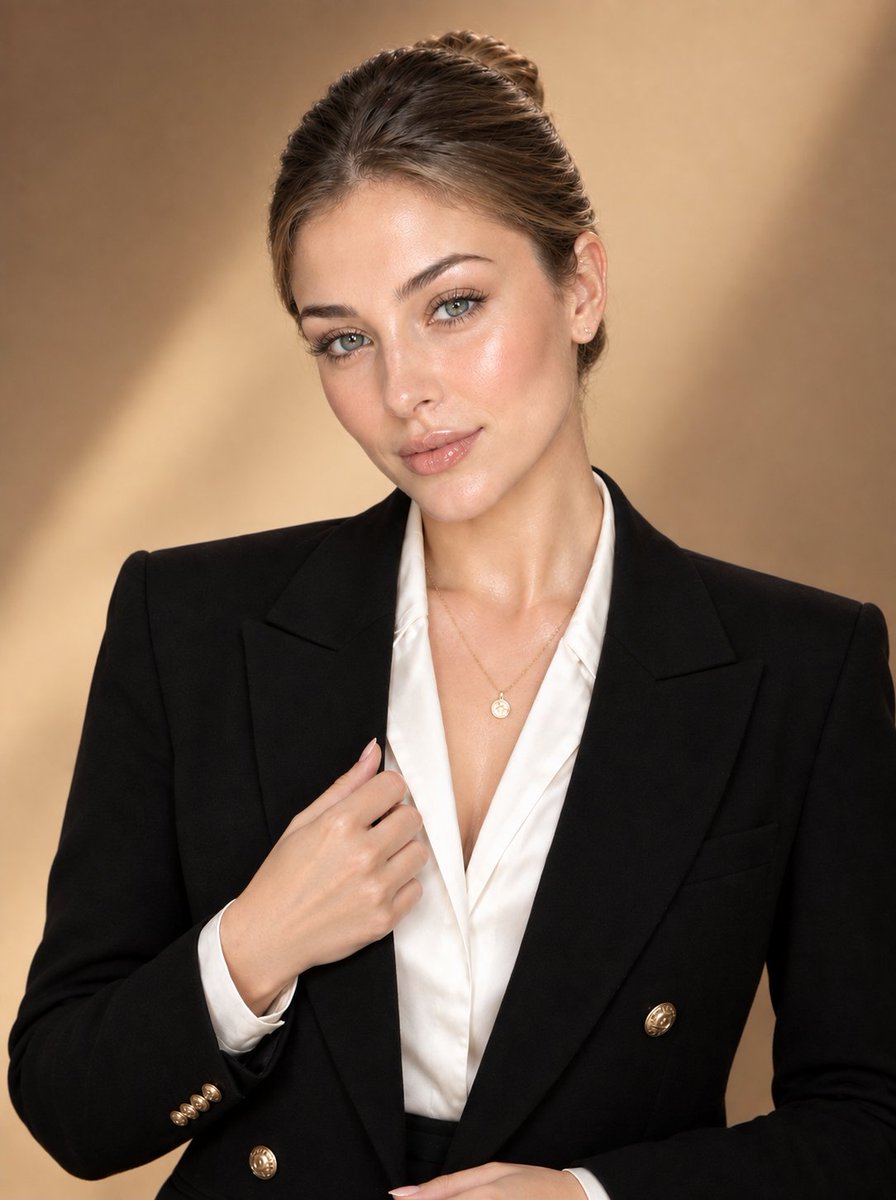
Luxury Corporate Fashion Portrait
觀看7,201
按讚171
留言36
分享2
書籤14
引用0
Create an ultra-photorealistic luxury corporate fashion portrait of an elegant adult woman, using the uploaded image as the exact facial identity reference. Preserve her facial identity, natural facial proportions, eyes, nose, lips, jawline, cheekbones, skin tone, and overall appearance with zero identity drift.

She has neatly styled dark-brown hair pulled into a sleek, polished low bun, with a clean side part and no loose strands or hair falling onto the face. Her face is completely unobstructed, refined, symmetrical, and naturally model-like.

She wears a sophisticated black double-breasted tailored blazer with structured shoulders, wide lapels, subtle gold buttons, and a crisp ivory-white satin blouse underneath. Add a delicate gold pendant necklace and minimal elegant jewelry.

Pose her in a confident three-quarter portrait, gently holding the blazer lapel with one hand, shoulders relaxed, head slightly tilted toward the camera, with a calm, sophisticated expression and direct eye contact.

Skin: luminous glass-like healthy skin with realistic pores and fine natural texture, subtle natural imperfections, soft dewy highlights, refined editorial makeup, defined eyelashes, naturally shaped brows, nude glossy lips. Avoid plastic or overly airbrushed skin.

Lighting: warm luxury studio lighting, large soft key light, subtle fill light, gentle rim lighting around the hair and shoulders, flattering highlights on the face, soft shadows.

Background: elegant warm beige/tan seamless studio backdrop with subtle depth and smooth tonal falloff.

Photography: high-end luxury fashion campaign, professional corporate editorial photography, 85mm portrait lens, shallow depth of field, crisp facial detail, realistic fabric texture, natural anatomy, premium color grading, sophisticated and timeless aesthetic.

Composition: vertical 4:5 portrait, waist-up framing, centered subject, clean negative space, realistic proportions.

Negative prompt: identity chan


