Minecraft Family Compass UI
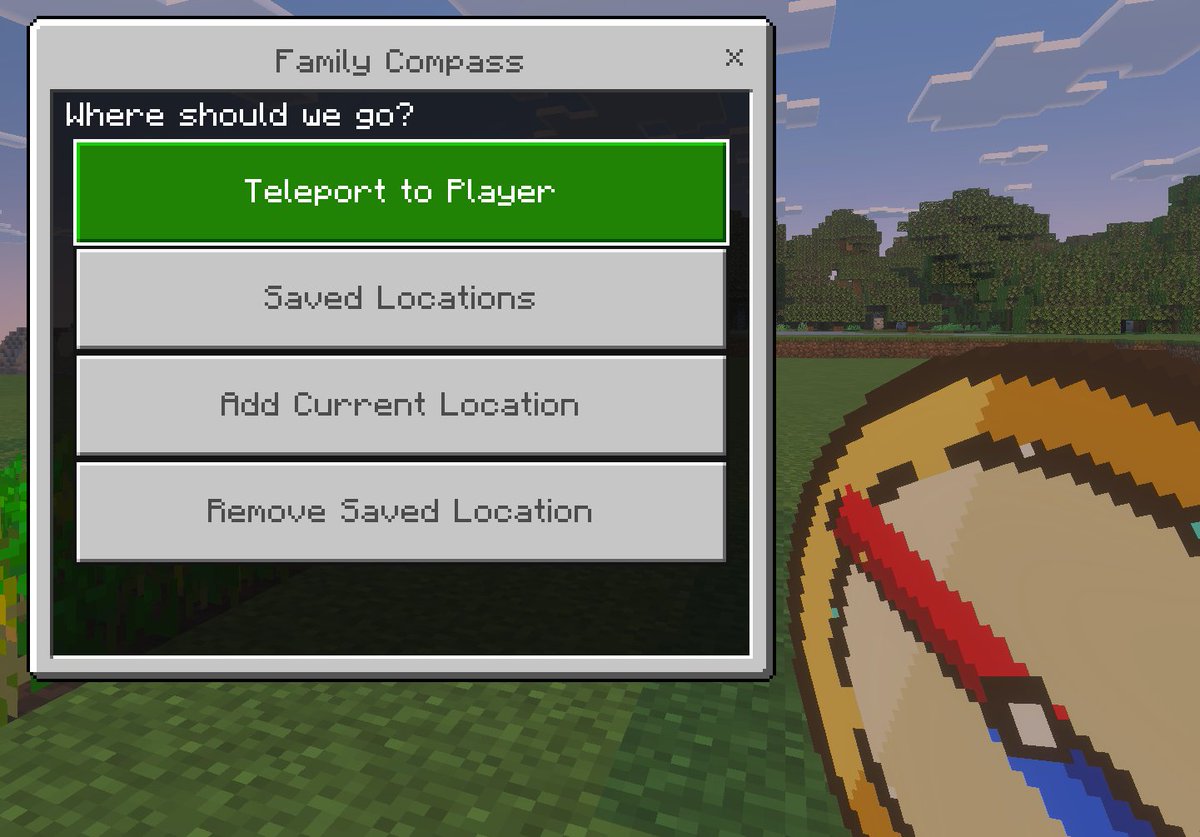
A Bedrock-style Minecraft screenshot mockup featuring a custom teleport menu and handheld compass, ideal for showcasing a game mod, add-on, or kid-friendly navigation tool.
プロンプト
Minecraft Bedrock Editionのビジュアルスタイルのクリーンなインゲームスクリーンショットモックアップで、{argument name="window title" default="Family Compass"}とタイトル付けされたカスタムテレポートメニューオーバーレイを表示。背景は、前景にブロック状の草原、中景に葉のある木の列、長方形の雲を持つ淡い青空の明るい屋外Minecraftシーン。左側には、大きなBedrockスタイルのUIウィンドウがフレームを支配し、明るいグレーパネル、より暗いグレーの枠、右上に小さな閉じるXを含む。ウィンドウの上部中央にタイトルテキスト。パネル内には、{argument name="prompt text" default="Where should we go?"}と尋ねる暗いヘッダーバー。その下には、均等な間隔で垂直に積み重ねられた正確に4つの大きな水平長方形ボタン。最初のボタンは明るい緑にハイライトされ、{argument name="primary button" default="Teleport to Player"}と読む白いピクセルスタイルテキスト。次の3つのボタンは、順に"Saved Locations"、"Add Current Location"、"Remove Saved Location"と読む中グレーのピクセルスタイルテキストを持つ明るいグレー。右下前景には、部分的にクロップされ、プレイヤーが持つように保持された、ベージュの面、金のリム、対角線に下に向かう赤い針を持つオーバーサイズピクセルアートコンパスアイテムが、chunkyなMinecraftアイテムアイコンスタイルでレンダリング。authentic Minecraft Bedrock UI proportions, pixelated font, crisp blocky edges, soft in-game lighting, and a polished game-screenshot composition with the menu as the main focus.を維持。
機械翻訳 — この作品を生成したのは元のプロンプトです。
元のプロンプト
A clean in-game screenshot mockup in the visual style of Minecraft Bedrock Edition, showing a custom teleport menu overlay titled {argument name="window title" default="Family Compass"}. The background is a bright outdoor Minecraft scene with blocky grass in the foreground, a line of leafy trees in the middle distance, and a pale blue sky with rectangular clouds. On the left side, a large Bedrock-style UI window dominates the frame, with a light gray panel, darker gray border, and a small close X in the top-right corner. Centered at the top of the window is the title text. Inside the panel, a dark header bar asks {argument name="prompt text" default="Where should we go?"}. Below it are exactly 4 large horizontal rectangular buttons stacked vertically with even spacing. The first button is highlighted bright green with white pixel-style text reading {argument name="primary button" default="Teleport to Player"}. The next 3 buttons are light gray with medium gray pixel-style text reading, in order, "Saved Locations", "Add Current Location", and "Remove Saved Location". In the lower-right foreground, partially cropped and held as if by the player, is an oversized pixel-art compass item with a tan face, gold rim, and a red needle angled diagonally downward, rendered in chunky Minecraft item icon style. Use authentic Minecraft Bedrock UI proportions, pixelated font, crisp blocky edges, soft in-game lighting, and a polished game-screenshot composition with the menu as the main focus.