Photo Into Storybook World
回視聴22,771
いいね385
コメント22
シェア43
ブックマーク293
引用3
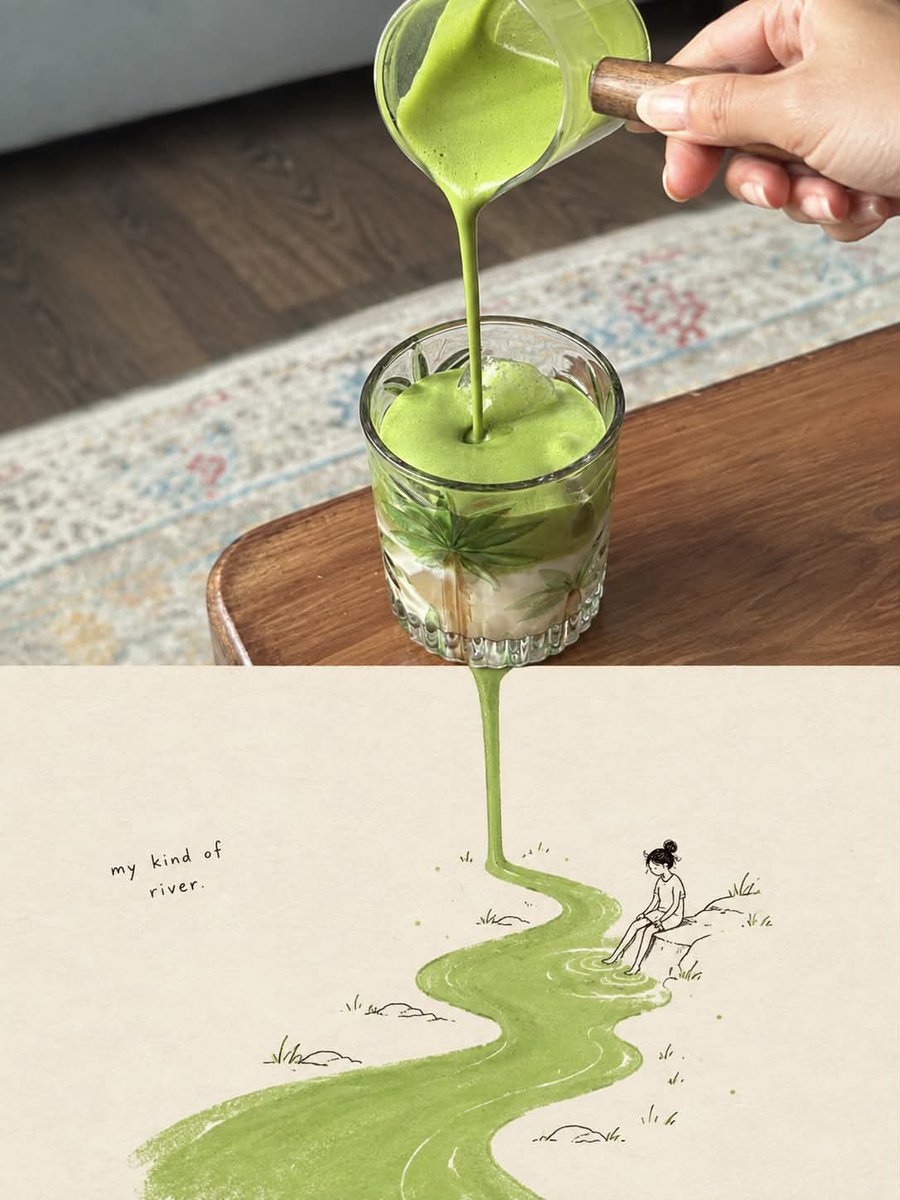
Use the uploaded image as the primary reference and transform it into a vertical 3:4 surreal editorial artwork that seamlessly combines photorealistic food/object photography with a whimsical hand-drawn storybook illustration.

Preserve the main subject, composition, colors, textures, and recognizable details of the original photograph. Keep the upper portion highly photorealistic and naturally lit, with realistic materials, shadows, reflections, depth of field, and authentic photographic detail.

Create a seamless visual transition from the photographed subject into an imaginative illustrated world below. Identify the most visually meaningful element in the photograph—such as a liquid, food ingredient, object, pattern, trail, shadow, or texture—and organically extend it downward into the illustration, transforming it into a river, pathway, landscape, trail, or other creative scene.

The illustrated section should appear on a warm off-white textured paper background, using delicate black ink/pencil linework, subtle watercolor and gouache textures, imperfect handmade details, soft muted colors, and a charming vintage storybook aesthetic. Add small environmental details appropriate to the subject, such as tiny people, plants, rocks, objects, or landscape elements.

Include a short handwritten phrase that naturally relates to the concept and the transformation, positioned subtly within the illustrated area. The typography should look genuinely handwritten, imperfect, minimal, and artistic.

The photograph and illustration must feel like one continuous visual story, not two separate images. Avoid a hard horizontal split, borders, frames, arrows, labels, or obvious digital compositing. The photographed element should physically appear to flow, fall, extend, or transform into the illustrated world.

Aesthetic: poetic, whimsical, clever, minimalist, premium editorial magazine art, surreal but believable, tactile paper texture, natural imper


