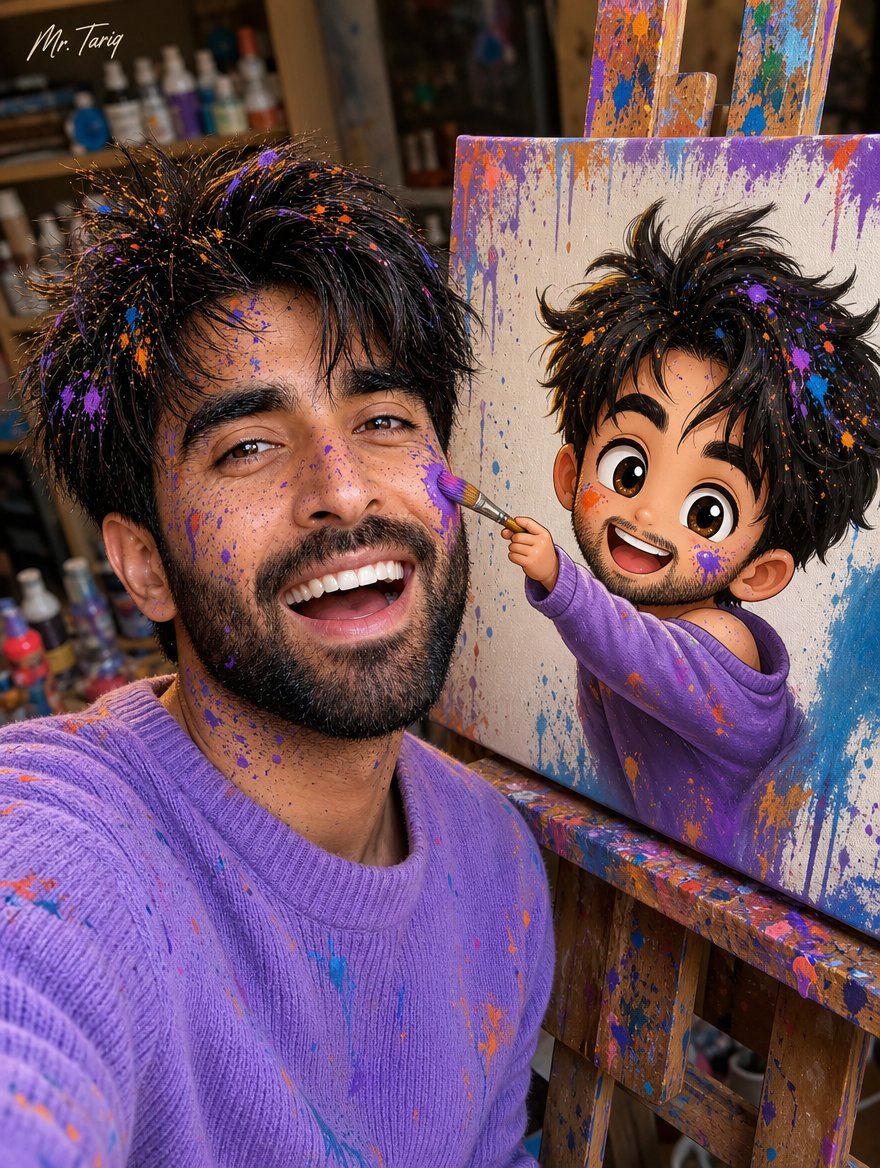
Chibi Canvas Selfie
views12,984
likes220
comments31
shares46
bookmarks164
quotes0
Study the uploaded photo's facial features and use them as inspiration to create a fun selfie-style photo of a similar-looking young man with a creative cartoon canvas twist.
Hair: Messy, tousled dark hair with paint splatters scattered across the hair and face, light stubble beard.
Face/Skin: Face and skin splattered with colorful paint speckles (purple, orange, blue), big laughing open-mouth smile, playful joyful expression, no jewelry, no tattoos.
Outfit: Purple/lavender knit sweater, paint-splattered casual look.
Concept: Taking a close-up selfie next to an easel canvas, where a cute chibi cartoon version of himself is painted on the canvas — the illustrated cartoon character reaching out of the canvas holding a paintbrush and playfully painting/touching the real man's cheek with colorful paint, breaking the fourth wall between reality and illustration.
Chibi cartoon (on canvas): Same messy hair and paint splatters, big expressive cartoon eyes, cheerful smile, wearing a purple off-shoulder top, leaning out of the canvas frame with one arm extended holding the paintbrush.
Background: Cozy art studio setting, softly blurred art supplies, paint bottles, and shelves in the background, warm natural lighting, wooden easel with visible paint-splattered edges.
Art style: Photorealistic selfie photography blended with vibrant 3D chibi cartoon illustration, playful colorful paint-splatter texture throughout, high detail, fun energetic composition.
Camera angle: Close-up selfie angle, slightly wide shot capturing both the real face and the canvas painting.
Text overlay:
Small stylish signature-style text in the top corner: "Mr. Tariq"


