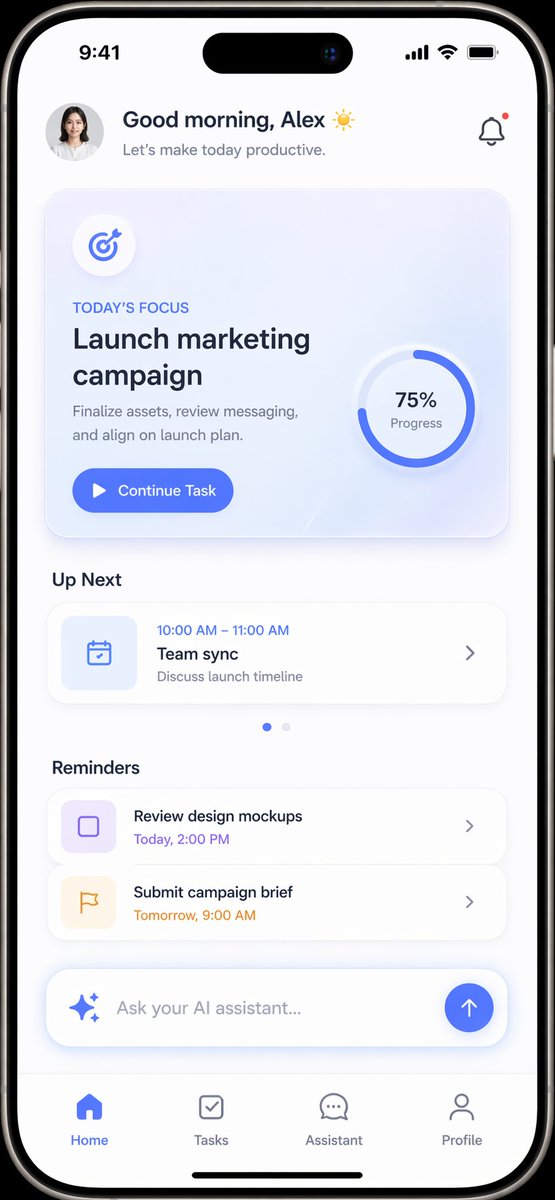
Productivity App UI Mockup
views216
likes0
comments1
shares0
bookmarks0
quotes0
{
  "type": "mobile app UI mockup",
  "device": "modern smartphone with dynamic island",
  "theme": "light mode, minimalist, {argument name=\"primary color\" default=\"soft blue\"} accents, soft drop shadows",
  "layout": {
    "header": {
      "profile": "small circular photo of a woman",
      "greeting": "Good morning, {argument name=\"user name\" default=\"Alex\"} ☀️",
      "subtitle": "Let's make today productive.",
      "icon": "notification bell with red dot"
    },
    "hero_card": {
      "title": "TODAY'S FOCUS",
      "headline": "{argument name=\"focus task\" default=\"Launch marketing campaign\"}",
      "description": "Finalize assets, review messaging, and align on launch plan.",
      "button": "Continue Task",
      "graphic": "circular progress ring showing 75% Progress"
    },
    "sections": [
      {
        "title": "Up Next",
        "count": 1,
        "items": ["Team sync (10:00 AM - 11:00 AM)"]
      },
      {
        "title": "Reminders",
        "count": 2,
        "items": ["Review design mockups", "Submit campaign brief"]
      }
    ],
    "bottom_elements": {
      "ai_input": "pill-shaped text field with sparkle icon and placeholder '{argument name=\"ai placeholder\" default=\"Ask your AI assistant...\"}'",
      "navigation_bar": {
        "count": 4,
        "tabs": ["Home", "Tasks", "Assistant", "Profile"]
      }
    }
  }
}


