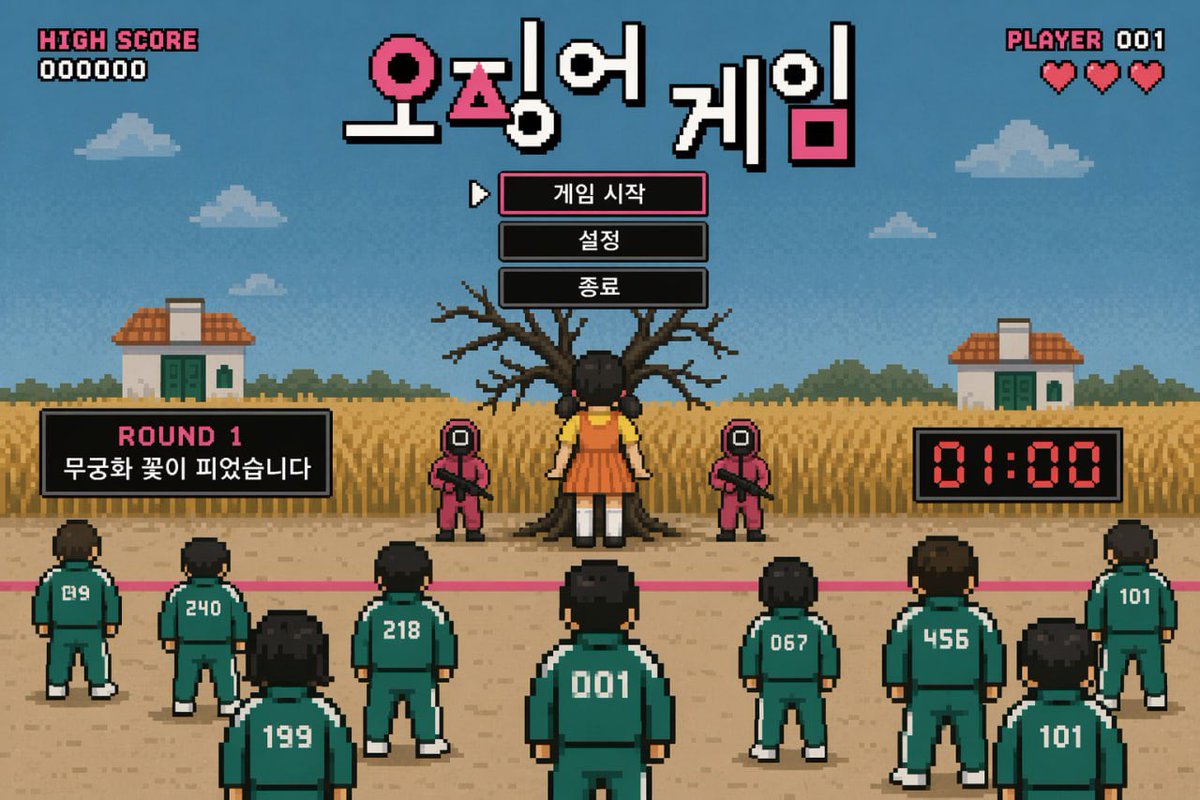
Pixel Art Survival Game UI Mockup
views936
likes9
comments2
shares1
bookmarks3
quotes0
{
  "type": "retro pixel art video game mockup",
  "theme": "survival death game",
  "hud": {
    "top_left": ["HIGH SCORE", "000000"],
    "top_center_title": "{argument name=\"game title\" default=\"오징어 게임\"}",
    "top_right": ["PLAYER 001", "3 red hearts"]
  },
  "menu": {
    "style": "centered under title, black boxes, white pixel font, cursor pointing to first item",
    "items": [
      "{argument name=\"menu item 1\" default=\"게임 시작\"}",
      "{argument name=\"menu item 2\" default=\"설정\"}",
      "{argument name=\"menu item 3\" default=\"종료\"}"
    ]
  },
  "gameplay_ui": {
    "mid_left_panel": ["ROUND 1", "{argument name=\"round description\" default=\"무궁화 꽃이 피었습니다\"}"],
    "mid_right_panel": ["01:00 digital red timer"]
  },
  "scene": {
    "background": "blue sky, pixel clouds, 2 small houses, tall yellow grass field",
    "midground": "large bare tree, 1 giant doll in yellow shirt and orange dress facing the tree, 2 guards in pink jumpsuits with square masks holding rifles",
    "foreground": "pink starting line on dirt ground, 9 players in green tracksuits facing away from the viewer",
    "player_numbers": ["019", "240", "199", "218", "001", "067", "456", "101", "101"]
  }
}


