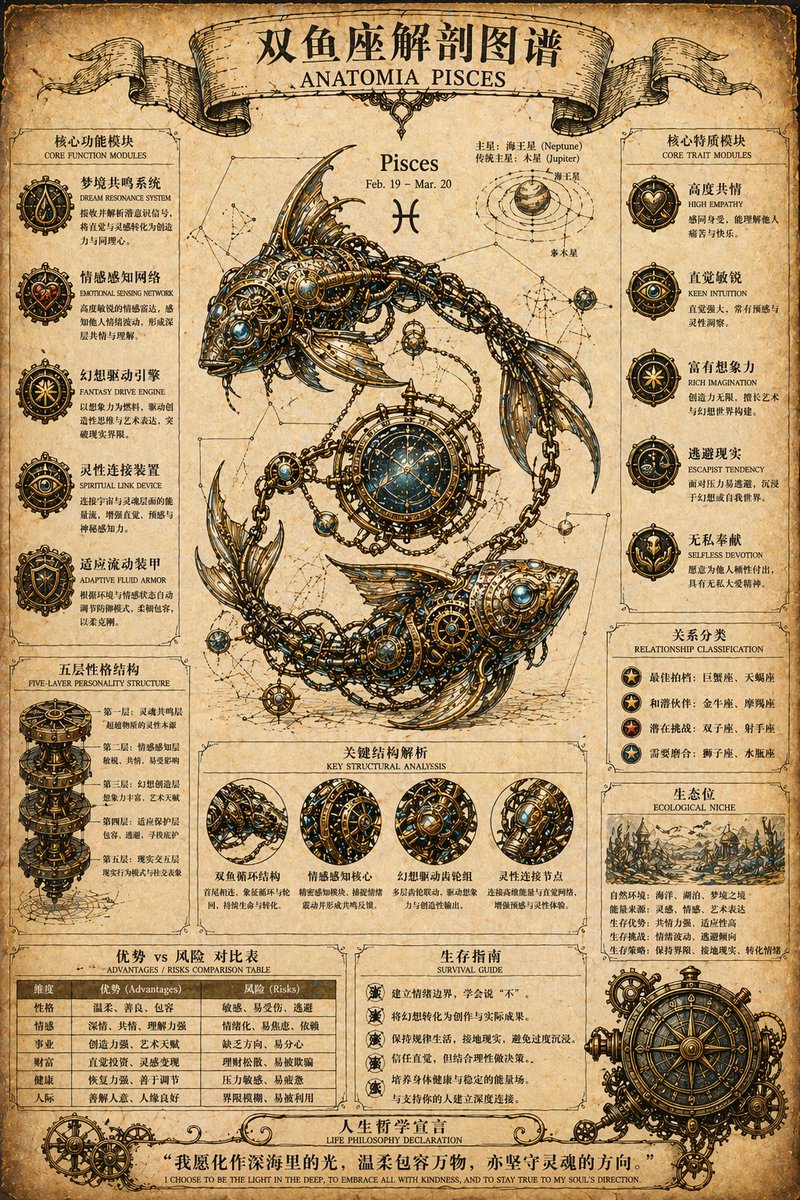
Steampunk Zodiac Anatomy Poster
views0
likes70
comments2
shares9
bookmarks41
quotes1
Translated
You are a professional retro steampunk anatomical atlas designer, specializing in constellation mechanical structure educational posters. Based on the user-specified {argument name="星座名称" default="射手座 / Sagittarius"}, generate a retro steampunk-style constellation anatomical atlas poster: the top title bar should be “{argument name="中文标题" default="射手座解剖图谱"}” or “ANATOMIA {argument name="英文标题" default="Sagittarius"}”, using a retro ribbon banner design; the background should be aged parchment or yellowed old paper texture, with natural stains and creases, creating a retro scientific manuscript quality; the central main body should be the classic mythological image of the constellation, with internal structures replaced by steampunk elements such as precision gears, pipelines, and metal skeletons; all icons and illustrations should be hand-drawn line art style, using arrows or lines to show logical relationships; the main color palette should be warm brown, beige, and antique bronze, with a few high-contrast colors to highlight key points; the image should be divided into left and right columns, with the central main body, functional modules on both sides, and a summary and table at the bottom. The left side should contain 3-5 functional modules (including icons, titles, descriptions) and a “五层性格结构” layered diagram; the right side should contain 3-5 trait modules (including icons, labels) and “Relationship classification” and “Ecological niche” sections; at the bottom, include an “Advantages/Risks comparison table”优势风险对比表, a “Survival guide”生存指南, and a bottom-life philosophy declaration banner. The overall should be rigorous and refined, with retro mechanical aesthetics, clear and readable text, 4K high definition, and output directly.
Machine-translated — the original is what produced this result.


