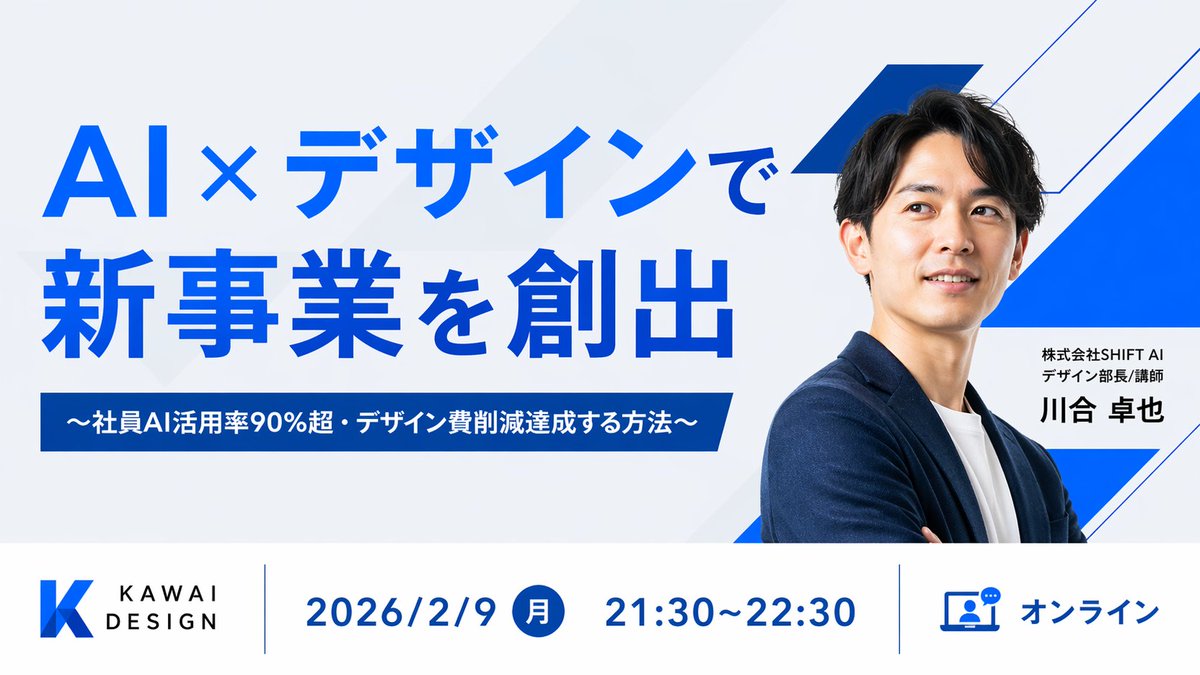
Japanese AI Design Webinar Thumbnail
views1,300
likes6
comments1
shares0
bookmarks3
quotes0
Create a clean, modern Japanese webinar thumbnail in a wide 16:9 layout with a corporate tech-design aesthetic. Use a very light gray background with subtle diagonal translucent panels and bold electric-blue geometric accents, including 3 angular blue-and-white ribbon shapes on the right side behind the speaker. The composition is split into 2 main horizontal sections: a large hero area on top and an information bar across the bottom. In the top-left hero area, place a large bold sans-serif Japanese headline in vivid blue on 2 lines reading {argument name="headline text" default="AI×デザインで
新事業を創出"}. Beneath it, add a dark-blue rectangular banner with centered white bold text reading {argument name="subheadline text" default="〜社員AI活用率90%超・デザイン費削減達成する方法〜"}. On the right half, show a sharply lit half-body portrait of {argument name="speaker name" default="川合 卓也"}, an East Asian man in his 30s with short black hair, wearing a navy blazer over a white crew-neck shirt, arms folded, facing slightly left toward the headline. His face is intentionally obscured by a square skin-tone blur block centered over the face. Next to his torso, place a white rectangular name card with 2 lines of small black Japanese text above a larger bold black name: {argument name="speaker title" default="株式会社SHIFT AI
デザイン部長/講師"} and {argument name="speaker name" default="川合 卓也"}. Across the bottom, create a white info bar with thin blue vertical dividers and 4 visual components from left to right: 1) a blue gradient angular K logo with the brand text KAWAI DESIGN in black uppercase sans-serif, 2) the date in large blue text reading 2026/2/9, 3) a blue filled circle containing the white Japanese weekday 月 followed by the time 21:30〜22:30 in large blue text, 4) a blue outlined laptop-and-chat icon followed by the blue text オンライン. Keep typography bold and highly legible, with strong hierarchy, generous spacing, precise alignment, minimal clutter, and a polished webinar promotional design suitable for a business landing page or social media thumbnail.


