Futuristic Life System Hologram Portrait
views2,000
likes16
comments3
shares2
bookmarks4
quotes0
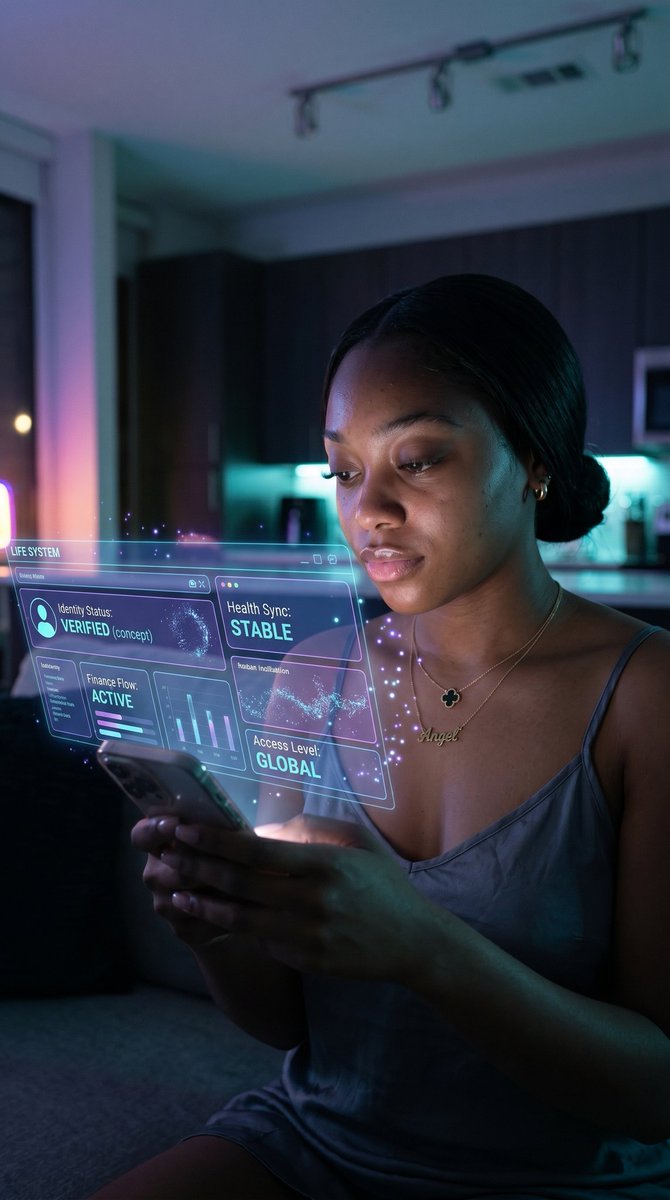
A cinematic vertical night photo of a {argument name="subject" default="young woman"} sitting indoors in a modern apartment kitchen-living space, looking down at a glowing smartphone held with both hands. Her face is mostly obscured by shadow and framing, with dark hair parted in the middle and pulled into a low bun. She wears a silky slate-blue spaghetti-strap slip dress and layered gold necklaces, including a nameplate necklace that reads {argument name="necklace text" default="Angel"}. The scene is lit by moody blue, violet, and cyan ambient lighting from the room and the phone screen, creating a futuristic cyber-luxury atmosphere. Floating holographic augmented-reality interface panels emerge from the phone and hover in front of her chest and upper torso, semi-transparent neon blue and purple with thin glowing outlines, tiny particles, and digital spark effects. Show exactly 5 visible UI panels and labels: a top-left system label reading {argument name="system label" default="LIFE SYSTEM"}; a large left panel reading "Identity Status: VERIFIED (concept)" with a circular profile icon and a digital globe visualization; a center-right panel reading "Health Sync: STABLE" with a waveform-like pattern; a lower-left panel reading "Finance Flow: ACTIVE" with small bar and line charts; a lower-right panel reading "Access Level: GLOBAL"; and a small narrow panel between them reading "Habits Initialization". Modern dark wood kitchen cabinets and a softly blurred countertop sit in the background, with subtle practical lights and a window glow at left. Shallow depth of field, realistic skin and fabric texture, premium smartphone photography look, soft bloom, low-light realism, high contrast, futuristic yet believable near-future interface design, vertical 9:16 composition.


