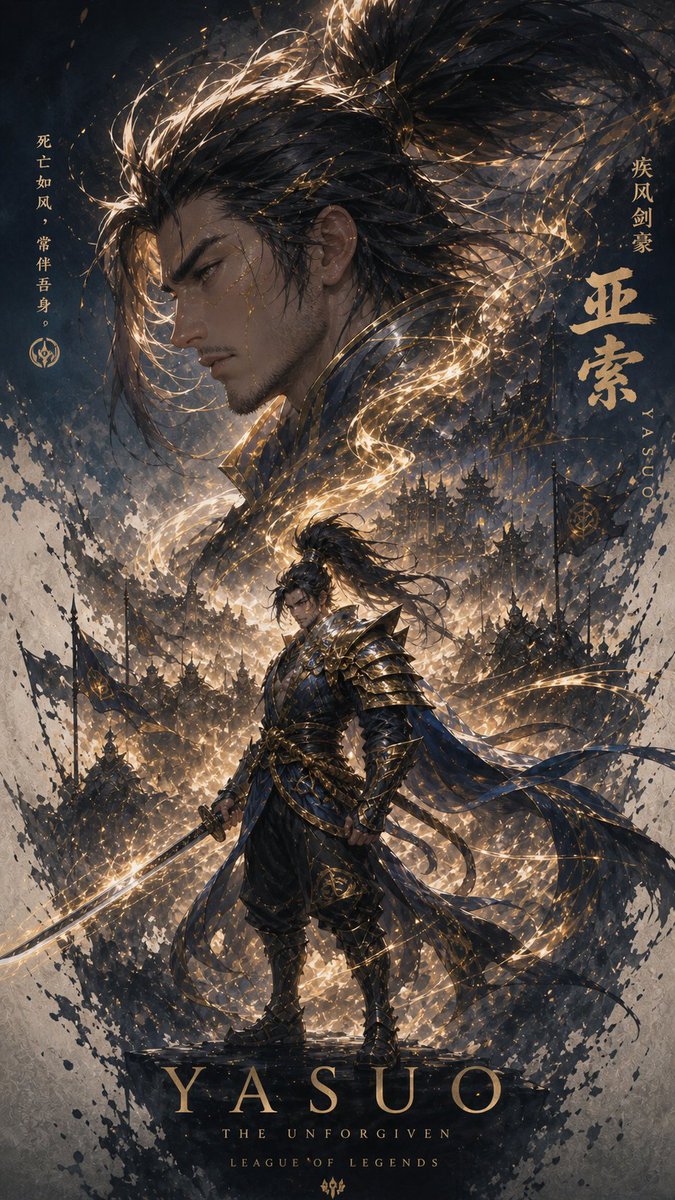
Cinematic Yasuo Fantasy Poster
views3,200
likes0
comments0
shares0
bookmarks0
quotes1
Create a dark, vertical fantasy game poster for {argument name="character name" default="Yasuo"} from League of Legends, in an ultra-detailed painterly cinematic splash-art style with black ink splatter edges, stormy navy-gray atmosphere, and dramatic gold rim lighting. The composition has two human depictions: one huge close-up head and wild topknot hair filling the upper half, with the face covered by a large flat opaque brown square censor block, and one full-body warrior standing heroically in the lower center on a stone pedestal, also with a small opaque brown square censor block over the face. The warrior wears layered samurai-inspired black and deep blue armor with ornate gold trim, a flowing tattered blue cloak and ribbons, long windblown hair, and holds a glowing katana angled downward to the left; swirling golden wind trails, sparks, and calligraphic energy ribbons wrap around his body and hair. Behind him is a dense battlefield of shadowy soldiers, banners, spear silhouettes, ruined towers, and a storm of dust and light, all framed by expressive black brush strokes and parchment-like texture. Include exactly five visible text groups: left vertical Chinese quote {argument name="quote text" default="死亡如风,常伴吾身。"} with a small League-style emblem beneath it; right vertical Chinese subtitle {argument name="right subtitle" default="疾风剑豪"}; large gold Chinese name {argument name="Chinese name text" default="亚索"} on the right with small vertical Roman letters “YASUO” beside it; bottom large spaced serif title “YASUO”; and beneath it two small centered lines, “THE UNFORGIVEN” and “LEAGUE OF LEGENDS”. Use a premium collectible poster layout, high contrast, ornate gold typography, mystical wind effects, gritty ink-wash fantasy realism, sharp armor detail, and a 2:3 portrait aspect ratio.


