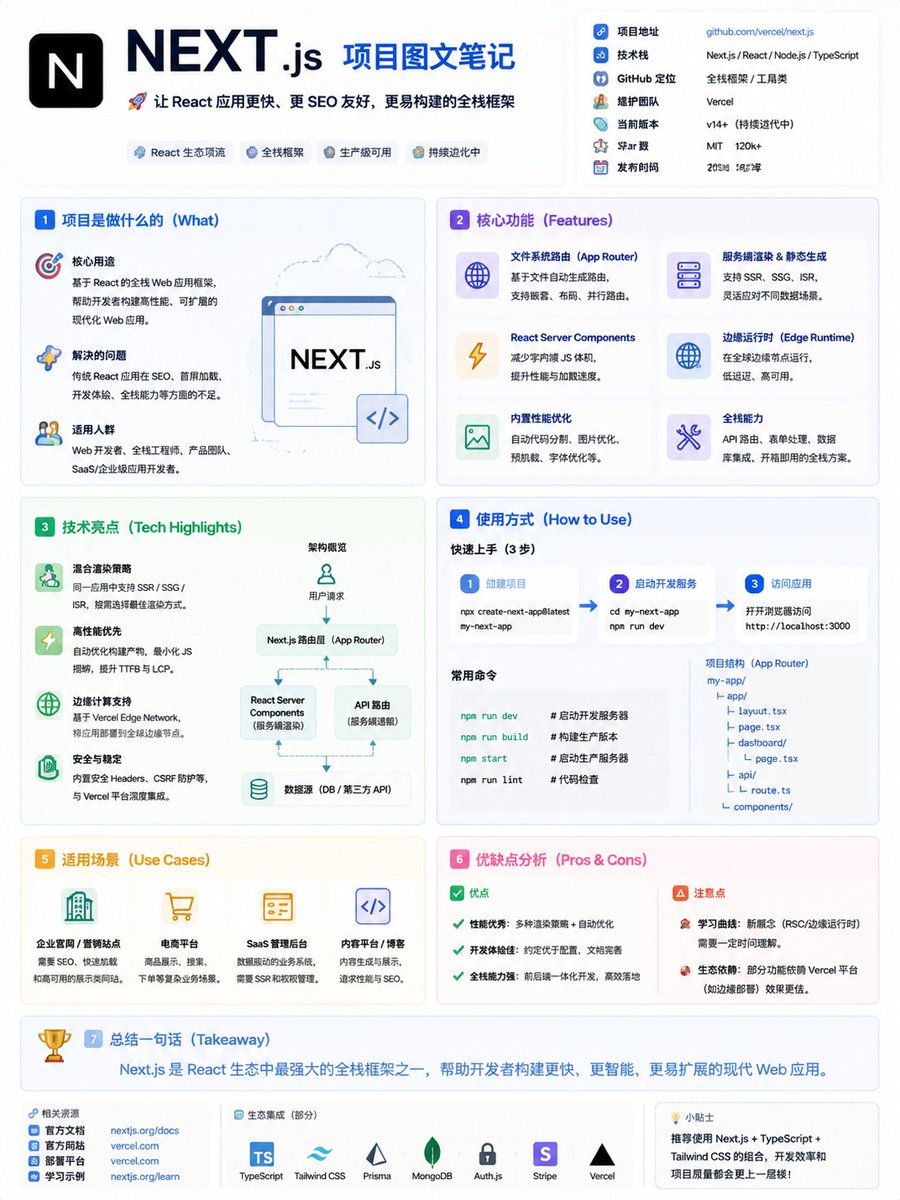
GitHub Project Infographic Poster
views10,000
likes109
comments26
shares14
bookmarks150
quotes0
Translated
Generate a high-density infographic poster with the theme of "{argument name="项目名称" default="GitHub项目名称/链接"} Project Explained"

【Project Basic Information】
- Project Name: {argument name="项目名" default="项目名"}
- One-sentence core function: {argument name="功能说明" default="One sentence describing what problem the project solves"}
- Tech Stack: {argument name="技术栈" default="e.g., Next.js / React / Node.js / Python etc."}
- GitHub Positioning: {argument name="定位" default="Tool / UI Library / Learning Project / SaaS / AI Project etc."}

【Overall Style】
- Modern minimalist UI + tech-infographic style
- Background uses soft light colors (cream / light gray / light blue)
- Low-saturation color scheme (blue / green / purple), emphasizing tech feel
- Flat illustrations + icon-based expression (similar to product documentation style)
- High information density, but clear hierarchy, suitable for quick scanning

【Title Design】
- Main Title: {项目名}
- Subtitle: One sentence describing the core value of the project (to attract clicks)

【Content Structure (Key)】
Organize modules freely based on project characteristics, but suggest including:

1️⃣ What the project does (What)
- Core purpose
- Problem solved
- Target audience

2️⃣ Core Features (Features)
- Use icons + short sentences to list 4–6 key features
- Each point should be specific (avoid vagueness)

3️⃣ Tech Highlights (Tech Highlights)
- Architecture features
- Performance optimization
- Special designs (e.g., SSR / Edge Computing / AI capabilities etc.)

4️⃣ How to Use (How to Use)
- Brief steps (1-2-3)
- Or code/command-style expression (simplified version)

5️⃣ Use Cases (Use Cases)
- Explain with 2–4 real-world scenarios

6️⃣ Pros & Cons Analysis (Pros & Cons)
- ✅ Advantages (2–3 points)
- ⚠️ Considerations (1–2 points)

7️⃣ One-sentence Takeaway (Takeaway)
- Summarize the project value in one sentence

【Visual Requirements (Key)】
- Use card-based layout (similar to Notion / Linear style)
- Each module has a clear partition
- Use small icons to enhance understanding (e.g., ⚙️ 🚀 📦)
- Highlight key information with bold or highlighting
- Maintain "high information density but not crowded"

【Output Requirements】
- All content in Chinese
- Expression concise and rhythmic
- Avoid long paragraphs, prefer "information blocks + labeling"
Machine-translated — the original is what produced this result.


