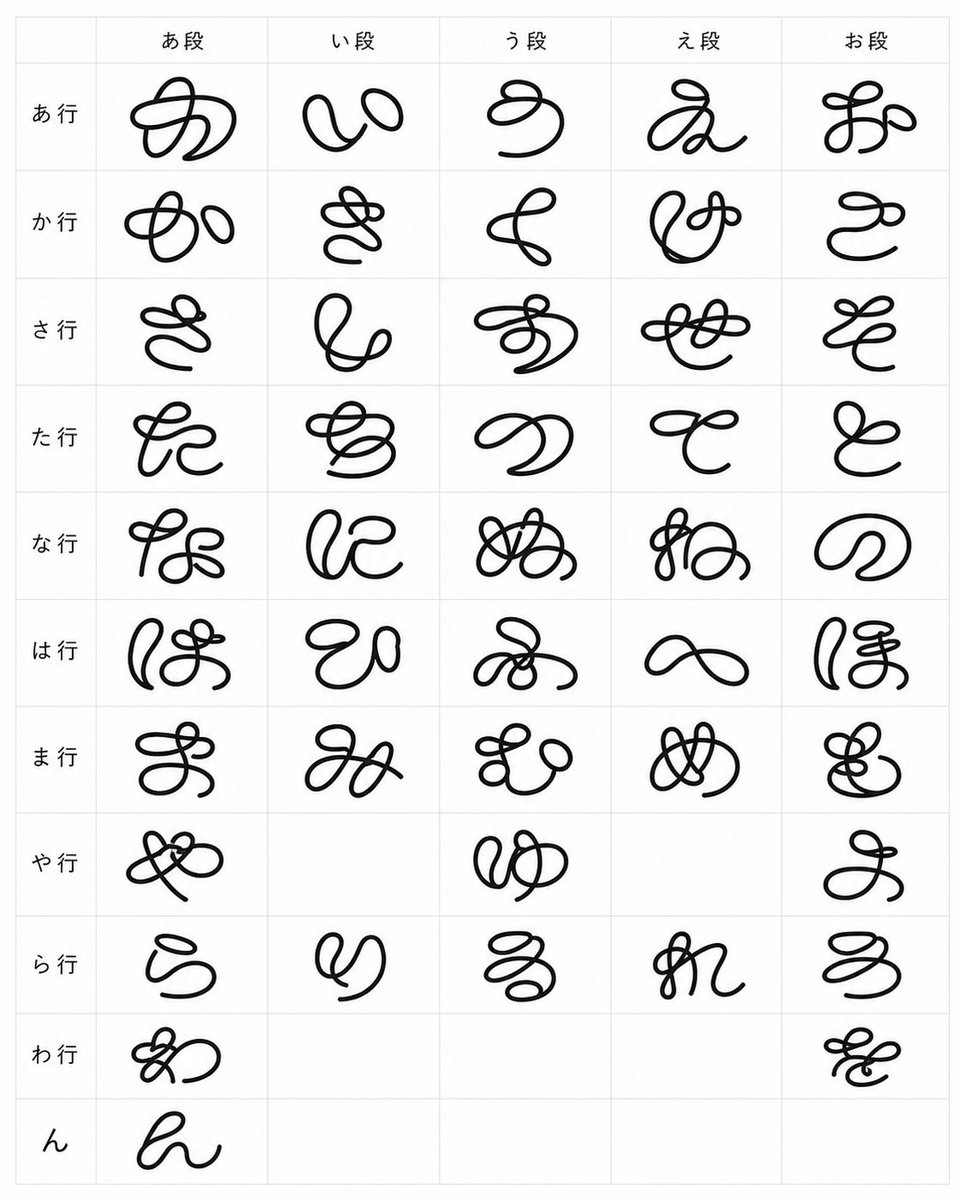
Whimsical Cursive Alphabet Sheet
views1,600
likes25
comments3
shares0
bookmarks2
quotes0
{"type":"typographic specimen sheet","style":"experimental whimsical cursive font design, black monoline looping glyphs, clean minimal presentation","canvas":{"orientation":"portrait","background":"white","grid":"light gray thin-line table with 4 rows and 7 columns, last two cells empty"},"content":{"title":"custom alphabet font test","alphabet_count":26,"labels":["A a","B b","C c","D d","E e","F f","G g","H h","I i","J j","K k","L l","M m","N n","O o","P p","Q q","R r","S s","T t","U u","V v","W w","X x","Y y","Z z"],"empty_cells_count":2},"layout":{"cell_count":28,"filled_cells":26,"rows":[{"row":1,"count":7,"labels":["A a","B b","C c","D d","E e","F f","G g"]},{"row":2,"count":7,"labels":["H h","I i","J j","K k","L l","M m","N n"]},{"row":3,"count":7,"labels":["O o","P p","Q q","R r","S s","T t","U u"]},{"row":4,"count":5,"labels":["V v","W w","X x","Y y","Z z"],"empty_cells":2}]},"glyph_design":{"line_color":"{argument name=\"line color\" default=\"black\"}","stroke":"thick smooth rounded monoline, hand-drawn vector-like ink","font_mood":"{argument name=\"font mood\" default=\"strange playful cursive\"}","forms":"each capital letter is redesigned as a large decorative looping script symbol with curls, knots, spirals, and exaggerated swashes; lowercase appears only as a small printed reference next to the capital in the label","label_style":"small plain sans-serif black text at the upper-left of each cell"},"composition":"Place one oversized decorative glyph centered in each filled cell, with generous white space and consistent scale. Keep the sheet flat, front-facing, evenly lit, no shadows, no texture, no perspective distortion.","custom_text":"{argument name=\"alphabet labels\" default=\"A a, B b, C c, D d, E e, F f, G g, H h, I i, J j, K k, L l, M m, N n, O o, P p, Q q, R r, S s, T t, U u, V v, W w, X x, Y y, Z z\"}"}


