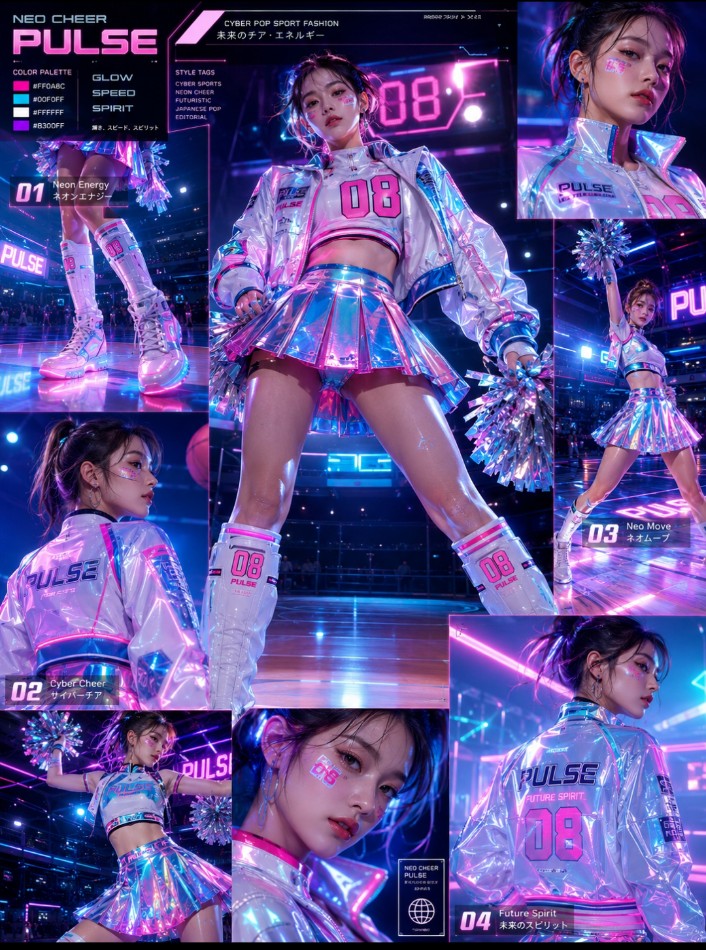
Cheerleader Fashion Catalog Board
views2,700
likes49
comments30
shares2
bookmarks12
quotes0
Create a premium vertical 3:4 {argument name="catalog type" default="Cheerleader Fashion Catalog Board"} in a glossy sports-fashion editorial style

Theme Name:
{argument name="theme" default="Theme type here"}

{argument name="palette" default="[ Type here Main Color Palette: ]"}

Style Direction:
 Cheerleader Fashion • Sports Editorial • Youthful Energy • Premium Catalog Design • Clean Athletic Aesthetic

Board Layout:
Beautiful {argument name="nationality" default="[ type here country name]"} female cheerleaders modeling various ultra-short cheerleader skirt outfits and sporty performance costumes
Focus on multiple outfit variations, fashion presentation, leg styling, fabric movement, energetic poses, and dynamic cheerleading compositions
Include close-up shots of upper body and lower body styling details, front view poses, back view poses, wide shots, zoomed-in editorial frames, low-angle perspectives from shoe level, raised arm poses, jumping poses, energetic movement poses, and playful sports-fashion compositions

Environment:
Bright indoor Japanese school gymnasium with polished wooden floors, clean lighting, sports atmosphere, and cinematic reflections

Visual Presentation:
Minimal text layout with image-heavy magazine composition
Include small fashion annotations, sporty typography, fabric callouts, outfit variation grids, and premium editorial spacing

Visual Quality:
Ultra realistic • glossy magazine finish • premium Japanese fashion catalog aesthetic • cinematic sports photography • highly detailed fabric textures • bright clean lighting

Style Variations:
Create 4 different visual style variations with unique outfit color themes and pose arrangements

Style Tags:
[Type here fashion type ]catalog • sports editorial photography • cheerleader styling board • premium athletic fashion presentation


