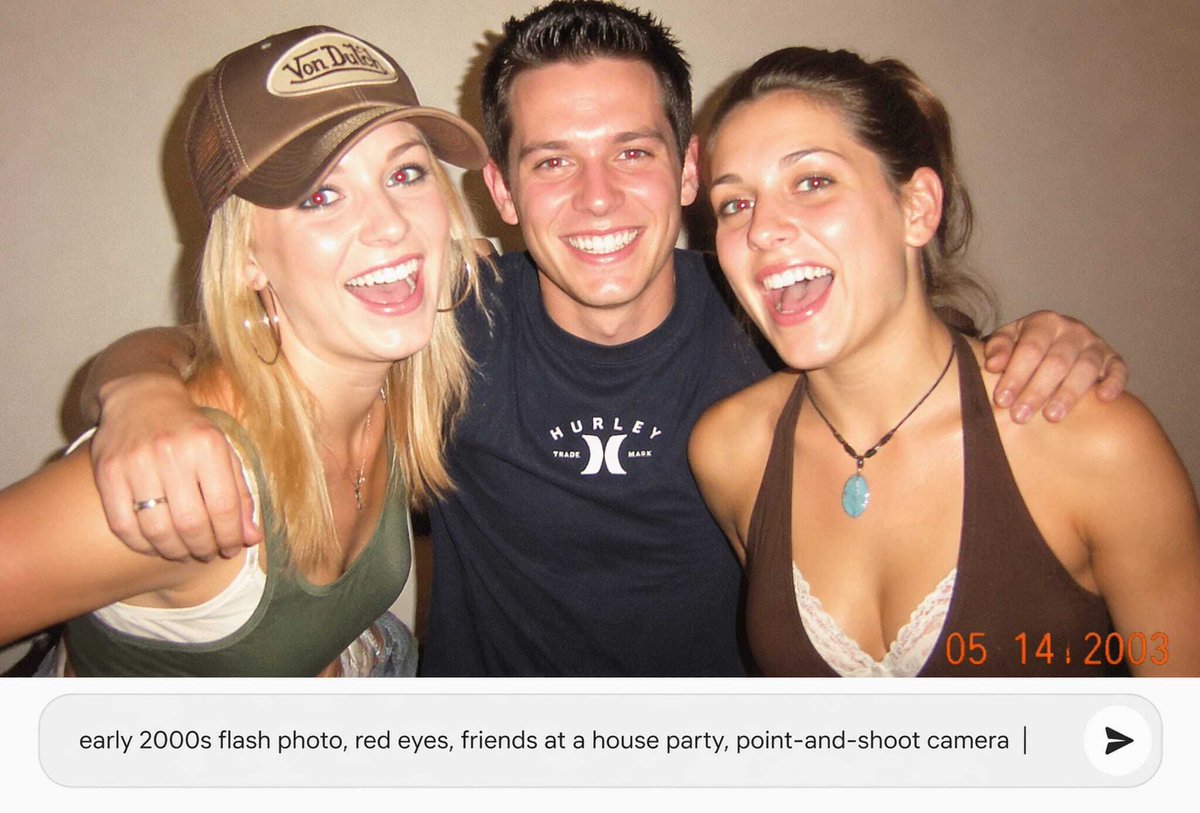
Early 2000s Party Photo UI
views128
likes9
comments2
shares4
bookmarks0
quotes0
Create a nostalgic early-2000s candid point-and-shoot flash photograph of {argument name="number of friends" default="three friends"} posing close together at a casual house party against a plain beige wall. The photo should look like a low-resolution disposable-camera snapshot with harsh direct flash, warm indoor color cast, slight grain, soft focus, mild overexposure on skin, and a dark vignette. Show one blonde woman on the left wearing a brown trucker cap with a small vintage logo patch, a green tank top over a white underlayer, and jewelry; one man in the center with short spiky dark hair wearing a black Hurley-style T-shirt, arms around both friends; and one brunette woman on the right wearing a brown halter top over white lace and a turquoise pendant necklace. Obscure each face with a flat rectangular skin-tone censor block, exactly 3 censor rectangles total. Add an orange digital camera date stamp in the bottom-right reading {argument name="date stamp" default="05 14 2003"}. Below the photo, include a modern rounded white prompt input bar as if in an AI image app, containing the text {argument name="input prompt text" default="early 2000s flash photo, red eyes, friends at a house party, point-and-shoot camera"}, with a vertical cursor at the end and a circular send button on the right containing a black arrow icon. Use a landscape 16:9 composition with the photo occupying the upper portion and the UI prompt bar occupying the lower portion.


