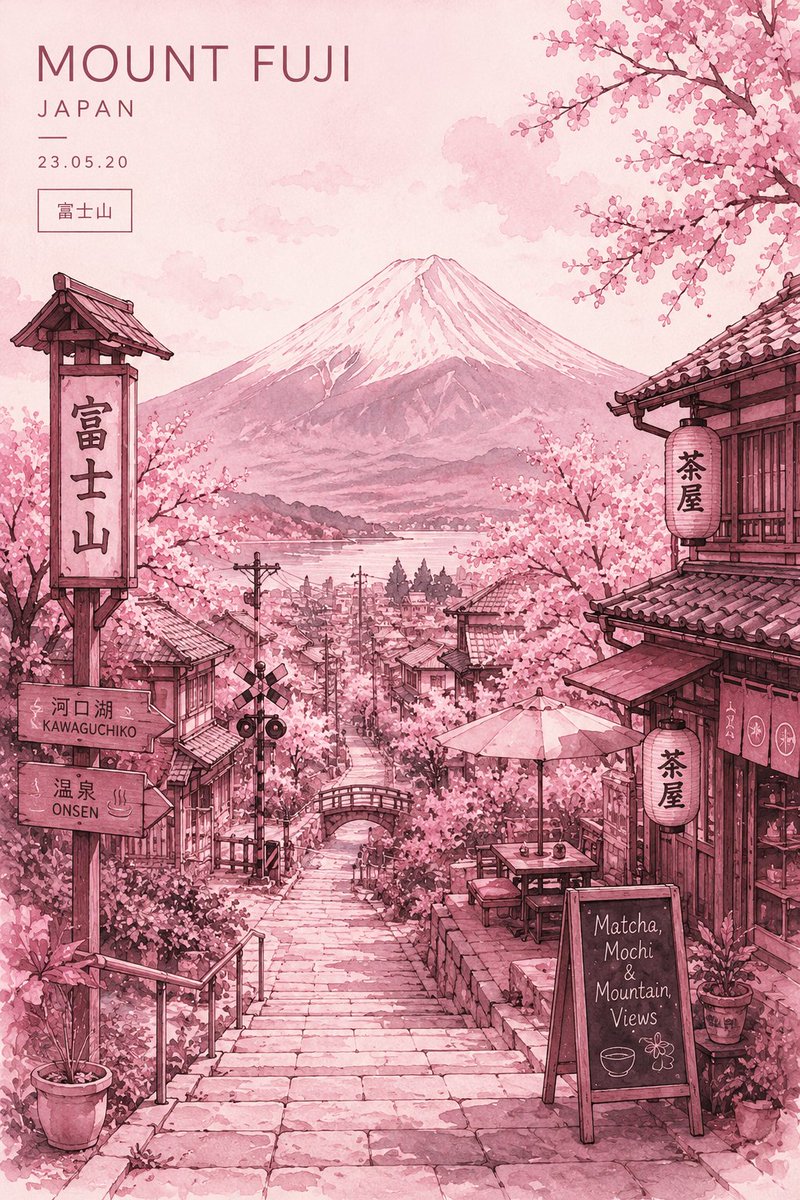
Watercolor Mount Fuji Travel Poster
views1,900
likes78
comments24
shares8
bookmarks20
quotes0
Minimalist ultra-detailed travel poster illustration of {argument name="main location" default="Mount Fuji, Japan"} in springtime, viewed from a charming traditional Japanese hillside street descending toward the city below. Massive snow-capped Mount Fuji centered in the background beneath a soft pastel sky. The entire artwork uses a {argument name="color palette" default="monochromatic blush pink and rose watercolor palette"} with delicate tonal variations. Foreground features stone stairways, narrow Kyoto-style streets, wooden ryokan buildings, hanging paper lanterns with Japanese kanji, cozy tea houses, café signs, and traditional tiled rooftops. Cherry blossom trees overflow from every corner, forming a dreamy sakura canopy framing the composition. Small bridges, utility poles, rail crossing signs, and subtle town details add realism and depth. Style: elegant watercolor illustration mixed with ink sketch linework, Japanese travel poster aesthetic, soft paper grain texture, handcrafted painterly details, atmospheric perspective, romantic and peaceful mood, cinematic composition, highly detailed environment art, cozy café ambiance, vintage tourism poster design. Typography layout at the top-left: {argument name="typography text" default="“MOUNT FUJI” “JAPAN”"} minimal editorial typography with clean spacing and modern luxury poster styling. Additional details: – handwritten café chalkboard reading “Matcha, Mochi & Mountain Views” – Japanese signage and lantern calligraphy – soft cloudy sky – layered depth fading into distant townscape – tranquil nostalgic atmosphere – balanced composition with symmetrical Mount Fuji focal point Aspect ratio 3:4, ultra high resolution, soft watercolor bleed effects, refined Japanese aesthetic, dreamy pastel travel illustration, gallery-quality poster design.


