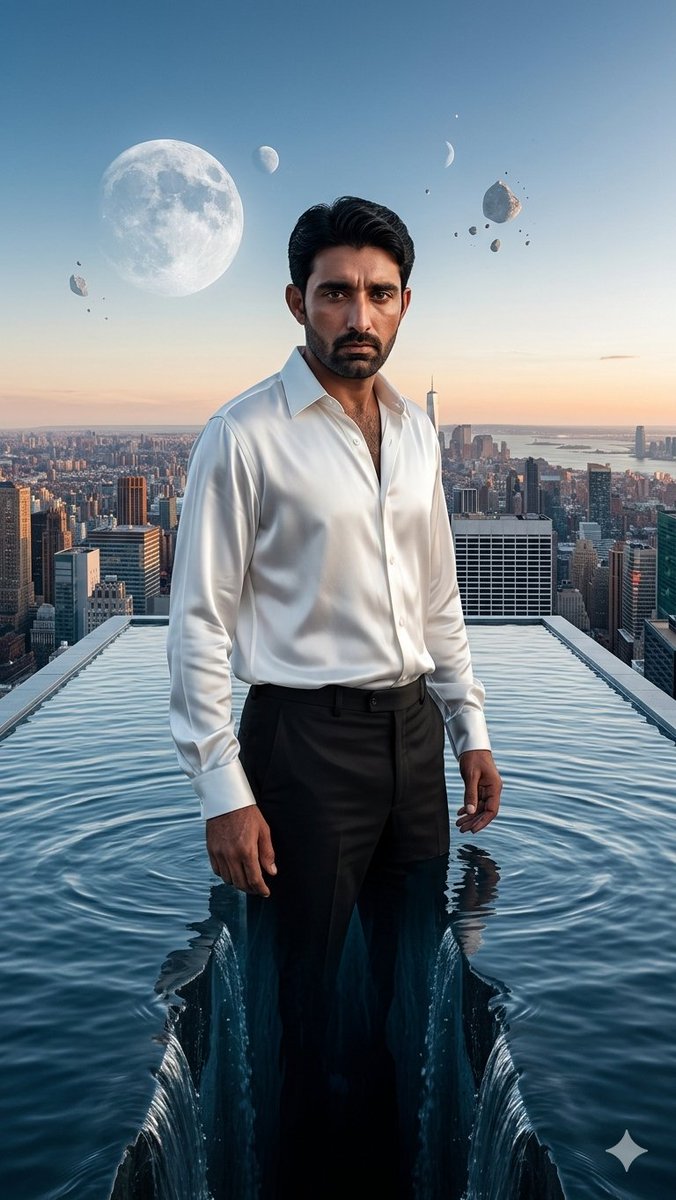
Surreal Rooftop Infinity Pool Portrait
views807
likes46
comments18
shares24
bookmarks6
quotes0
Create a hyper-realistic surreal vertical cinematic artwork of {argument name="character name" default="a confident adult man"} standing waist-deep at the front edge of a gigantic rooftop infinity pool suspended high above {argument name="city skyline" default="a futuristic New York-like city skyline"} at dawn. The man is centered, facing the camera in a relaxed powerful pose, wearing exactly 2 main clothing pieces: a crisp open-collar white satin dress shirt with rolled cuffs and black tailored trousers. Use {argument name="face detail" default="a deliberately soft blurred rectangular face area with dark hair visible above it"}; keep the hair black, thick, swept back, and photorealistic. The water surface splits perfectly down the center in front of and around his legs, forming a deep dark vertical chasm with two symmetrical waterfall-like edges, ripples, reflections, and glossy blue highlights. The rooftop pool has straight raised borders leading into the distance, creating strong one-point perspective toward the skyline. In the sky, include exactly 3 moon-like celestial bodies: one huge detailed full moon on the upper left, one small pale half moon near the upper center-left, and one thin crescent moon on the upper right. Include exactly 7 rocky asteroid fragments floating around the moons: one small rock near the left moon, one large jagged asteroid to the upper right of the man, and five smaller pebble fragments scattered around it. Lighting is soft sunrise with a peach-orange horizon fading into clear blue sky, dramatic rim light on the shirt, realistic water caustics, ultra-detailed city buildings below, surreal scale, sharp cinematic depth, 9:16 composition, high-end digital art realism. Add a small white four-point sparkle/star mark in the bottom-right corner. No text, no logos, no extra people.


