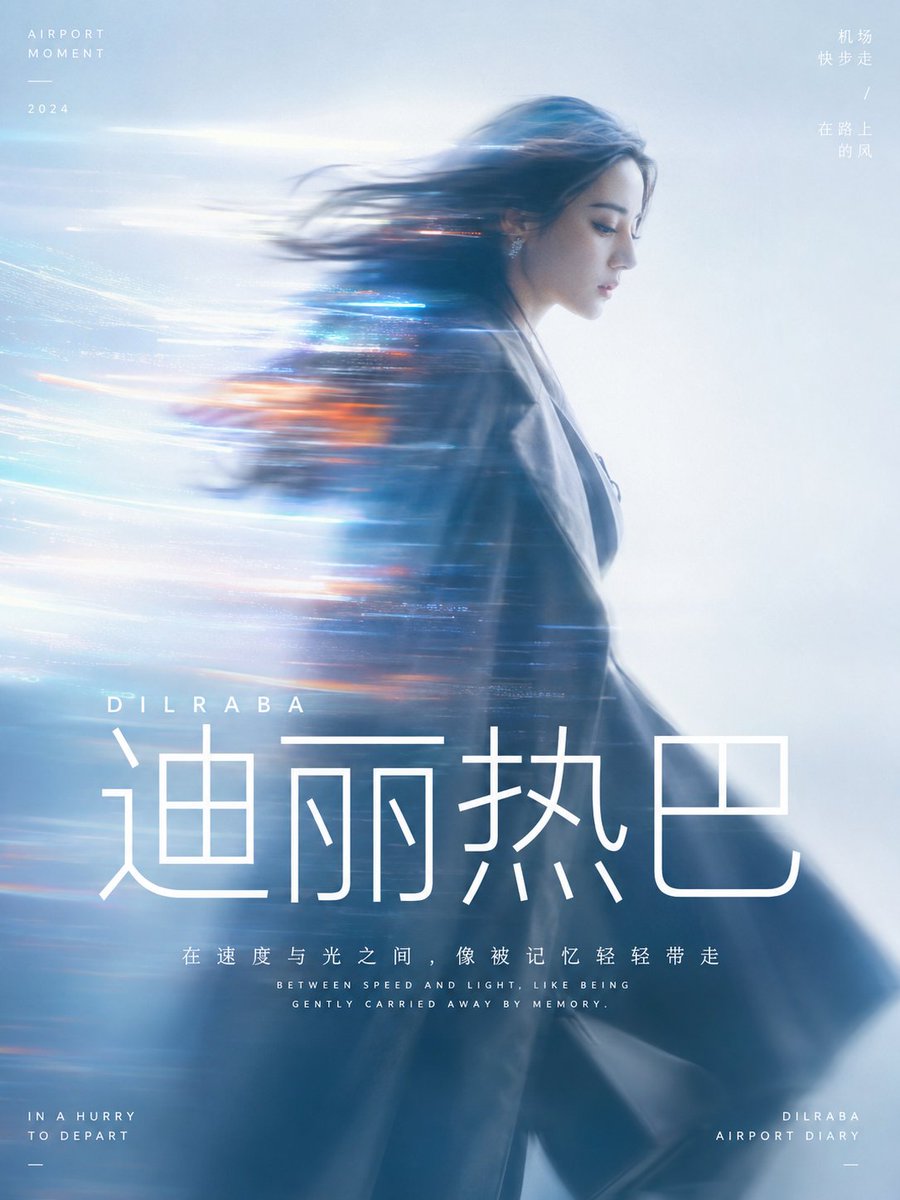
Cinematic Motion Blur Portrait with Typography
views44,200
likes359
comments42
shares60
bookmarks302
quotes4
Translated
Generate a cinematic motion-blurred portrait image around {argument name="Subject" default="Dilraba walking briskly at the airport"}: the main subject occupies major visual weight with a quiet side profile or half-body silhouette, facial edges retain a few recognizable details, body and hair are pulled into long horizontal motion blur to one side, with light trails crossing the subject and gradually blending into the background, making the person seem carried away by speed, memory, or information flow. The background is a whole field of high-brightness, clear, soft air, no complex scenes, colors extracted from the subject's own material, emotion, and narrative temperature, preserving the relationship between large bright calm base color, deeper subject shadows, a few high-saturation glowing accent colors, and clean color gradients, forming a dreamy and clean warm-cool tension, avoiding muddiness, age, and ash feel. Lighting is soft and diffused, focus slightly loose, edges have slight film grain and lens flare, but overall still airy, transparent, modern. Image information density is very low, leaving a lot of empty space for the sense of speed to breathe; text as part of the visual structure uses pure white modern sans-serif font, core words in very large font size placed below the subject or near the image center of gravity, short phrases in smaller font size, compact line spacing, and centered rhythm, all text like a clear interface layer stacked on light fog, both stabilizing the image hierarchy and not disrupting the flow of the soft-focus image.

Ratio {argument name="Ratio" default="3:4"}
Machine-translated — the original is what produced this result.


