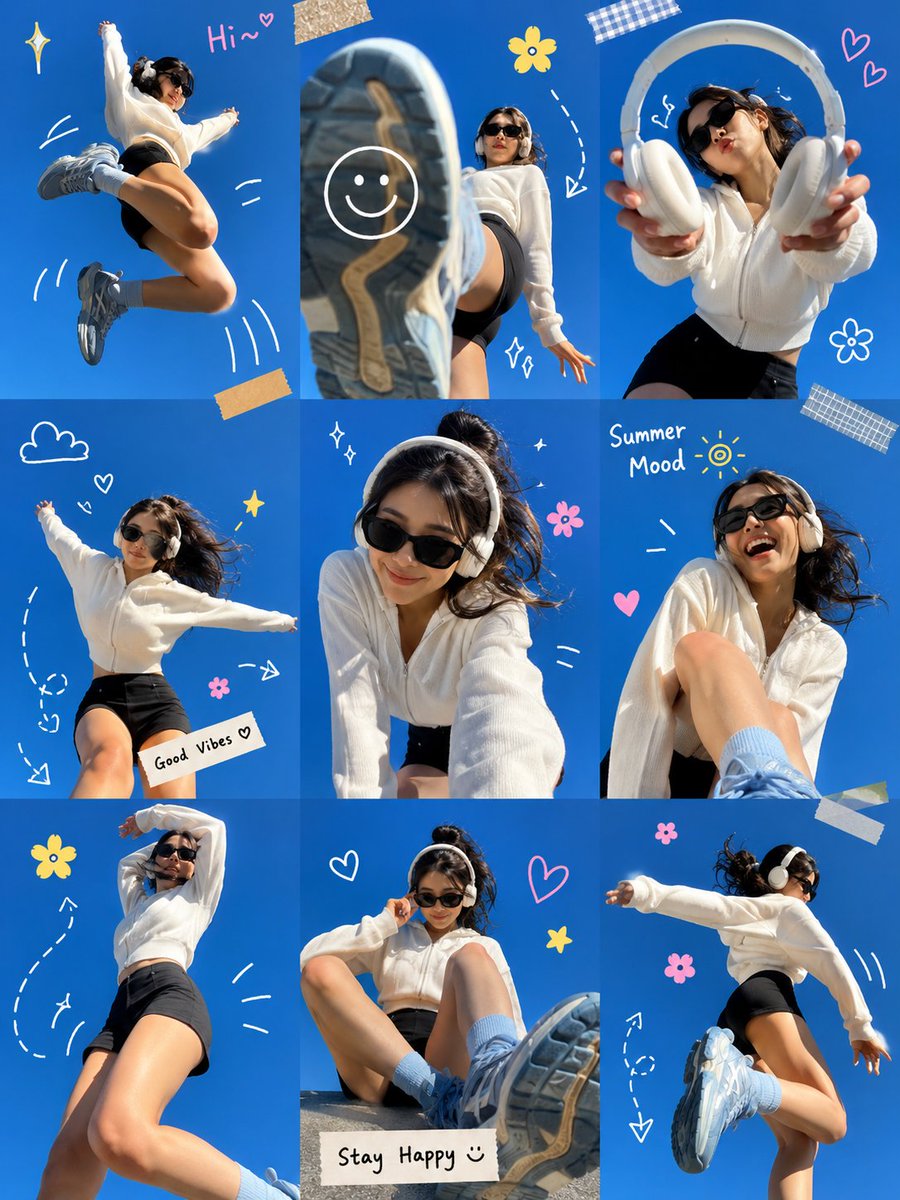
Gen Z Summer Photo Dump Collage
views2,800
likes93
comments51
shares6
bookmarks37
quotes0
Ultra-viral Gen Z summer photo dump collage, arranged in a clean 3×3 grid layout against a vibrant {argument name="background color" default="electric-blue"} studio background. A stylish young woman with short dark hair wears oversized black sunglasses, white wireless headphones, a cozy {argument name="outfit" default="oversized white zip-up sweater"}, black biker shorts, light blue crew socks, and chunky pastel-blue sneakers.
Each frame captures a different playful pose and candid moment: jumping mid-air, kicking a sneaker directly toward the camera with dramatic wide-angle perspective, stretching her arms out joyfully, leaning forward for a selfie-style shot, laughing naturally, sitting with oversized shoes dominating the foreground, and dancing with energetic movement. One frame features her holding headphones toward the camera. Another frame is presented inside a white Polaroid-style photo frame taped to the background.
Hand-drawn doodle elements connect the photos, including white arrows, curved lines, motion marks, stars, hearts, smiley faces, flowers, sparkles, and handwritten notes such as “Hi~”, “Summer Mood”, “Good Vibes”, and “Stay Happy”. Bright daylight studio lighting, cheerful expression, dynamic body language, playful perspective distortion, trendy Pinterest aesthetic, Instagram photo dump style, youth culture, summer energy, clean composition, highly shareable social media content, vibrant colors, sharp focus, professional photography, ultra-detailed, lifestyle fashion editorial, viral visual storytelling.
Style Keywords:
Gen Z aesthetic, Pinterest-core, Instagram photo dump, scrapbook collage, doodle art overlay, playful lifestyle photography, vibrant blue backdrop, wide-angle lens, candid energy, trendy social media campaign, youthful happiness, ultra-viral composition.


