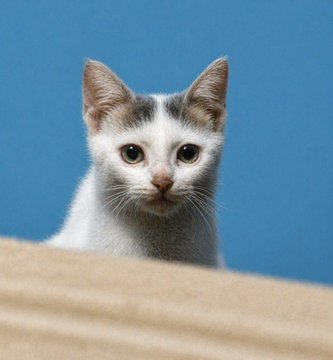
Cinematic Pet Photo Enhancer
views5,400
likes30
comments2
shares7
bookmarks24
quotes0
Using the provided reference image, enhance and upscale it into an ultra-premium cinematic-quality photo. Preserve the subject's identity, pose, framing, and overall composition 100%, including the kitten behind the foreground surface and the plain blue background. Recover realistic micro-details: sharp eyes, natural fur texture, fine whiskers, detailed ears, subtle facial features, and cleaner depth. Remove blur, pixelation, noise, and compression artifacts while keeping the image photorealistic, high contrast, studio-quality, and natural. Target {argument name="image quality" default="8K ultra-premium cinematic"} with {argument name="detail emphasis" default="sharp eyes, pores/fur, and realistic hair"}; do not change the cat into a different animal, alter the pose, add objects, add text, or modify the composition.


