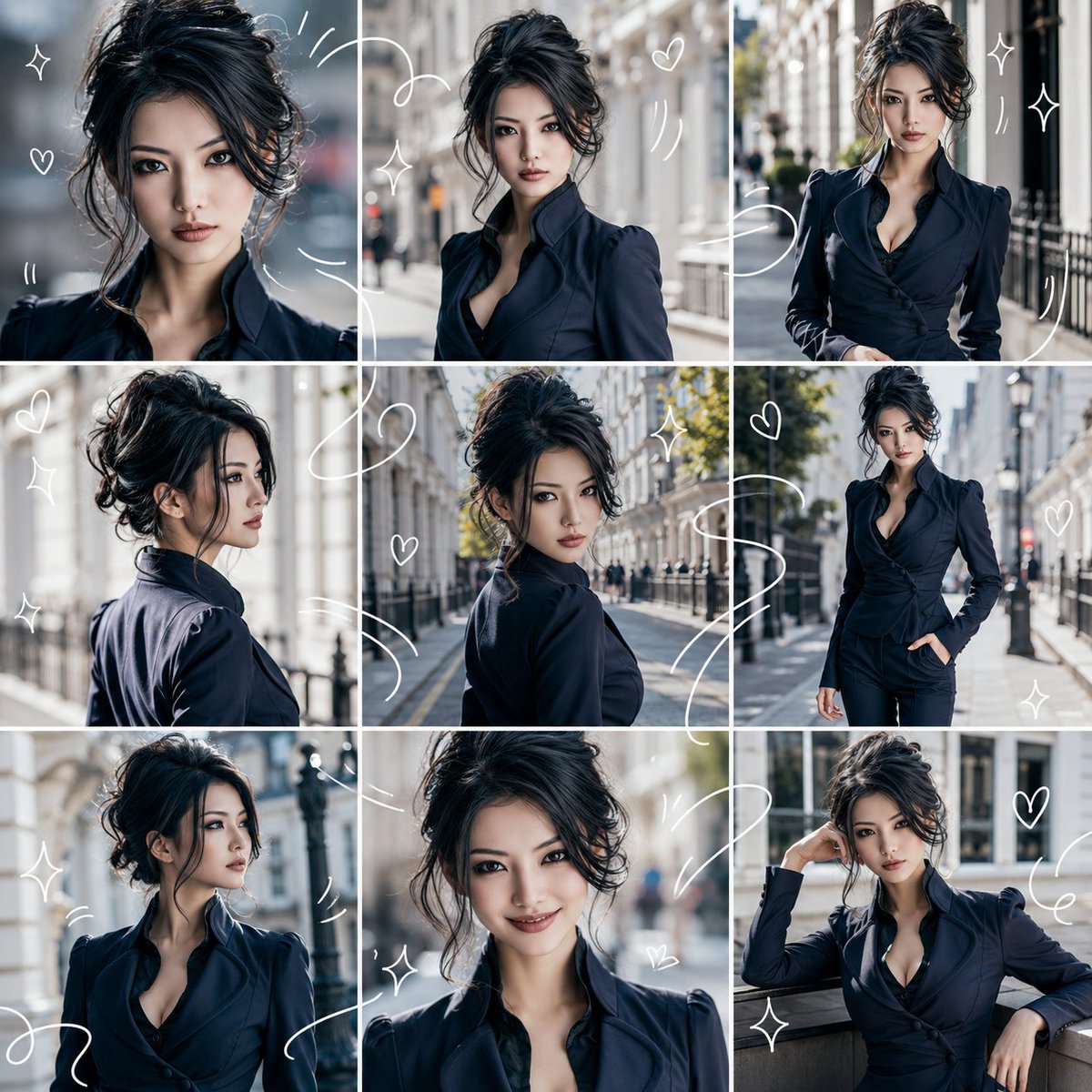
Character Consistency 9-Grid Collage
views1,700
likes63
comments0
shares3
bookmarks8
quotes1
Translated
Make the person/character from the attached reference image the main subject. Regardless of whether the reference image is live-action or illustration, convert it naturally to match the specified {argument name="output style" default="realistic photo style"}. Preserve the main features of the reference image's facial structure, hairstyle, hair color, eyes, contours, age impression, atmosphere, body type, and costume, and ensure that the same person/same character appears in all panels. Output a single image with {argument name="aspect ratio" default="1:1"}. Divide the entire screen evenly into 3 columns × 3 rows, and make it a collage of exactly 9 panels. Do not increase or decrease the number of frames, and keep the layout organized and easy to see. Each panel should capture a different moment of the same person/character. Vary the angles, distances, expressions, and movements, such as close-up, bust-up, slightly pulled-back composition, side view, turning around, walking pose, looking away, natural smile, relaxed pose, etc. Set the background based on {argument name="background" default="bright indoor"}, with a clean and bright atmosphere. The overall impression should be 'refreshing', and make it like a light and refreshing visual diary. Overlay the entire image with thin white hand-drawn style drawing lines. The white lines should flow across the 9 panels, connecting them, surrounding the person/character, and expressing movement. Add small hearts, star-shaped sparkles, wavy lines, and motion lines. However, do not hide the face, eyes, or expression. Avoid elements: text, subtitles, logos, watermarks, extra people, different personification, distorted face, broken limbs, cluttered background, overly dark shadows, scribbles that hide the face, frames other than the 9 panels.
Machine-translated — the original is what produced this result.


