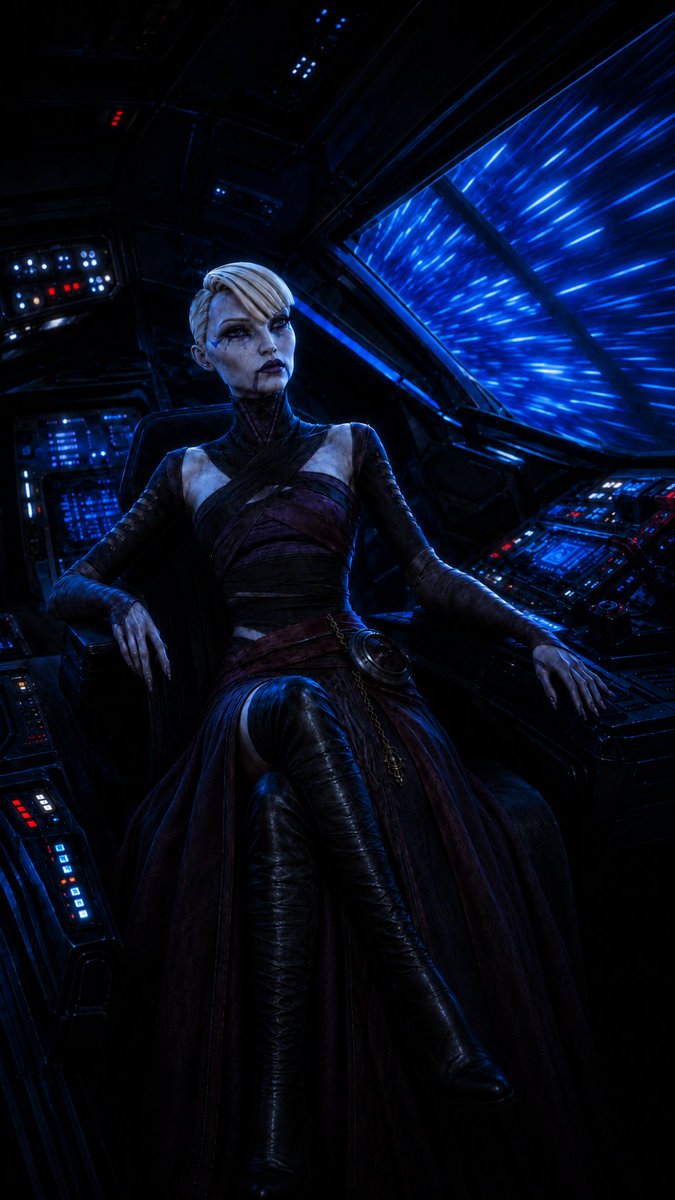
Gothic Starship Commander
views35
likes0
comments0
shares0
bookmarks0
quotes0
Create a dark cinematic sci-fi portrait of {argument name="character name" default="an elegant female starship commander"} seated in the cockpit of a futuristic spacecraft during hyperspace travel. She is centered slightly left in a tall vertical frame, sitting in a black pilot chair with one leg crossed and both hands resting on the armrests and nearby control panels. She has very pale bluish skin, sharp aristocratic facial features, dramatic dark eye makeup, deep plum lipstick, and a stern, confident expression while looking slightly off to the side. Her hair is {argument name="hair color" default="platinum blonde"}, styled in a short swept asymmetrical undercut. She wears a gothic space-opera outfit: a dark high-neck wrap bodice with diagonal straps, long fitted sleeves, a deep burgundy and black layered skirt, a small circular metallic ornament and chain at the waist, and glossy black thigh-high boots. The cockpit surrounds her with dense black metal panels and exactly four major illuminated console areas: one overhead-left panel with blue and red indicator lights, one rear-left vertical blue display bank, one lower-left armrest console with red and blue buttons, and one right-side control console covered in glowing blue screens with a few red accents and a small joystick. A large angled window on the right shows bright electric-blue hyperspace streaks rushing past, casting intense blue rim light across her face, hands, clothing, and the cockpit. Use moody low-key lighting, high contrast, deep shadows, crisp realistic textures, cyberpunk space fantasy atmosphere, ultra-detailed digital painting / cinematic concept art quality. Vertical 2:3 composition, no text, no watermark, avoid extra characters.


