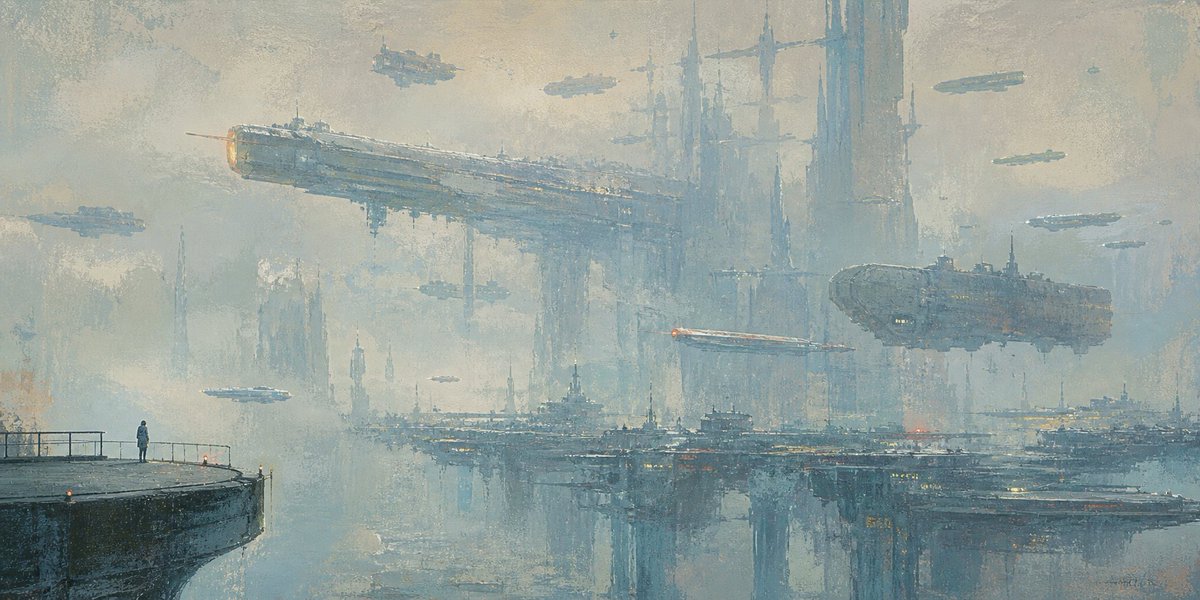
Lonely Sci-Fi Harbor Wallpaper
views12,800
likes14
comments5
shares4
bookmarks20
quotes1
Create a wide cinematic sci-fi oil-painting wallpaper of profound loneliness: a single tiny human figure stands on the far left edge of a dark concrete pier with simple railings, looking out across a misty futuristic harbor city. The skyline is enormous and distant, made of towering vertical megastructures, needle spires, bridges, docks, and layered industrial platforms fading into fog. Include exactly 11 visible flying vessels: 2 large motherships, one long rectangular battleship crossing the upper left center and one bulky oval carrier on the right; 5 medium airships scattered across the middle and upper sky; and 4 tiny distant craft as small silhouettes. The largest ship should have a faint warm orange engine glow, and a thin red-white light streak should cut horizontally near the right-center ship. Use a cold desaturated palette of blue-gray, pale teal, foggy beige, and muted steel, with a few tiny amber and red city lights reflected on the water. The water below is calm and mirrorlike, reflecting the city towers and platforms with broken painterly strokes. Style: atmospheric impressionist oil painting, thick textured brushwork, soft haze, melancholic coastal-cinema mood, extremely detailed maximalist sci-fi architecture but visually quiet and spacious. Composition: 21:9 ultra-wide wallpaper, low horizon, vast negative sky, human figure very small to emphasize scale and isolation. No text, no logo, no watermark. Optional customization: set the mood to {argument name="mood" default="cold lonely melancholy"}, the setting to {argument name="setting" default="misty futuristic harbor city"}, the palette to {argument name="color palette" default="desaturated blue-gray and pale teal"}, the main subject to {argument name="solitary figure" default="a lone person on a pier"}, and the aspect ratio to {argument name="aspect ratio" default="21:9 ultra-wide wallpaper"}.


