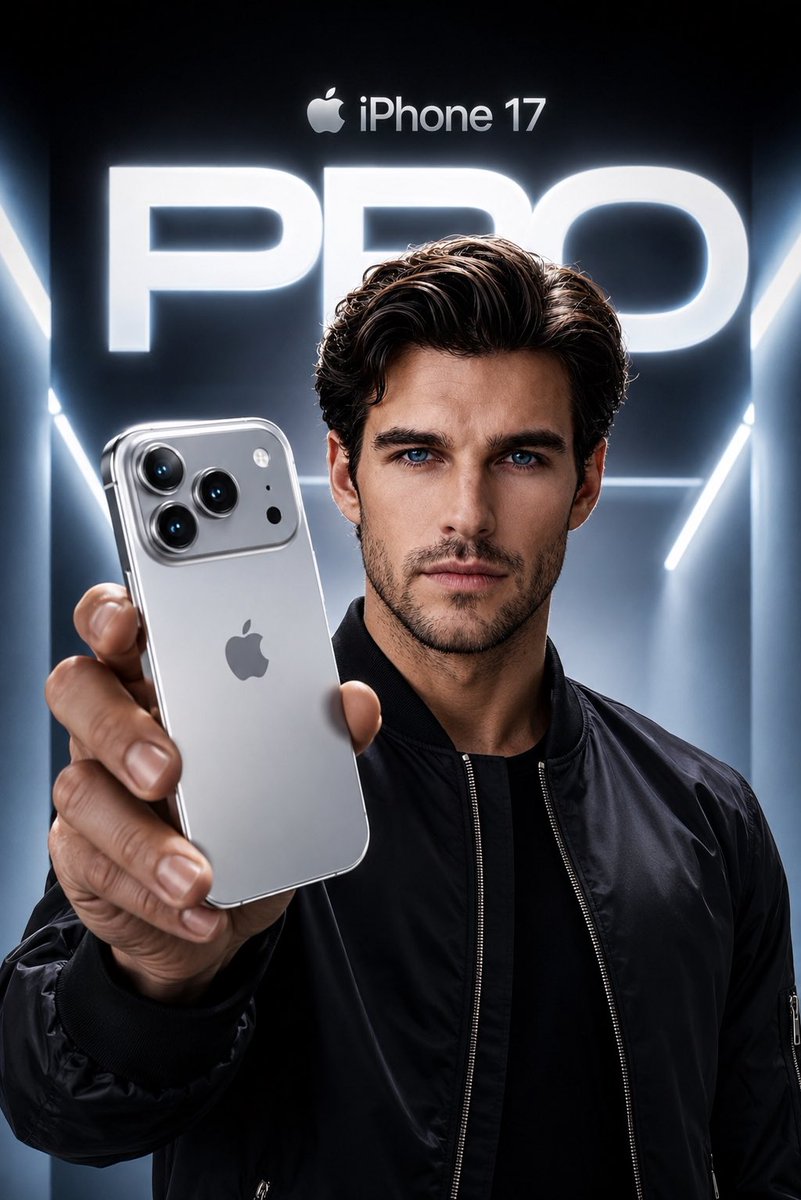
Apple Style iPhone Product Campaign
views810
likes45
comments23
shares2
bookmarks10
quotes0
Create an ultra-premium Apple-style product campaign using the uploaded image as the exact facial reference. Preserve my identity with maximum accuracy, including my face shape, hairstyle, beard, eyebrows, skin tone, eye proportions, lips, jawline, and every unique facial feature. Do not alter my age or recognizable appearance.

I am wearing a {argument name="jacket" default="sleek black premium bomber jacket"} with a minimal futuristic aesthetic. I am confidently holding a {argument name="phone" default="Silver iPhone 17 Pro"} toward the camera in a dramatic low-angle perspective, with the phone dominating the foreground while my face remains perfectly sharp and cinematic. The iPhone features a luxurious brushed titanium silver finish with polished edges, realistic reflections, premium camera lenses, and authentic Apple design language.

The background is a {argument name="environment" default="futuristic Apple keynote-inspired environment"} with glowing white and cool blue volumetric lighting, clean architectural lines, and a massive illuminated “PRO” typography behind me. At the top, place a subtle Apple logo with “iPhone 17” in Apple’s minimalist style. Use high-end commercial lighting, realistic skin texture, natural hand proportions, sharp focus, premium depth of field, soft rim lighting, and flawless reflections on the phone. The composition should feel like an official Apple flagship advertisement, ultra-realistic, hyper-detailed, 8K, HDR, IMAX quality, magazine cover worthy, with a cool silver and blue color palette, luxury aesthetic, and perfect cinematic color grading.


