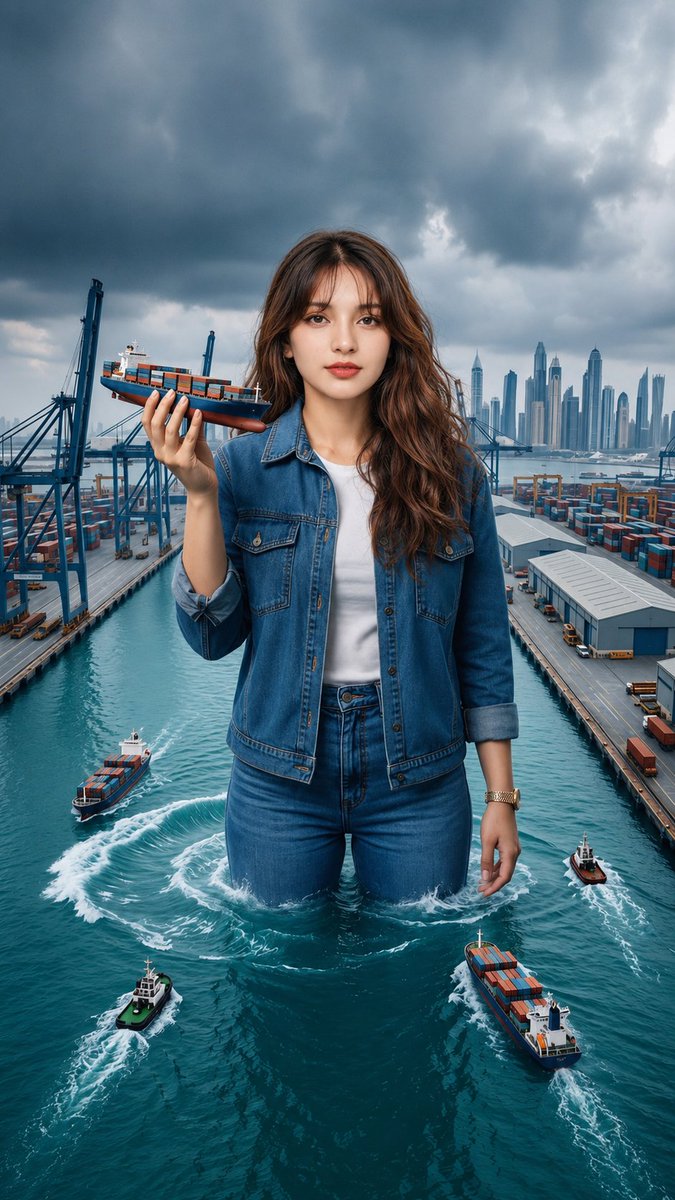
Shipping Port and Manga Collage Mashup
views337
likes31
comments28
shares3
bookmarks3
quotes0
Create a hyper-realistic, cinematic editorial portrait of the {argument name="subject" default="same young woman with long wavy dark-brown hair, soft natural makeup, and a calm, confident expression"}. She wears a {argument name="clothing" default="blue denim jacket over a fitted top, matching blue jeans, and black high heels"}, maintaining the exact same facial identity, hairstyle, body proportions, and outfit throughout the composition.

Blend two surreal concepts into one seamless scene:

On one side, depict the woman as a giant standing waist-deep in a modern international shipping port, surrounded by container terminals, cargo cranes, warehouses, turquoise seawater, and multiple cargo ships. She gently holds a miniature container ship in one hand while several real cargo vessels navigate around her, leaving realistic water wakes. A dramatic overcast sky with dark storm clouds creates a cinematic atmosphere, with a futuristic city skyline visible in the distance.

On the other side, merge the environment into a black-and-white Japanese manga collage wall filled with dynamic comic panels featuring motorcycles, office scenes, city streets, livestreaming, friendship, expressive characters, speed lines, Japanese sound effects, and speech bubbles. The woman stands naturally in front of the manga artwork with a relaxed editorial pose, creating a striking contrast between the colorful realistic subject and the monochrome manga background.

The transition between the shipping port and manga collage should feel smooth and artistic, combining surreal scale, fantasy, editorial fashion photography, and comic-book aesthetics into one cohesive composition. Ultra-detailed textures, realistic lighting, sharp focus, natural skin tones, HDR, 8K resolution, volumetric lighting, cinematic color grading, professional fashion photography, highly detailed environment, masterpiece quality.


