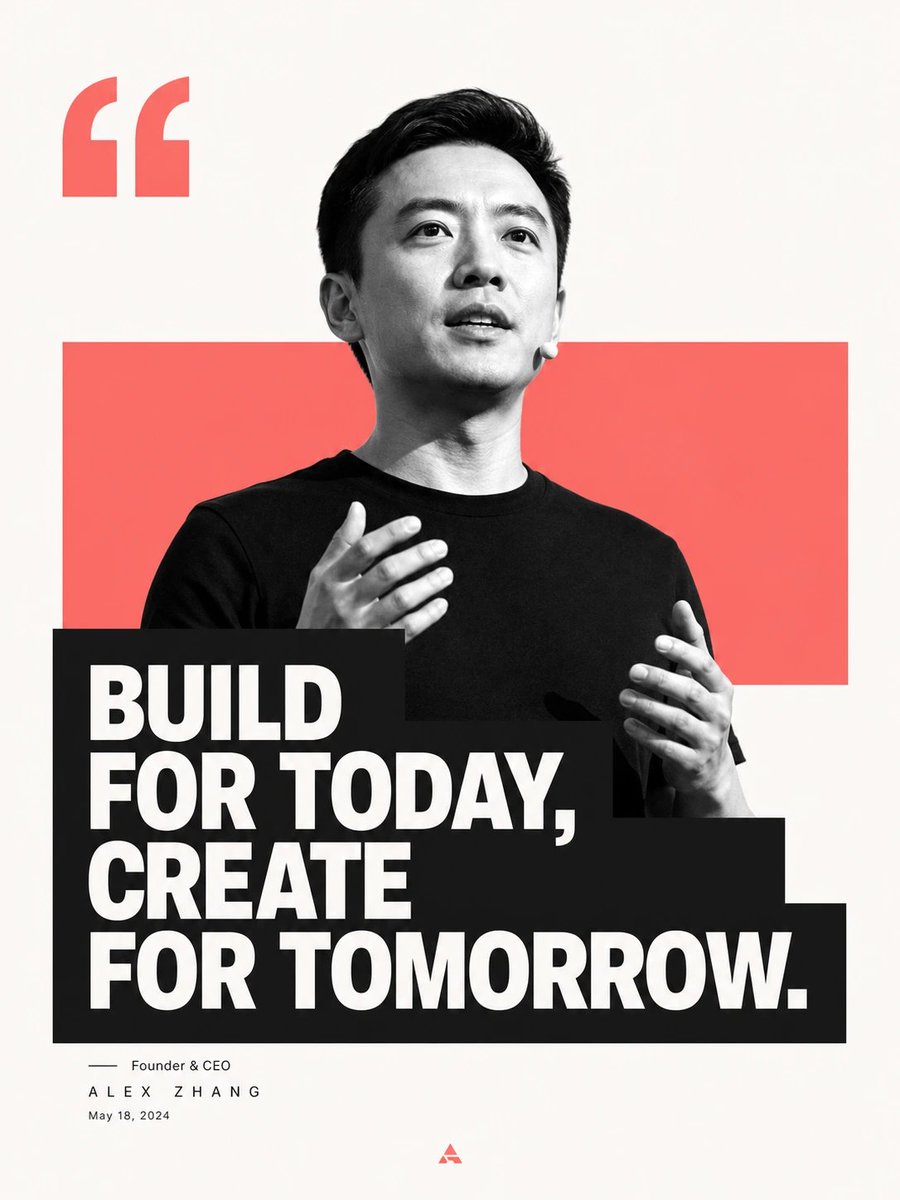
Minimalist Editorial Graphic Design Prompt
views2,000
likes19
comments2
shares3
bookmarks15
quotes0
Translated
Generate a minimalist editorial-style image-text layout around {argument name="subject" default="any subject"}: Large clean white space as breathing area, the core shape of the subject pressed onto the visual center in high-contrast black-and-white imagery, with crisp cutouts, partially overlapping a theme-derived {argument name="color field color" default="solid color"} rectangular color field, creating a front-and-back stage relationship between the main shape and the color field. The information layer uses a thick dark text block to anchor the bottom of the main shape, creating the first visual impact of the image being cut off by text, and the text in turn supporting the image; the main phrase uses bold, sans-serif light-colored text, arranged tightly in multiple lines with clean letter-spacing and strong line spacing, the block extends to one side but keeps edges neat. Above, keep an enlarged quotation mark or thematic symbol as a rhythmic anchor, and below use extremely thin, lightweight signature-level information for a strong-weak contrast, with only a very small logo at the bottom as a conclusion. Colors are extracted from the subject's own material, emotion, and cultural signals: background stays high-brightness, clear, and clean; the main shape is structured by black-and-white light and shadow; the color field uses medium-high saturation thematic emotional color, occupying a medium area of the frame with clear boundaries; the text block uses clean dark color for weight; a small amount of accent color only appears on logos or details. Overall mood is bright, direct, and modern, with the energy of a public statement and the order of a publication; avoid complex scenes, decorative textures, dirty/old filters, and loose layout.
Machine-translated — the original is what produced this result.


