Lifeguard Underground Idol Concert
views321
likes3
comments0
shares0
bookmarks0
quotes1
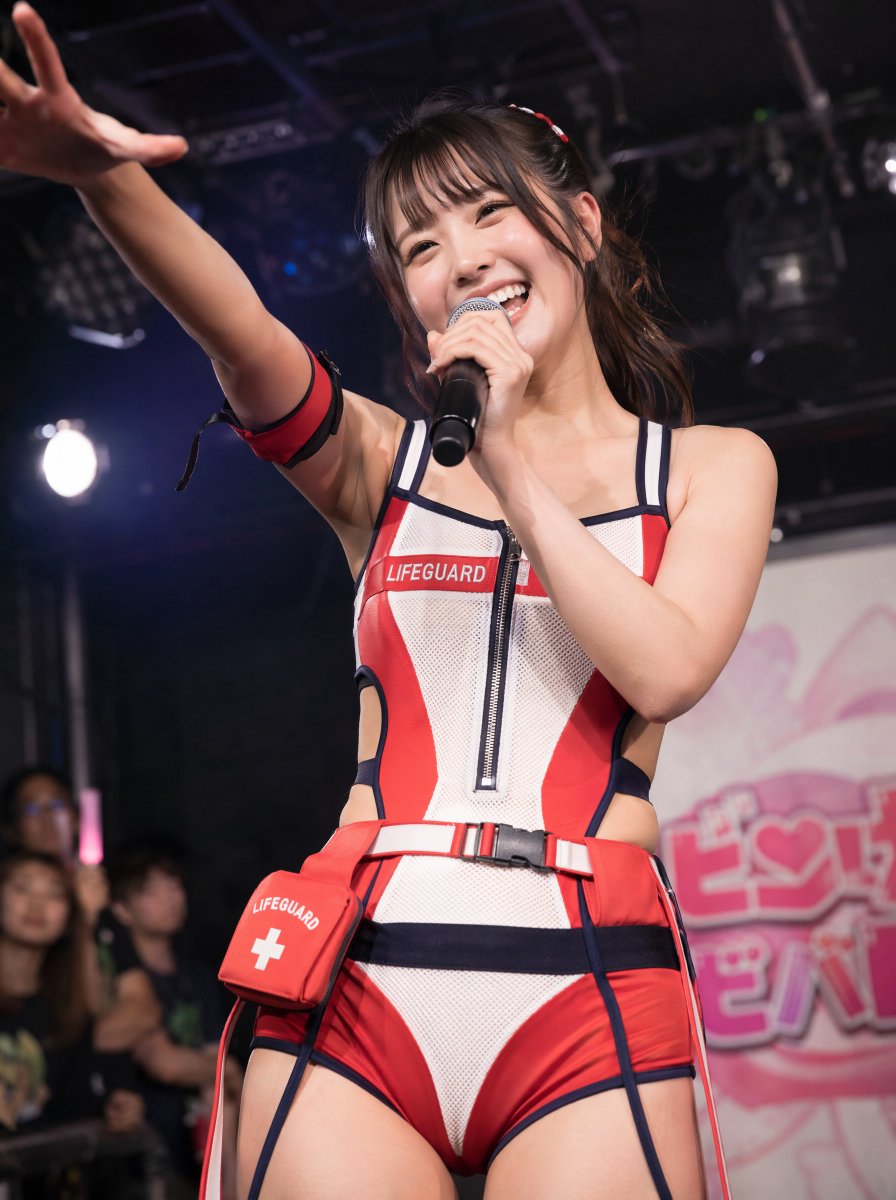
Create a photorealistic vertical concert photo of a cheerful Japanese underground idol performing on a small live-house stage, shot from a slightly low front angle with a 35mm documentary concert feel. The idol is {argument name="character type" default="a young Japanese underground idol singer"} with dark brown twin-tail hair, wispy bangs, glossy natural makeup, and a huge bright smile, looking toward the audience while holding a black handheld microphone close to her mouth in her right hand. Her left arm is stretched dramatically toward the camera with an open hand, slightly foreshortened and motion-filled, creating an intimate fan-service performance moment. She wears a sporty lifeguard-inspired idol costume in {argument name="costume colors" default="red, white, and navy blue"}: a fitted sleeveless one-piece with mesh white panels, red side panels, navy piping, a front zipper, cutout sides, matching red-and-navy shorts styling, a red belt with black buckle, and a small red medical pouch on the hip. Include exactly 4 clearly visible labeled or functional costume/accessory elements: 1) a chest patch reading {argument name="chest label" default="LIFEGUARD"}, 2) a red armband on her upper left arm, 3) a red hip pouch with a white cross and the word LIFEGUARD, and 4) a small red-and-white hair accessory. The background is a dim black-box idol venue with overhead stage rigging, spotlights, blurred audience members along the left edge, and a pink-and-white idol event backdrop on the right with soft unreadable Japanese-style lettering and a heart motif. Use shallow depth of field, crisp focus on the singer’s face and costume texture, realistic skin highlights, energetic stage lighting, bokeh, and no watermark. The mood should feel like {argument name="performance mood" default="joyful, close-up, high-energy fan interaction"}.


