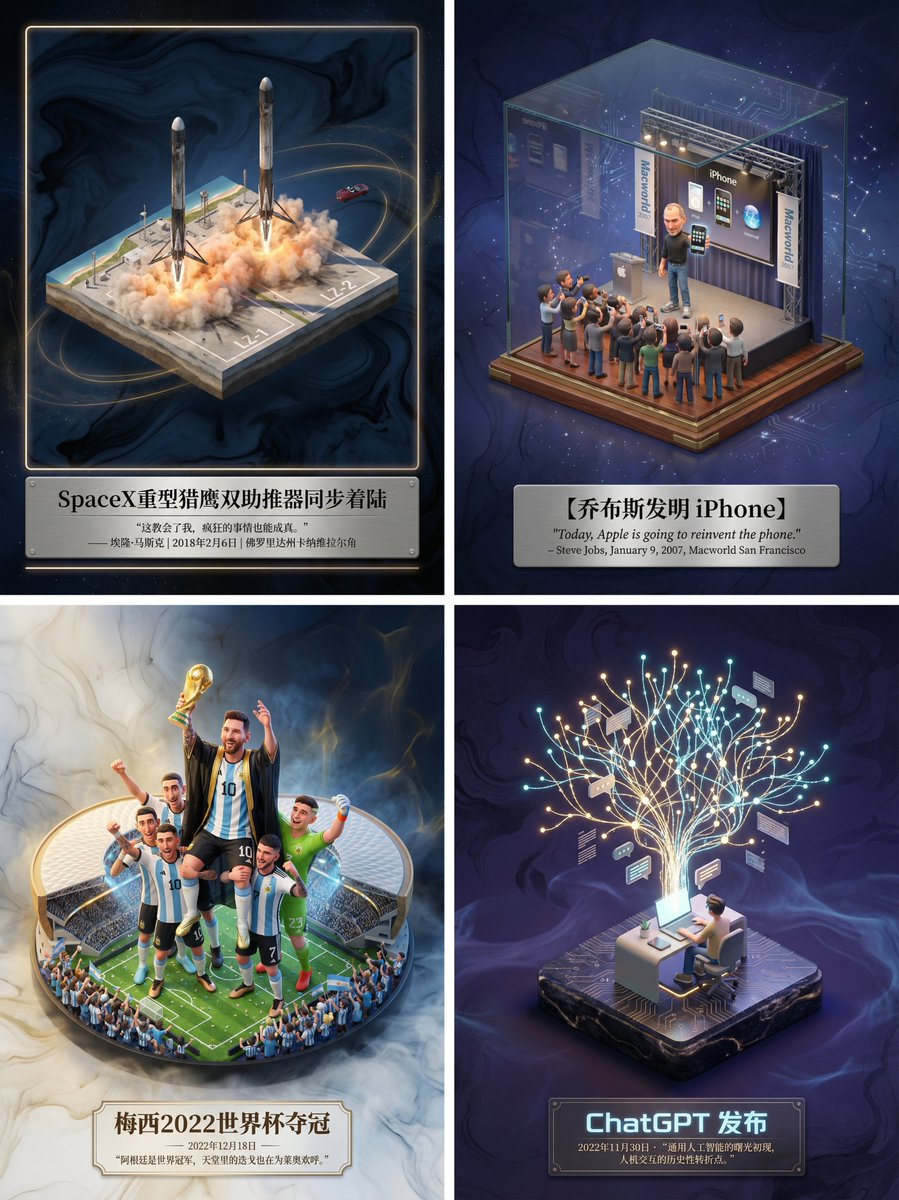
Museum-Grade 3D Diorama Poster for Historical Events
views39,500
likes214
comments15
shares58
bookmarks206
quotes2
Translated
Please create a museum-level 3D isometric miniature poster for [{argument name="Event Name" default="SpaceX Heavy Falcon Twin Booster Synchronous Landing"}], first search for related information to acquire knowledge.

Step 1, Intelligent Recognition and Scene Construction: Please first call your knowledge base to determine which category my input subject belongs to (fictional literature, real historical event, sports competition, or scientific discovery). Then, precisely search for the specific environment, core character actions, costume details, and climate atmosphere when the subject occurred. In the center of the frame, create a refined 3D miniature scene model. In terms of style, maintain the high-precision material quality and soft lighting rendering of DreamWorks animation. If it's sports, emphasize the explosive power of movement and the feeling of a frozen moment; if it's history, restore the period feel and seriousness; if it's literature, emphasize mood.

Step 2, Atmosphere and Background: The background should avoid pure white, using a void environment with very light ink textures and flowing light fog, with colors automatically adjusted based on the subject to create a high-end feeling of a 'slice of history' or 'precious artifact'.

Step 3, Typography and Text: Generate Chinese typography centered at the bottom. The main title should be the name of the event or work, with a font design that fits the subject style. Below the title, please automatically search for the event's most famous golden quote, commentary, date, or historical evaluation, using an elegant serif font. The overall layout should be as refined and balanced as a high-end museum artifact nameplate.
Machine-translated — the original is what produced this result.


