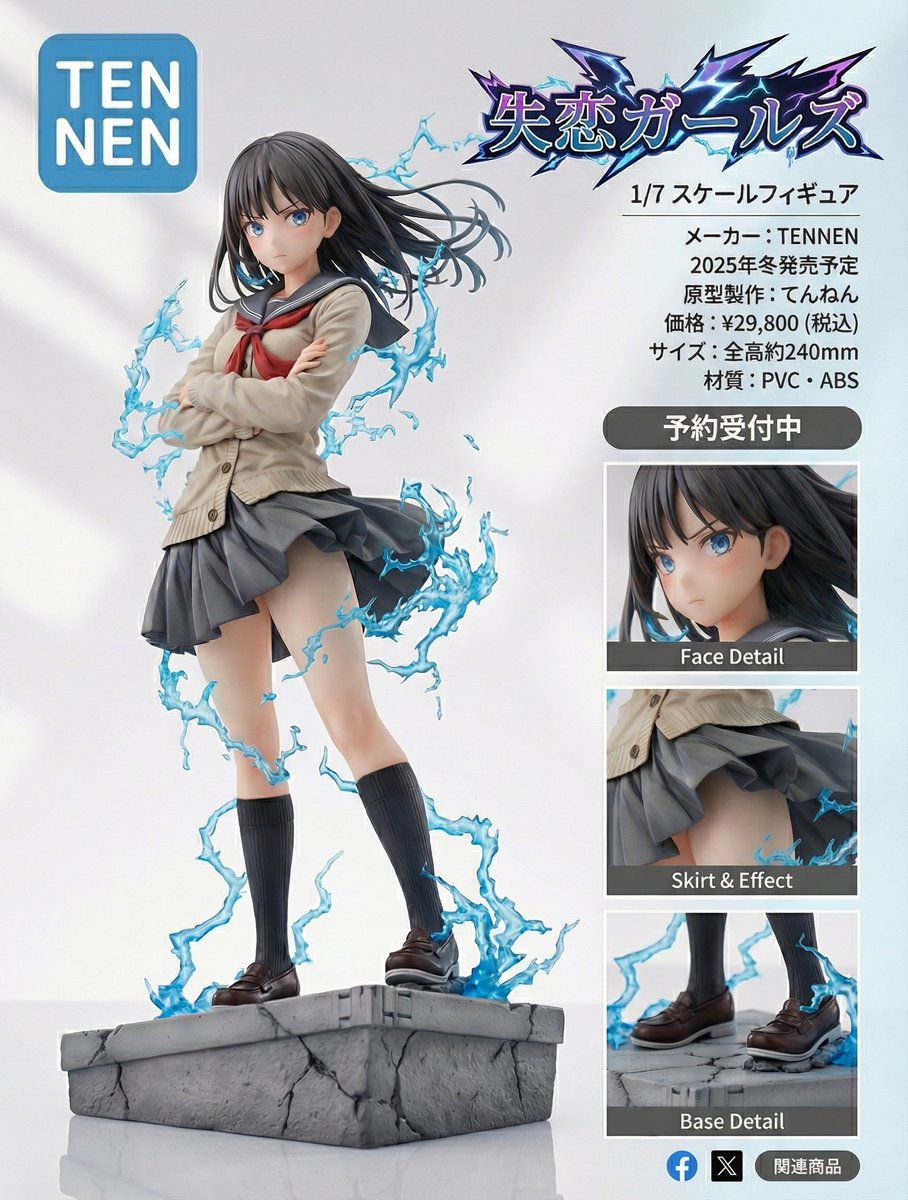
Figure-style product page design for a heartbreak girl figure
views213,500
likes923
comments20
shares107
bookmarks641
quotes39
Translated
Turn this image into a super-precise figure style.
Create a product introduction page design.
The product name is "{argument name="商品名" default="失恋ガールズ"}".
It's a 1/{argument name="スケール" default="7"} scale figure.
The manufacturer name is "{argument name="メーカー名" default="TENNEN"}".
The logo is a rounded blue square with the text {argument name="ロゴ文字" default="TENNEN"}
"{argument name="ロゴ上段" default="TEN"}" then a line break, left-aligned "{argument name="ロゴ下段" default="NEN"}"
Placed maximally within the rounded blue square.
Place partial enlargement diagrams etc. to make it look like a product introduction.
Design it to look good and professional.
Make "{argument name="商品名_再" default="失恋ガールズ"}" also logo-like.
Make it look like a product introduction page.
Scheduled release in {argument name="発売時期" default="2025年冬"}
Original sculpting: {argument name="原型師名" default="てんねん"}
Machine-translated — the original is what produced this result.


