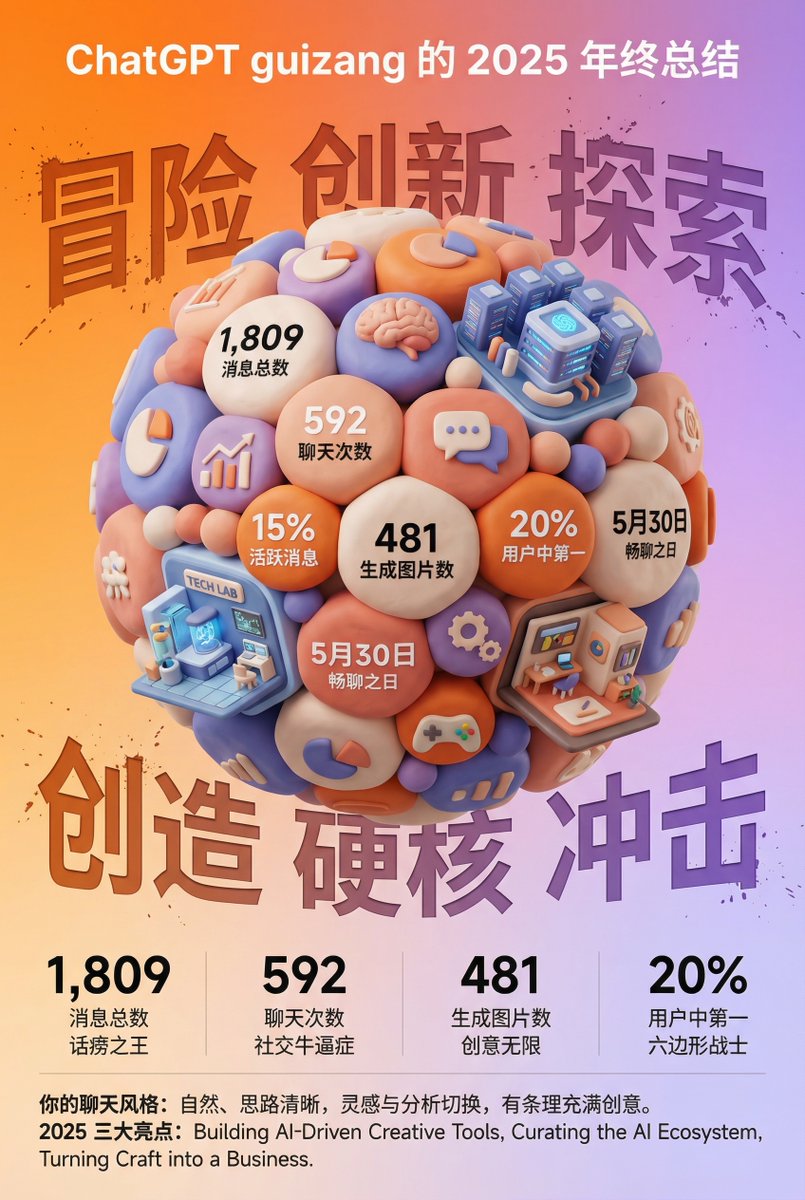
3D Clay Style Year-End Summary Poster Generator
views33,500
likes80
comments8
shares5
bookmarks66
quotes6
Translated
Task Objective: Based on the data and information from the user-uploaded year-end summary screenshots, design a style-distinctive, highly visually impactful 3D year-end summary poster. User name {argument name="用户名" default="[guizang]"}

Overall Style and Mood (Fixed Style):
Core Style: Combining 3D trends, gamification elements, and high-saturation colors.
Material Feel: The main body of the image presents a delicate clay (Clay) or soft plastic material rendering, with rounded edges and soft lighting, giving a friendly 'blind box toy' feel.

Layout Feel: The overall layout should resemble a refined high-end magazine, with appropriate density and clear information architecture. Text layout should be simple and clear, without adding any decorative backgrounds like cards, capsules, or bottom frames.

Main Subject (Core Visual):
The visual center is a large, tightly stacked Q-version 3D clay sphere. The composition elements of the sphere need to be dynamically generated based on the specific content from the user-uploaded screenshot:

Data Bubbles: Create rounded clay data bubbles embedding key numbers and corresponding labels extracted from the screenshot (e.g., total messages, chat count, generated images, activity ranking, etc.).

Theme Icons: Add corresponding universal clay icons based on the user's interests indicated in the screenshot (e.g., game controller, brain, chart, speech bubble, etc.).

Category Architecture (Core Requirement): Analyze the content focus in the screenshot and integrate several exquisite miniature clay buildings representing different chat categories into the sphere. For example:
- If it contains AI/technology content, add a futuristic data center building with a tech feel.
- If it contains game content, add a pixel-style game castle.
- If it contains creative/art content, add a miniature art studio.
Combination Method: All these elements (bubbles, icons, buildings) must be very closely and harmoniously squeezed together, seamlessly forming a perfect sphere without exposing internal structures.

Background Design (Fixed Framework):
Background Color: Use a high-saturation warm orange to soft purple gradient background (refer to previous style).

Background Text: Behind the sphere, place six large Chinese characters with splash texture and reverse etching effect, theme can be 'Adventure Innovation Exploration' (top row) and 'Creation Hardcore Impact' (bottom row), partially obscured by the sphere to add street hardcore feel.

Information Architecture and Layout (Content extracted from screenshot):
Top (Header): Place the white ChatGPT Logo, and generate a title based on screenshot information, format: '[{argument name="用户名" default="Username extracted from screenshot"}]'s [Year] Year-End Summary'.

Bottom Data Grid (Data Grid): Below the sphere, create a minimalist 2x2 pure text data grid. Select 4 core data from the screenshot, display large numbers using ultra-bold sans-serif font, with corresponding text labels and interesting social attribute phrases (e.g., 'Social Butterfly', 'Talkative', 'Hexagonal Warrior', etc., generated based on data characteristics).
Footer Summary (Footer): At the bottom, lay out two paragraphs in small text, content directly extracted from the summary paragraphs in the user screenshot (e.g., 'Your Chat Style' and 'Annual Highlights').
Machine-translated — the original is what produced this result.


