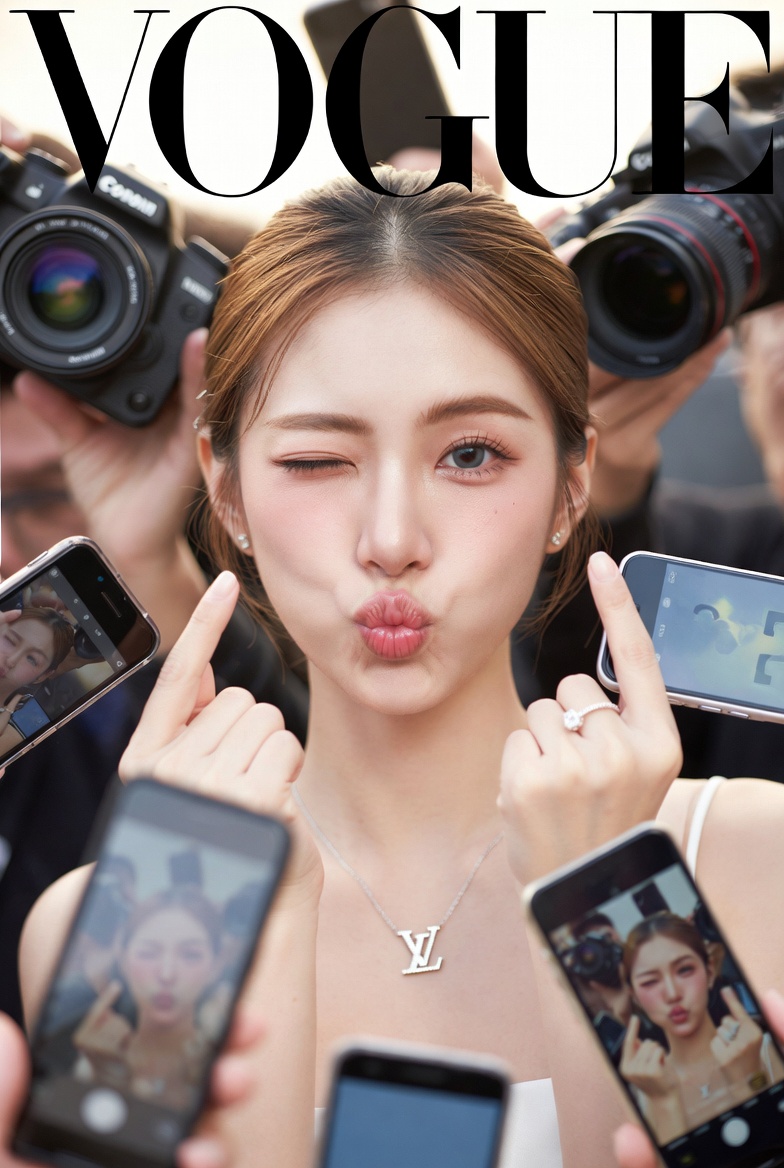
Vogue Cover Face Swap Portrait with Paparazzi
views44,400
likes590
comments18
shares65
bookmarks636
quotes1
Create a realistic Vogue magazine cover–style fashion portrait using the uploaded face as the original face reference (100% face identity preservation).

A young elegant woman posing confidently, maintaining her original facial features and natural beauty. She is winking with her left eye and making a playful duck-face expression. Both hands are raised, forming a love/heart gesture near her face.

She is surrounded by multiple DSLR cameras and smartphones held around her, as if paparazzi and photographers are capturing her from all directions. Some phones show her live image on their screens.

Appearance & styling: flawless glowing skin, natural makeup with glossy pink lips, soft blush, subtle highlights. Light brown hair styled in a low, neat updo with a few loose strands.

Outfit & accessories: elegant minimalist {argument name="dress color" default="beige-white"} strapless evening dress, {argument name="necklace brand" default="Louis Vuitton"} necklace, diamond ring, luxury fashion jewelry.

Photography style: close-up to half-body fashion portrait, Vogue editorial aesthetic, cinematic professional studio lighting, soft HDR background, shallow depth of field, realistic skin texture, ultra-detailed, 8K quality.

Camera & lens look: professional DSLR look, 85mm lens feel, f/1.8 aperture, crisp focus with smooth background bokeh.

Composition: Vogue magazine layout with large bold logo at the top, editorial fashion cover framing, clean and elegant design.

Mood & vibe: playful yet luxurious, high-fashion beauty editorial, realistic, not AI-looking, photographed by a professional fashion photographer.


