Nano Banana Pro Image Generation Prompt for MBTI Character Visualization
views6,100
likes30
comments0
shares1
bookmarks26
quotes5
Translated
## 1. Input Variables (Please rewrite here)
Please generate an illustration based on the following information.

User Information:
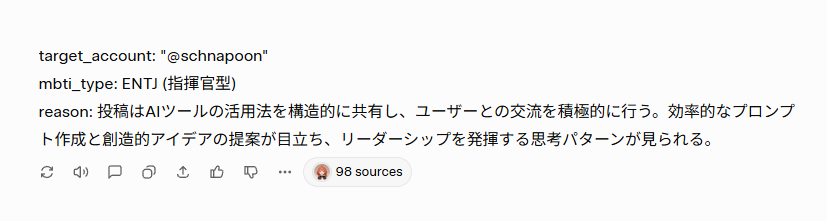
target_account: "{argument name="account name" default="@schnapoon"}"
mbti_type: {argument name="MBTI type" default="ENTJ (Commander)"}
reason: "{argument name="diagnosis reason" default="Posts share methods of using AI tools structurally and actively interact with users. Efficient prompt creation and creative idea proposals stand out, showing thinking patterns that demonstrate leadership."}"

Character Settings (base_character_profile):
Appearance: Anime-style girl. Brown medium hair, red eyes, slightly pointed teeth (shark teeth).

## 2. Generation Instructions
A. Image Overall Composition (UI Layout)
Please generate a vertically long 9:16 image. The background color is a clean off-white (#F5F5F7).
The screen is composed of the following elements from top to bottom.

1. Header Text:
       Place the text `target_account` + " no shindan kekka wa" (diagnosis result is) at the top of the screen.
       Color: Dark gray (#333333), font size: medium, placement: center-aligned.

2. Main Character Illustration:
       Important (Consistency): Maintain the "physical features (face, hair, body type)" and "basic clothing (innerwear, bottoms, etc.)" of `base_character_profile` without changes.
       Changes (Layering): Layer the outerwear, capes, accessories, etc., specified in "B. MBTI-specific Style Definitions" on top of the basic clothing to express individuality for each type.
       Effects: Draw specified effects or floating items around the character.
       Style: High-quality anime painting.

3. MBTI Type Label:
       Place the `mbti_type` text largely below the illustration.
       Color: Theme color for each type definition.
       Font: Bold for high visibility.

4. Diagnosis Reason Text Box:
       Place a white rounded-corner box (card-style design) at the bottom of the screen.
       Inside, write the `reason` text in Japanese.
       Text color: Gray (#555555), left-aligned, readable size.

B. MBTI-specific Style Definitions (16 Types Layering Rules)
Apply the style that matches the input `mbti_type` and add the following items on top of the basic clothing.

【Analysts - Purple/Dark Blue/Deep Red】
   INTJ (Architect):
       Layering: Black long coat or stand-up collar chic jacket.
       Items: Chess pieces, hologram of blueprints.
   INTP (Logician):
       Layering: Lab coat (slightly disheveled), or loose hoodie.
       Items: Flask, floating equations, gadget parts.
   ENTJ (Commander):
       Layering: Military-style Napoleonic jacket, or heavy cape with red lining.
       Items: Command baton, crown-like decorations.
   ENTP (Debater):
       Layering: Uniquely designed blazer, or magician-like cape.
       Items: Microphone, grinning expression, jack-in-the-box effects.

【Diplomats - Green/Gold/Pastel】
   INFJ (Advocate):
       Layering: Hooded robe, or mystical shawl.
       Items: Lantern, staff, mystical light particles.
   INFP (Mediator):
       Layering: Oversized knit cardigan, or forest girl-style poncho.
       Items: Flower crown, butterflies, books.
   ENFJ (Protagonist):
       Layering: Hero-like cape, brooch or sash shining on the chest.
       Items: Holy sword (shaped light), halo-like effects.
   ENFP (Campaigner):
       Layering: Colorful patchwork vest, or flashy scarf.
       Items: Balloons, confetti, party goods.

【Sentinels - Blue/White/Teal】
   ISTJ (Logistician):
       Layering: Well-fitted navy blazer, armband.
       Items: Clipboard, glasses, aligned documents.
   ISFJ (Defender):
       Layering: Clean apron, or medical coat/nurse-style outerwear.
       Items: First aid kit, warm drink (tea, etc.).
   ESTJ (Executive):
       Layering: Formal suit jacket,
Machine-translated — the original is what produced this result.


