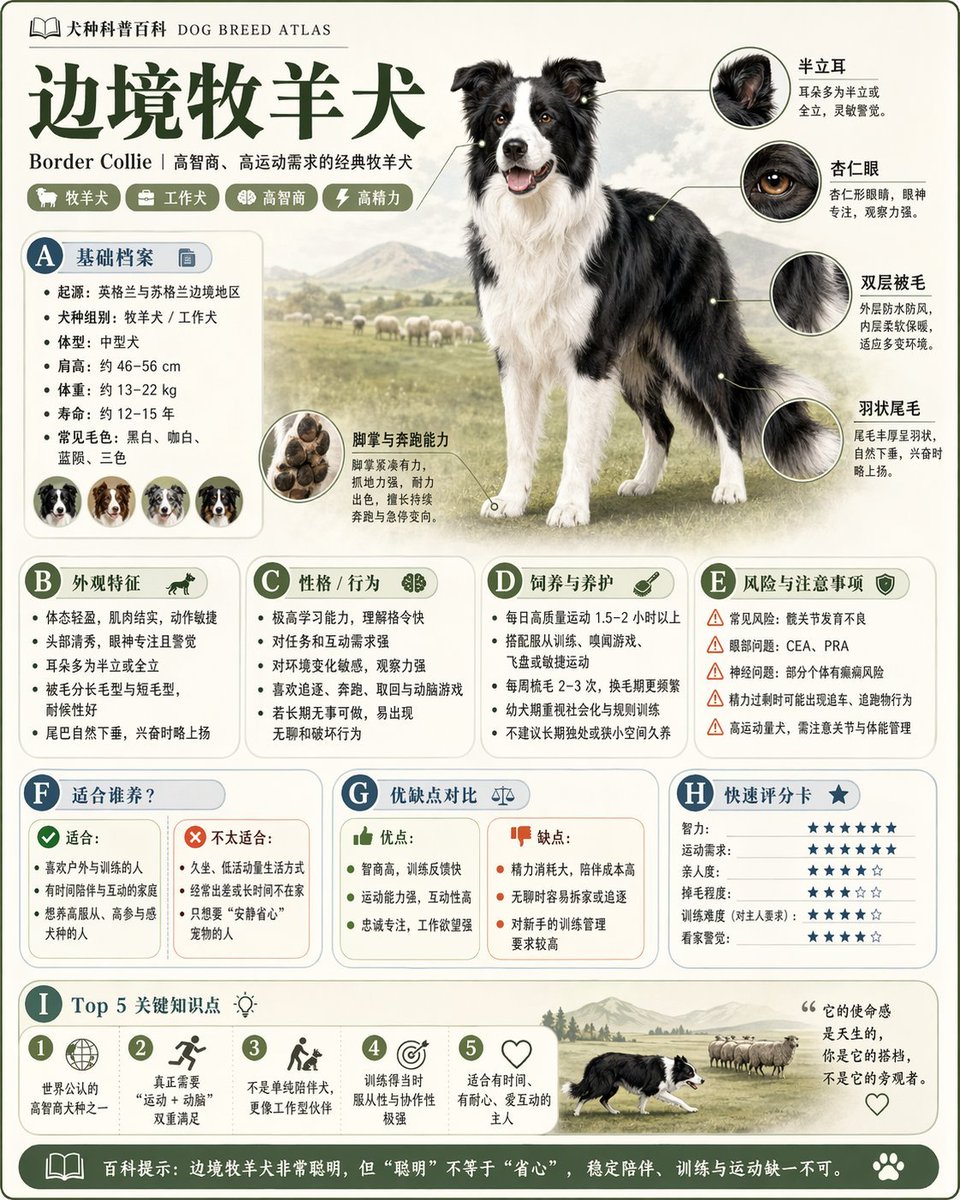
Modular Knowledge Encyclopedia Infographic
views18
likes0
comments0
shares0
bookmarks1
quotes0
Translated
Please generate a high-quality vertical 'science popularization encyclopedia image' based on 【{argument name="theme" default="theme"}】. This image is not an ordinary poster, nor a simple illustration, but a modular science popularization infographic that combines the feel of an atlas, encyclopedia, information structure, and collectibility. The overall style references a combination of high-end natural history atlases, modern encyclopedia pages, lifestyle knowledge cards, and highly shareable social media infographics. Please include in the image: - A clear and beautiful main visual of the theme - Several enlarged detail shots of local features - Multiple rounded-corner modular information sections - Clear title hierarchy and key labels - Concise but rich encyclopedia content - Visual ratings, key point summaries, or Top 5 module content columns. Please adapt automatically based on the theme, prioritizing selection and reasonable combination from these directions: basic profile, classification information, appearance characteristics, habits/ecology, formation mechanism/structural composition, growth or usage conditions, care or maintenance suggestions, risks and precautions, suitable population or applicable scenarios, pros and cons comparison, quick rating card. Visual requirements: Light and clean background, soft color scheme, light shadows, delicate small icons, rounded-corner information boxes, neat layout, high information density but not crowded, good reading experience. The overall must look like a real science popularization encyclopedia card that can be published, read, collected, and mass-produced in series, not an advertising image. Please do not make it an ordinary commercial promotional poster. Highlight the features of 'knowledge organization + modular information + atlas-style display'.
Machine-translated — the original is what produced this result.


