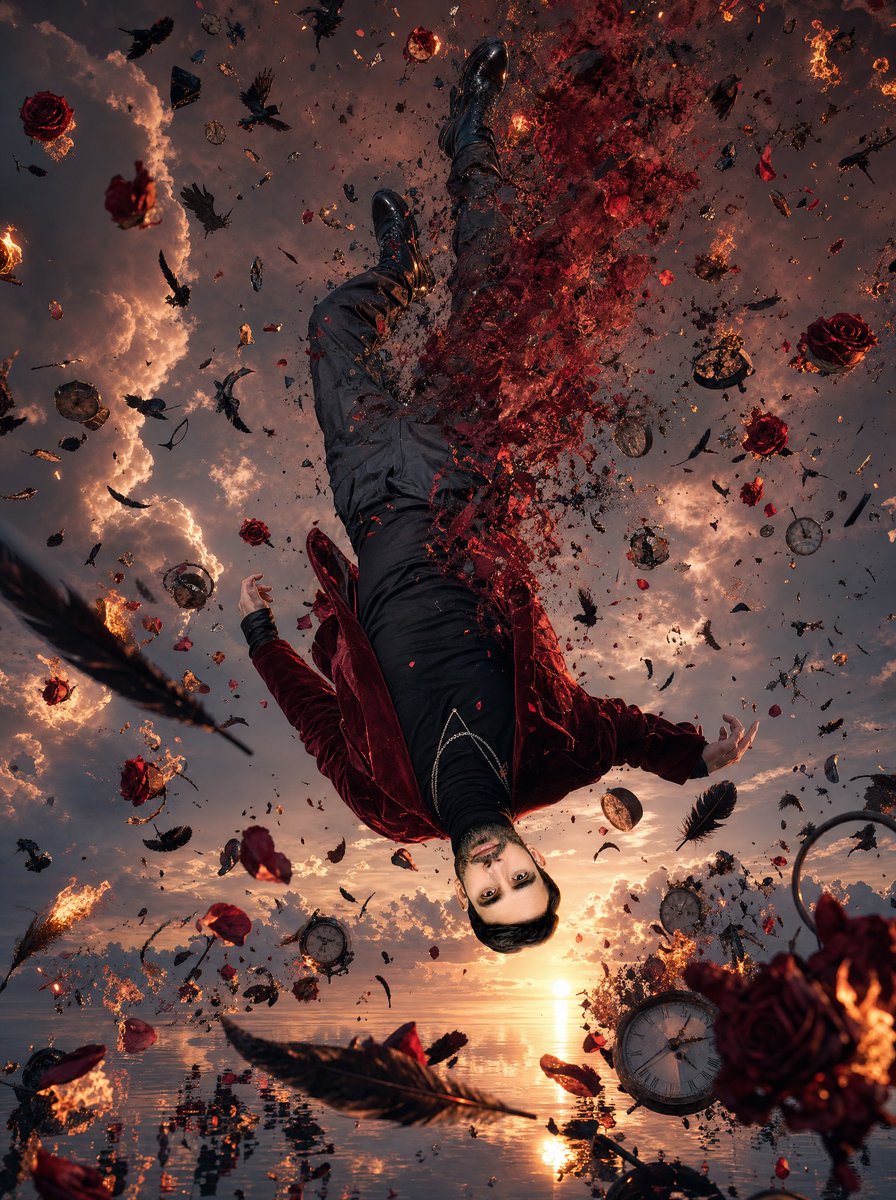
Upside-Down Surreal Falling Man
views1,300
likes66
comments30
shares20
bookmarks15
quotes0
Create a vertical 3:4 surreal hyper-realistic cinematic scene at sunset: one adult male figure is suspended upside down in mid-air above an endless mirror-like ocean, viewed from a dramatic low angle as if the camera is near the water looking up. The man wears {argument name="jacket color" default="deep burgundy velvet"} jacket, black shirt, dark trousers, black boots, and a subtle silver chain across the waist; his arms are loosely spread and his body curves as he falls. Leave the face as a smooth neutral square placeholder or obscured mask area for {argument name="character face" default="an uploaded face reference"}, centered where the head should be. The right half of his torso and upper legs disintegrate into a violent cloud of red rose petals, glowing embers, ash, and black particles, as if his body is dissolving into the sky. Surround him with exactly 12 burning red roses, 9 shattered antique pocket clocks, 24 black feathers, and 16 black ravens or raven silhouettes, all frozen in chaotic motion at different depths; include additional tiny glass shards, clock fragments, sparks, ash, and petal dust as atmospheric debris without readable text. The ocean below is perfectly reflective, mirroring the orange sun, smoky clouds, falling debris, and fragments of the figure, with small ripples near the bottom edge. The sky is filled with towering sunset clouds in {argument name="sky palette" default="orange, bronze, smoky violet, and charcoal gray"}, with glowing fire trails and backlit smoke. Use ultra-detailed hyper-realism, high dynamic range, dramatic chiaroscuro, sharp foreground objects, depth-of-field blur in distant debris, cinematic fantasy realism, painterly surrealism, and a tragic dreamlike mood inspired by time, decay, fire, and floating roses. No captions, no watermark, no borders.


