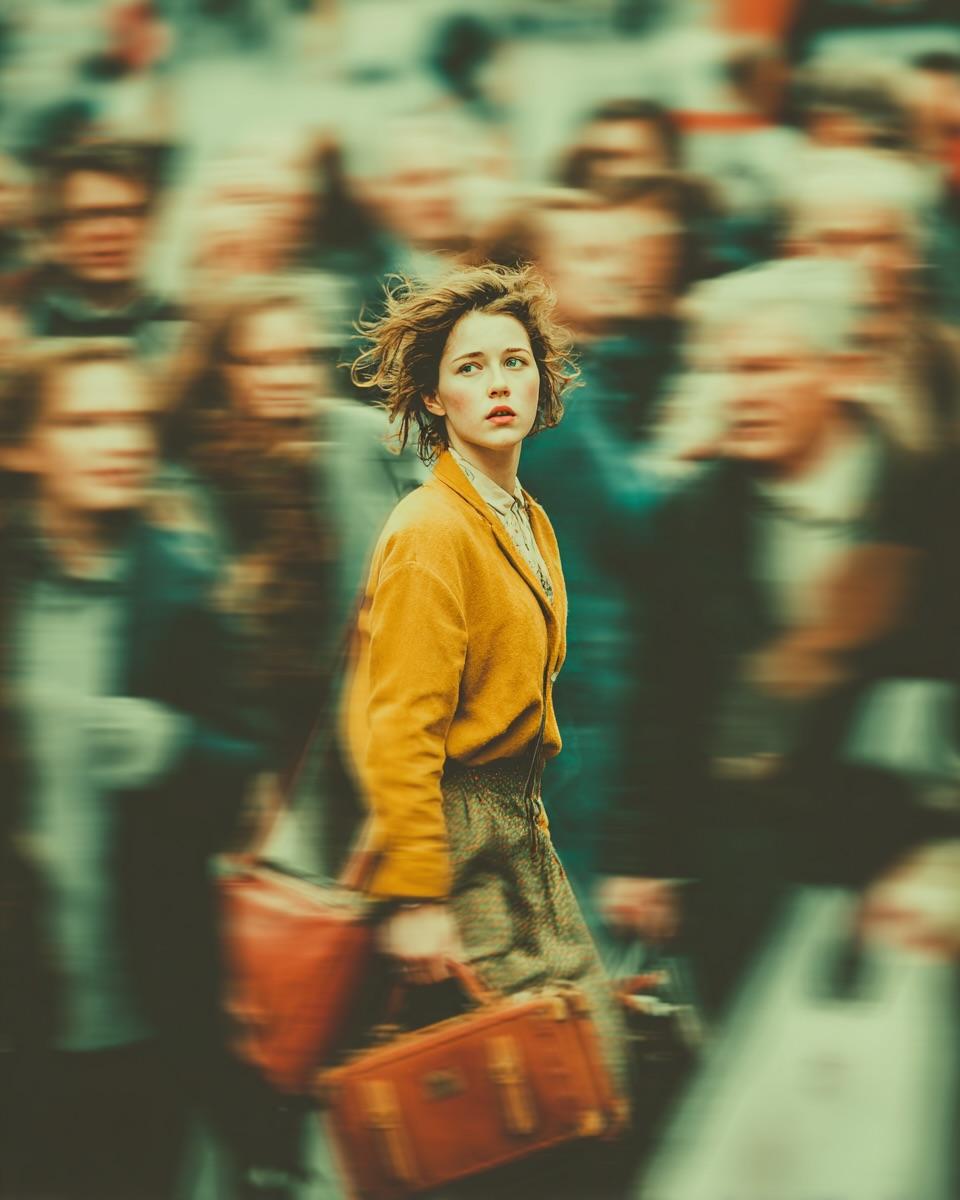
Cinematic Emotional Portrait with Motion Blur
views68,000
likes714
comments35
shares106
bookmarks693
quotes7
{
  "Objective": "Create a cinematic, emotionally charged portrait of a young woman standing still in the middle of a fast-moving crowd.",

  "Subject": {
    "Gender": "Female",
    "Appearance": {
      "Hair": "Short, windswept hair",
      "Expression": "Soft, anxious, introspective",
      "Gaze": "Looking slightly upward, as if searching for something"
    },
    "Wardrobe": {
      "Coat": "{argument name="coat color" default="Mustard yellow"} coat",
      "Accessories": "Vintage {argument name="bag color" default="brown"} leather bags"
    },
    "Focus": "Subject remains sharply in focus despite surrounding motion blur"
  },

  "Scene_Description": {
    "Setting": "Busy public space with a fast-moving crowd",
    "Crowd": {
      "Motion": "Strong motion blur symbolizing chaos and emotional isolation",
      "Contrast": "Crowd blurred — subject still and clear"
    },
    "Atmosphere": {
      "Mood": [
        "Loneliness",
        "Confusion",
        "Stillness in a rushing world"
      ],
      "Storytelling": "A single quiet moment amidst overwhelming movement"
    }
  },

  "Lighting_and_Color": {
    "Lighting": "Dramatic, filmic lighting with soft highlights on the subject",
    "Color_Grading": "Teal-and-orange cinematic palette",
    "Depth_of_Field": "Very shallow DOF with strong separation between subject and background"
  },

  "Visual_Style": {
    "Aesthetic": "Cinematic emotional portrait",
    "Quality": "Ultra realistic, high resolution",
    "Effects": [
      "Motion-blurred crowd",
      "Sharp subject isolation",
      "Film-inspired atmosphere",
      "High emotional contrast"
    ]
  },

  "Output_Requirements": {
    "Format": "Image",
    "Orientation": "Portrait",
    "Quality": "Cinematic, editorial-grade, emotionally expressive"
  }
}


