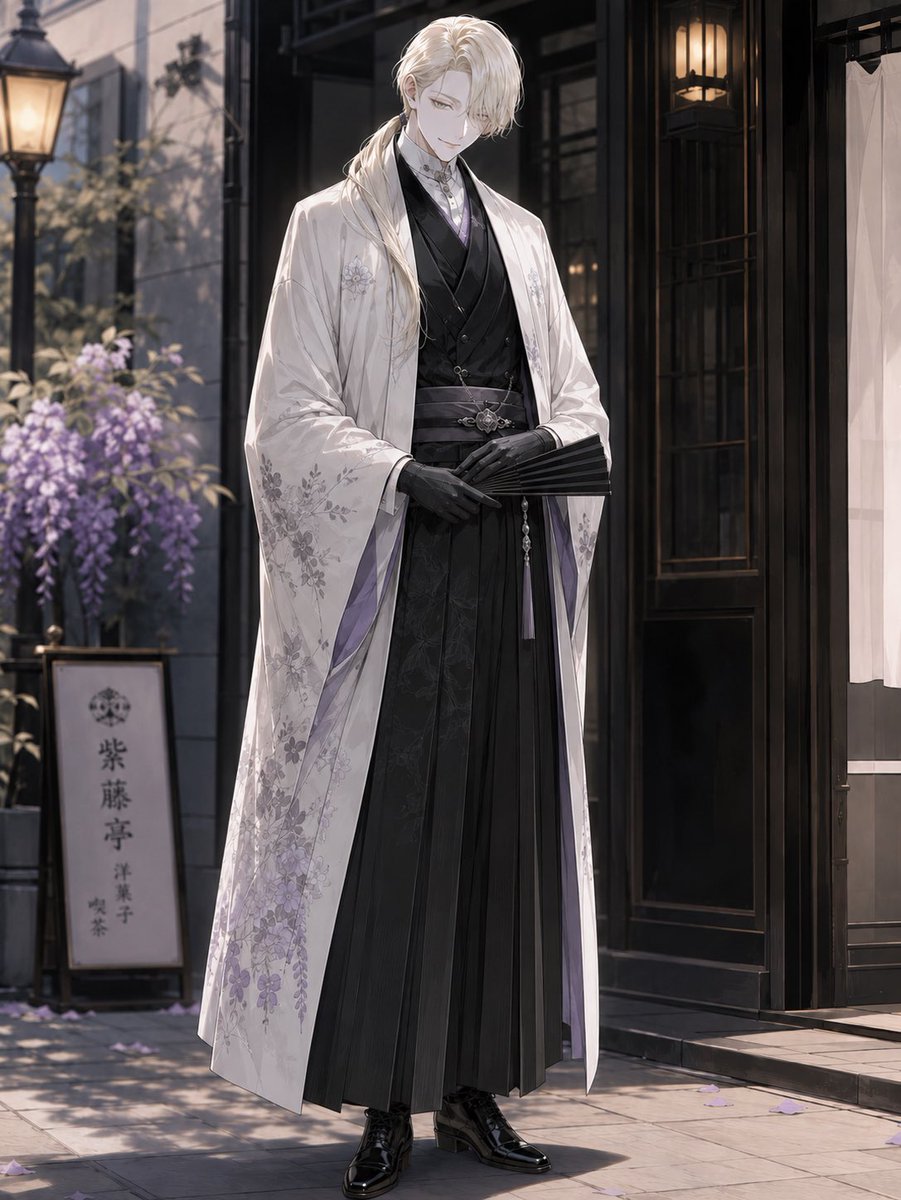
Elegant Pastry Shop Kimono Man
views268
likes15
comments0
shares2
bookmarks0
quotes0
Create a full-body vertical anime-style illustration of {argument name="character name" default="F"}, a tall elegant young man standing in front of a refined Japanese-Western pastry shop on a quiet street. He has long wavy {argument name="hair color" default="platinum blond"} hair tied into a low side ponytail over one shoulder, pale skin, and an intentionally obscured face covered by a plain soft gray square. He stands calmly with a dignified posture, hands folded at his waist, holding a closed black folding fan. His outfit has exactly 8 visible main pieces: 1 white long haori coat with delicate pale purple wisteria and floral embroidery, 1 black layered kimono-style inner robe, 1 black formal vest, 1 pale lavender high-collar shirt or cravat detail at the neck, 1 dark patterned obi belt with a silver ornamental clasp, 1 long black pleated hakama skirt-trouser, 1 pair of fitted black gloves, and 1 pair of glossy black lace-up dress boots. The coat lining should show subtle lavender accents, and the overall palette should be white, black, silver, and soft purple. Set him outside {argument name="shop type" default="a traditional Japanese confectionery and café"} with a dark wooden storefront, glass door, warm hanging lanterns, a white entrance curtain on the right, and stone pavement. Include exactly 5 notable background elements: 1 vintage streetlamp on the left, 1 planter or trellis of blooming purple wisteria, 1 vertical shop sign bearing the Japanese text {argument name="shop sign text" default="紫藤亭
洋菓子
喫茶"}, 1 dark wood doorway with glowing interior lamps, and scattered purple flower petals on the ground. Use cinematic soft morning or late-afternoon lighting, shallow depth of field, elegant otome-game character art, fine fabric detail, graceful composition, high resolution, and no extra characters.


