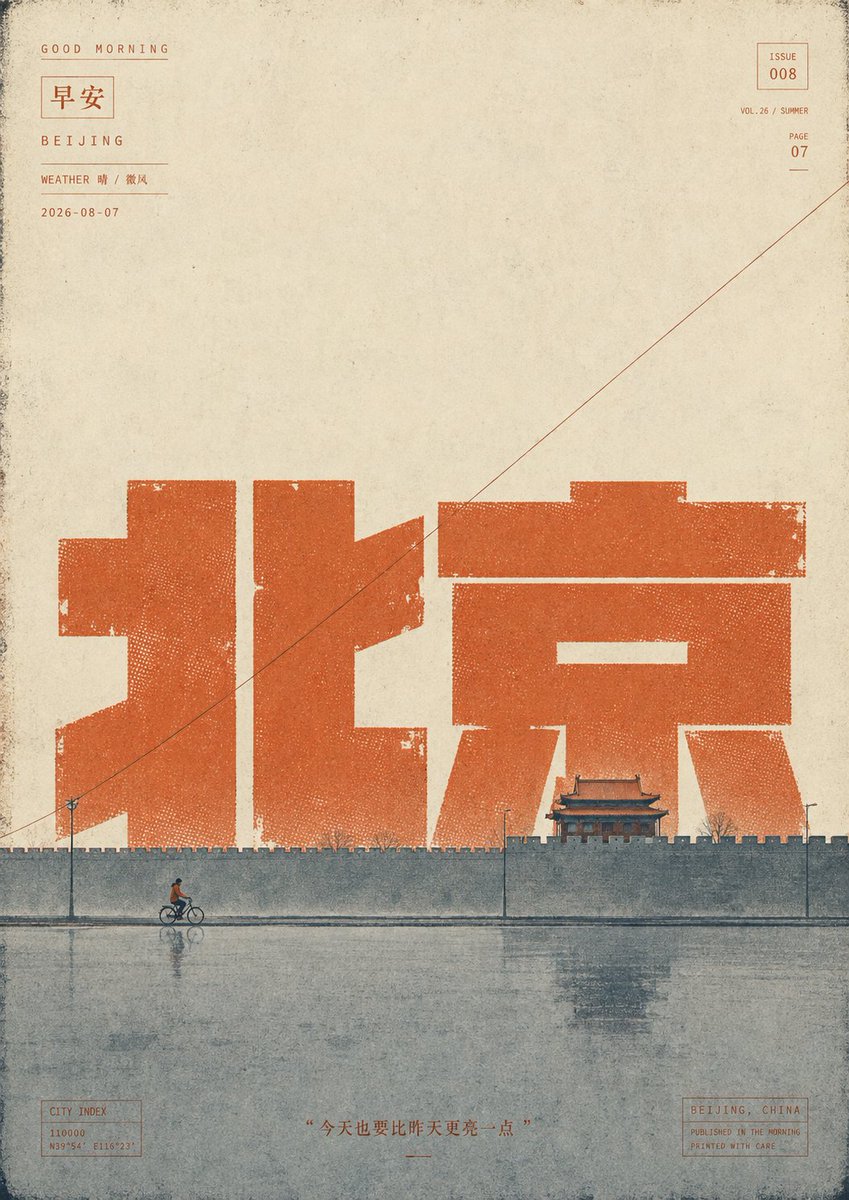
Vintage Kunming Morning Poster
views8,900
likes34
comments53
shares5
bookmarks28
quotes1
Using the provided reference poster as the base, create a sister “Good Morning” city poster for {argument name="city name" default="Kunming"} instead of Beijing while preserving the same vertical vintage editorial layout, aged paper texture, ink gaps, halftone dot erosion, thin border grime, small issue/page metadata blocks, diagonal hairline, bottom quote placement, and calm morning atmosphere.

Transform the main city typography: replace the giant central Chinese characters with {argument name="large Chinese city text" default="昆明"}, rendered as oversized blocky orange-yellow letterpress shapes with distressed edges and visible halftone speckling. Update the small top-left location label to “KUNMING,” the weather line to {argument name="weather text" default="WEATHER 晴 / 云淡"}, and keep the date format as {argument name="date" default="2026-08-07"}. Update the bottom-right location box to “KUNMING, CHINA,” and adjust the city index coordinates to match Kunming.

Replace the Beijing wall-and-cyclist scene with a tranquil Kunming waterfront promenade: add exactly 1 walking pedestrian in front of the large characters, exactly 1 tall streetlamp at the left, a row of short stone bollards connected along the water’s edge, exactly 3 small flying birds near the left side of the typography, a calm lake in the foreground with soft reflections, and on the right add a small traditional pavilion beside pale pink flowering trees. Keep the composition sparse with large empty paper space above.

Use a muted warm ochre palette for the typography instead of the deeper red-orange in the reference, with blue-green gray water and delicate faded ink printing. Maintain the same nostalgic Chinese magazine-cover / travel-poster aesthetic, including worn ink, misregistration, rough paper grain, and subtle stains.

Bottom quote text: {argument name="bottom quote" default="“四季如春,也要日日新鲜”"}. Avoid adding any extra modern objects, logos, or unnecessary text.


